elementnak
Members
-
Joined
-
Last visited
-
orthanc-diagnostics-20260210-0736.zip
-
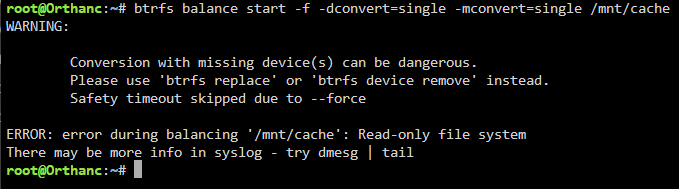
Hmm, I got this running the first command. I'd take a guess to use 'btrfs device remove' instead of 'btrfs balance'
-
I've attached logs but I would think they are the same as in my second post. Array is started and cache looks like this. Thanks orthanc-diagnostics-20260209-0929.zip

-
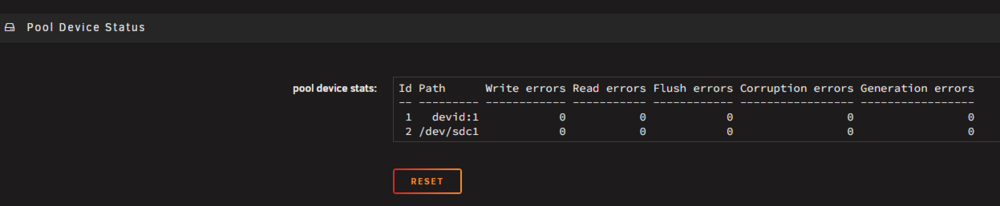
It sounds like I have a similar situation as this post where you offered these steps. I can start the array with the sdc in slot 2 of the cache and this is what I see in the array. Would i do this command? btrfs balance start -f -mconvert=single /mnt/cache btrfs dev del devid:1 /mnt/cache
-
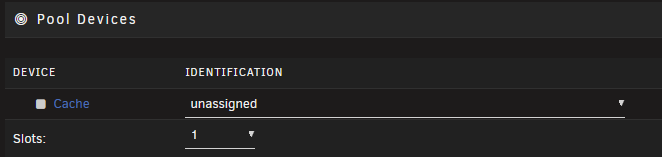
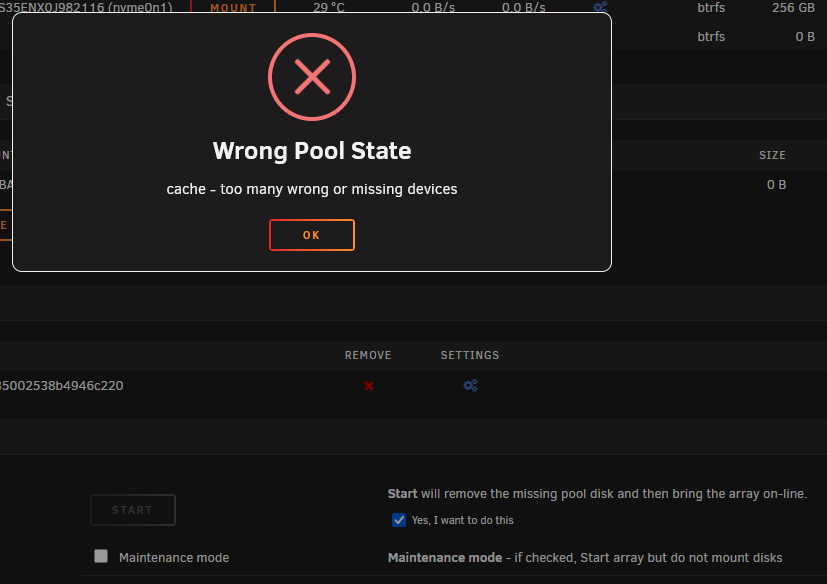
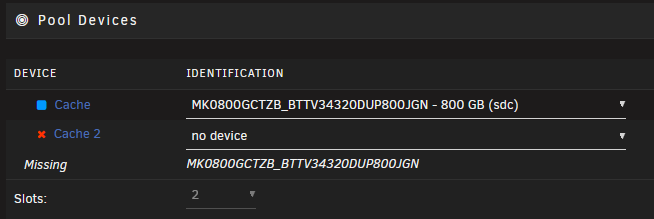
OK, removed the pool, created a new pool with 1 slot. Added the device back. Started the array and it added a slot back and says its missing. Is it remembering the old pool configuration from the disk. So i switch it to slot 1. Try to start the array and get an error. Kinda stuck now. orthanc-diagnostics-20260208-0940.zip


-
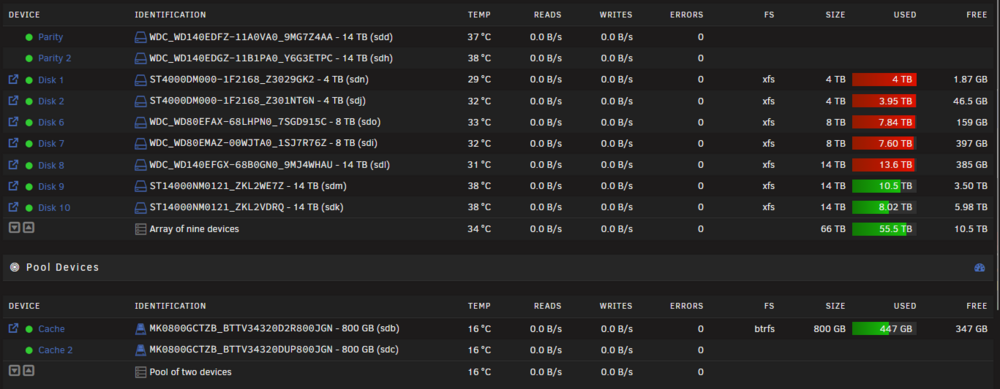
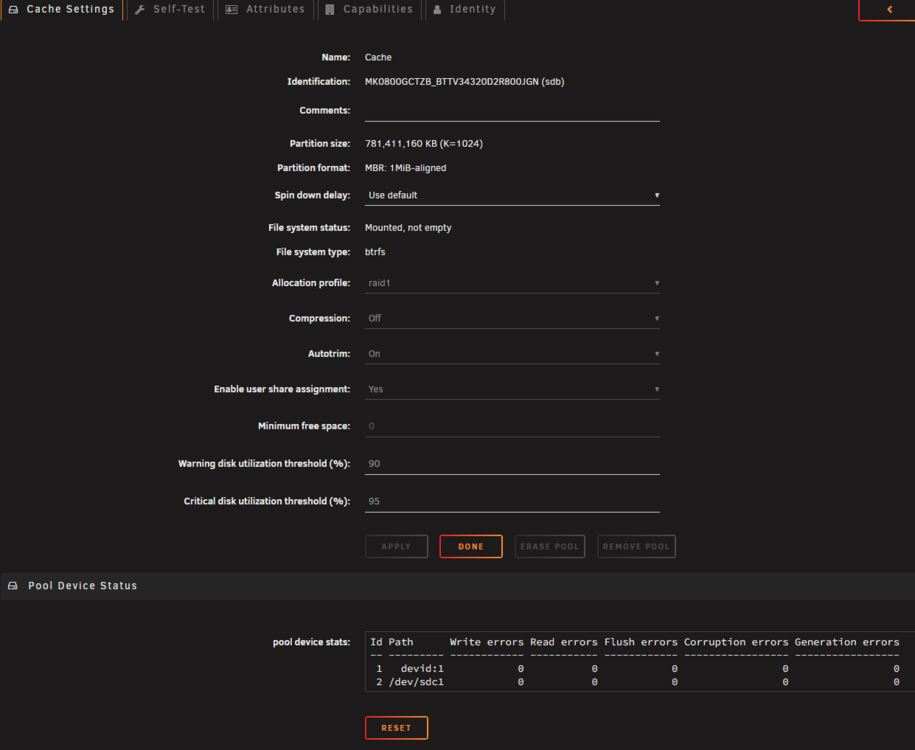
Hi, I tried to upgrade my Cache disks but it was throwing me errors during that process. So I figured I'd put the original back in (sdb) but I can tell its not actually working. After this, my Docker now says "Docker Service failed to start" which I'm guessing it got corrupted. Not sure if its relevant but one month ago I removed some old disk, 3,4,5. I've also tried the Plugin Mover Tuning but that didn't appear to help either. I did make a copy of my AppData since I saw my backups of it were not running. But now moving just doesn't want to move anything off the cache. It ran for about 12 hours and didn't move anything off cache but the array got about 100GB written to it in that time with Docker and VMs off. Ideally, I wanted to try to fix the cache situation before trying to tackle the docker issue. I get this error for Fix Common Problems but these are SSDs so not sure how to fix this or if I can ignore it. Attached are the diagnostics. I rebooted, then start Mover and just noticed it filled up Disk 1 real fast which doesn't have a lot of space on it, then Disk 1 got its space back and activity went to a crawl speed of 1MBs with the Mover still running. I have no idea how best to tackle this? Can I get the 2nd Raid1 Cache disk fixed or move my data to the array to recreate the pool? orthanc-diagnostics-20260208-0112.zip

-
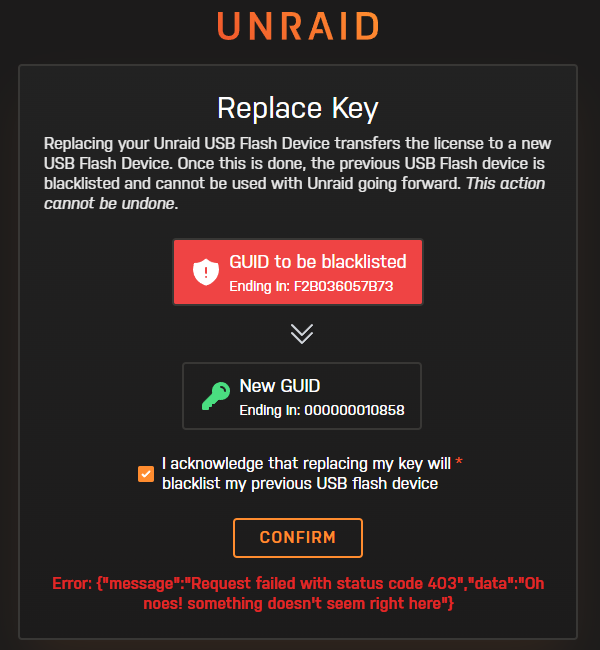
When replacing the flash drive I now get this error. Error: {"message":"Request failed with status code 403","data":"Oh noes! something doesn't seem right here"}
-
I'll try switching to a new flash drive. The flash drive is about 1 month old (an older 2.0 USB) since the original flash drive I had was too small to complete an upgrade update.
-
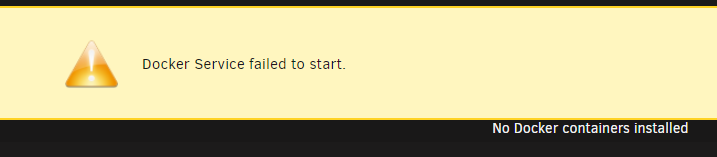
From the Web UI my docker is displaying "Docker Service failed to start" "No docker containers installed". I've restarted and docker starts to work for 5 minutes then gets the error below. But the containers are all still running as i can access Plex, Unifi Controlelr, Bitwarden, etc. I've also started to get this email from my unraid with a warning. Title: cron for user root /usr/bin/run-parts /etc/cron.hourly 1> /dev/null Subject: /etc/cron.hourly/user.script.start.hourly.sh: line 2: 18353 Bus error /usr/local/emhttp/plugins/user.scripts/startSchedule.php hourly I know the docker size has been growing. Up to 88% used of 60GB but the containers space used doesn't add up to near what its reporting. After a few restarts I did have to hold the power button when it didn't come back after 15 minutes but the issue happened before that. Any help to at least fix this docker error? orthanc-diagnostics-20231022-2202.zip