





Martintheshred
Members
-
Joined
-
Last visited
-
Thank you UnraidSecretaryOffice it was the fist one I deleted my own note of the Passphrase. Your info sorted it for me.
-
OK Folks I have been using the excellent Spaceinvader Nextcloud AIO docker for a while and recently while sorting out some folder I Made a rookie mistake and deleted the master container passphrase like a numpty. I know there is a way to retrieve it from the logs but for the life of me I cannot remember how. Please can you people help me
-
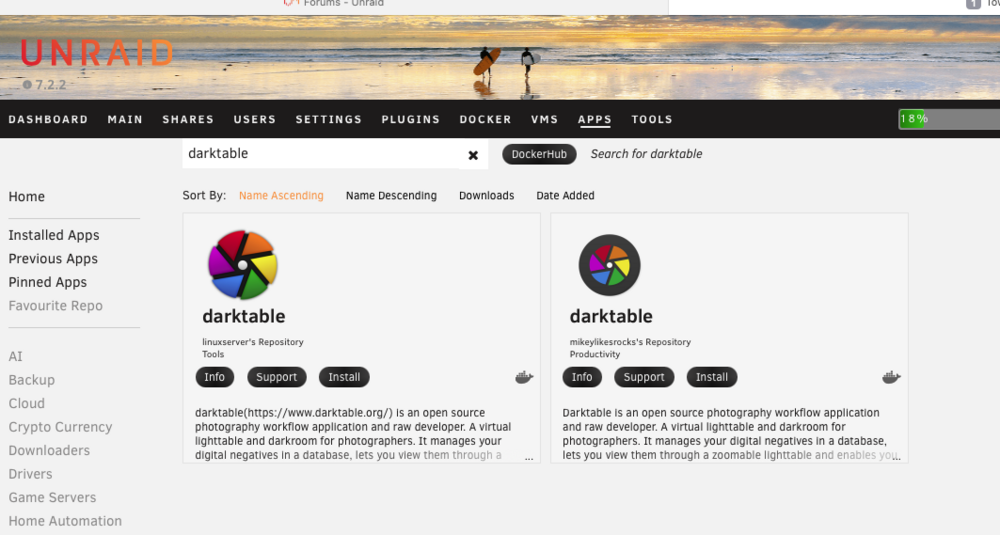
HI Folks hopefully I have got the correct forum for this however was looking at installing DarkTable on my server so that I can remotely edit raw images has anybody used any of these and which one do you suggest?
-
HI Folks So using the excellent "Spaceinvader one Nextcloud AIO Docker" together with his Youtube Instructions which made installation far easier than before I was able to install and get working the Nextcloud AIO. I also how to get it to update and I've also been able to setup the default time zone as well. As well get it working with Cloudflared Docker SO I can access it securely from the outside my own Network (not been able to that before so thanks). However I keep getting: "Network error: 299" when using the Nextcloud Desktop App on my MacBook to Sync all my folders. I can manually drag and drop folders from my Next Cloud folder on the MacBook that works ok its when I try to sync via the desktop Papp that it give this message and reading on the Nextcloud forums and Reddit it is a common issue. however I cannot for the life of me find a simple solution. especially as I am novice with all this type of stuff. Has any one got any idea's
-
Just a Quick Update the latest Unraid Update Fixed it somehow. and it is still up and running ok
-
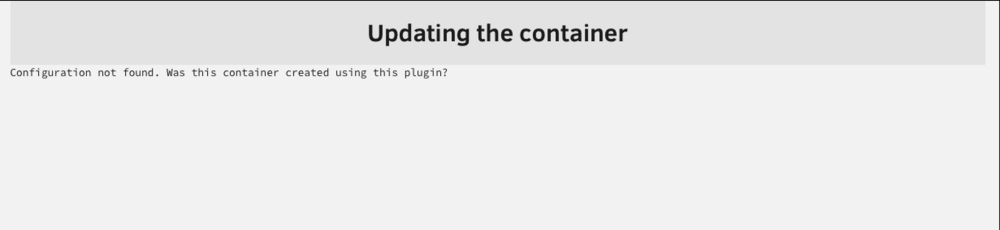
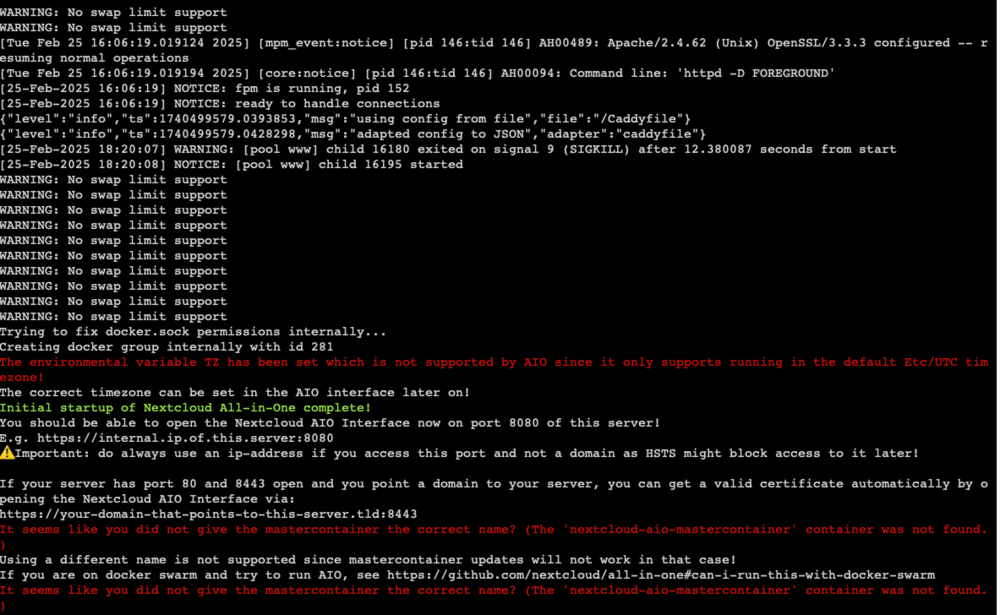
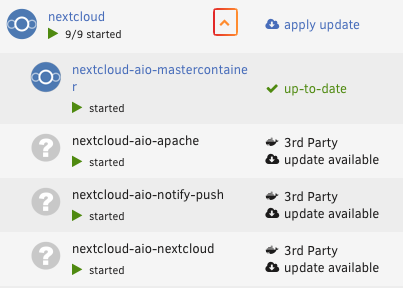
HI Folks hopefully someone can help me iron out the bugs with this? After updating my Unraid server to 7.0 and solving the Wrong Pool State Issue when trying to to start the array I found that all my Dockers & VM's had got wiped. So I started to reinstall all the dockers I had and thought rather than going through the process of having to Install MariaDB and then Docker etc.. I would use the new Nextcloud AIO and using the one set up by Spaceinvader (love his instructional videos they are really concise and well thought out) It all installed nicely even able to access it from outside my home network using a cloudflared tunnel. However I have run into a couple of bugs that I cannot get around the first one is that when I have tried to update by clicking on the apply update or by stopping the containers and trying to update them individually I get this message see attached. There are a couple of other niggles however this is the main one I am running this on a Dell Power Edge Server Hopefully you wonderful people can help
-
After updating to version 7 on my Dell Poweredge Server I keep getting this error message when I go to start up the array I do not get it when on the last version 6.12.13 so until it is sorted I will have other run the older one I do not have any Cache Drives attached. domain.cfg smart-all.cfg flash.cfg cache.cfg docker.cfg rsyslog.conf editor.cfg super.dat rsyslog.cfg network-rules.cfg ident.cfg share.cfg network.cfg go.txt disk.cfg listen.txt smart-one.cfg unraid-7.0.0.txt 350014ee058e32206-2024-08-22 disk1 (sdc).txt 35000c50064fafdba-2024-08-22 disk4 (sdh).txt 35000c5004da3b2ff-2024-08-22 disk2 (sdd).txt _USB_DISK_3.0_070B798F3A7F9398-0-0-2024-08-22 flash (sda).txt 350014ee20c1d5b53-2024-08-22 parity2 (sdf).txt 350014ee2bb13faa0-2024-08-22 disk6 (sdi).txt 350014ee2b9b609dc-2024-08-22 parity (sdb).txt 35000c5006ca365fe-2024-08-22 disk5 (sde).txt HL-DT-ST_DVD+_-RW_GHA2N_K5GD8U85911-2024-08-22 (sr0).txt 35000c50063ce6b9f-2024-08-22 disk3 (sdg).txt cmdline.txt drm.txt plugins.txt motherboard.txt iommu_groups.txt ntp.txt aspm-status.txt ethtool.txt folders.txt sshd.txt lsmod.txt lsscsi.txt thirdparty_packages.txt installed_patches.txt loads.txt testparm.txt memory.txt lspci.txt meminfo.txt lsusb.txt urls.txt top.txt servers.conf.txt vars.txt lscpu.txt lsof.txt df.txt ifconfig.txt wg-quick.txt syslog-previous.txt syslog.txt appdata.cfg Z---------r.cfg domains.cfg T----------e.cfg S----a.cfg L------------P.cfg N--------d.cfg isos.cfg T-----------------a.cfg M------------w.cfg c--v.cfg system.cfg ‚--------n.cfg S-----------s.cfg N----d.cfg U----------------------e.cfg C---d.cfg T-----------------n.cfg F---H.cfg shareDisks.txt N----C.cfg v----s.cfg n-------d.cfg M---------p.cfg M----n.cfg
-
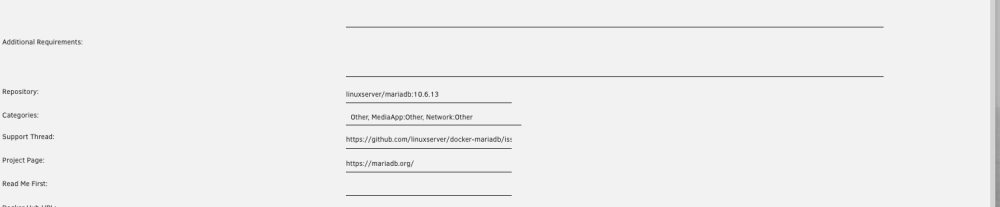
Cheers for this Elmuziko thats what I did on the off chance that well if its broken I cannot make it any worse (LOL) and change it to this below I was just reply but you beet me to it hope they get the update sorted though
-
It was a stupid Question Thanks Silentbob all I had to do was open up the template and type linuxserver/mariadb:10.6.13 into the repository section and it work. just need to remember that for nexttime
-
Thanks for this Silentbob this is probably a stupid newbie question how do I do that? Do I just open up the Unraid template and change it there?
-
Just did the Mariadb upgrade and getting the same issue and my Nextcloud will not work looking in my MariaDB Logs and keep getting the same recurring Issue
-
Hi Guys Hopefully this is the right forum for this topic? I have been running and Unraid server for a while and using time machine to back up my MacBook pro the runs OS Big Sur. everything worked ok until I updated the Unraid server to Unraid Version 6.11.5 and from then I have not been able to get Time Machine to work. after following @SpaceInvaderOne Ones video I decided the only option was to delete the share on Unraid and start again. with a New Share etc.. I used Binhex_Krusader to delete the Shares and then went into terminal and using the command "cd /mnt/user/" and saw the shares were still in there so I used the command "rm -rfv and the share name" that appeared to delete the shares from the Unraid server however when look at the Network Server in Finder on My MacBook I can still see the shares / folder however I cannot connect to them obviously. So what am I missing here? any help would be most appreciated. Thanks in advance
-
Hi Guys I tried to do an update to the latest update using the Gui updater and it is stuck on update in progress when I oped the logs it says "Could not open input file: /config/www/nextcloud/cron.php" do you have any suggestions I have also tried this command in terminal "docker exec -it nextcloud updater.phar" and get "Step 6 is currently in process please try later" I am running the latest Unraid version 6.11.5 on a Dell Poweredge T320 Server and have had no problems in the past updating Nextcloud using the GUI
-
Cheers Guys for your help. Just wanted to check that I could do it that way. My other drives in the array are either 500gb or 1Tb. I will mark this up as completed.
-
Hi Guys Sorry to ask a dumb question however I have just had one of my two 1Tb parity Drives go down and as was thinking of upgrading my other 6 drives to 2Tb Drives I was wondering can I replace the dead 1Tb parity drive with a bigger 2Tb drive and then at a later date replace the second 1Tb parity drive that is at present still working with a bigger 2Tb drive say in a month or two? Hopefully this makes sense and is not too much of a dumb question. My Server is a Dell Poweredge T320 running Unriad 6.9 was going to change the parity drive before upgrading to 6.10.


