cliewmc01
Members
-
Joined
-
Last visited
-
Thanks @trurl for the invaluable advice. 👍🙏
-
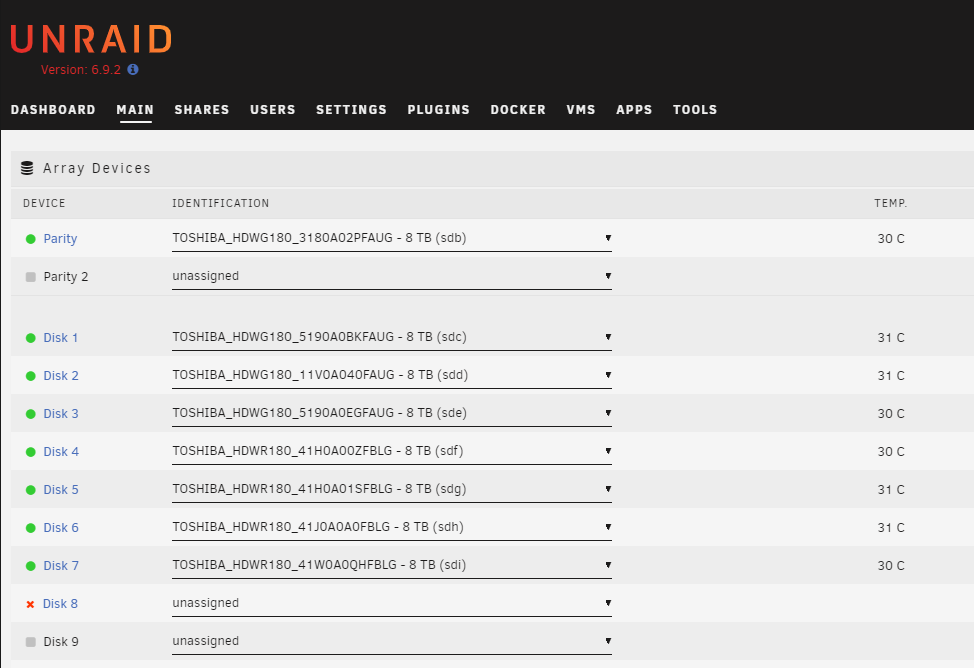
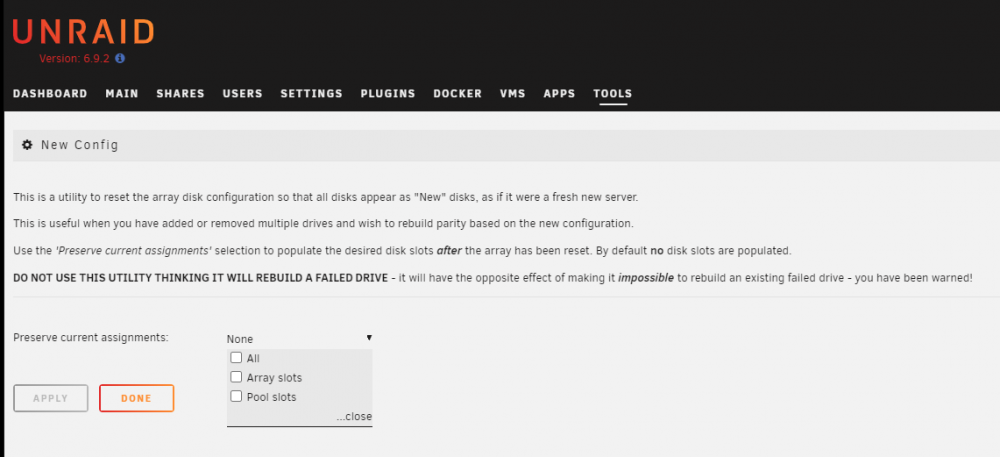
Thanks @jonathanm for the response. It's exactly what I was after. I added a drive to the array instead of the 'Pool Devices' for a cache drive. I now have an unwanted 'unassigned' disk similar to @muncc22. I have 1 parity + 7 disks + 1 unassigned disk. The 7 disks have data. The unassigned disk has 14GB of data that I assume to be parity data. I have not added new data since I committed the error. When I set up the new config, assign drives and rebuild parity, will I retain all data in the 7 disks? Given the scenario, should I use the 'Preserve current assignment' or manually set out the new config disks? Sorry, I am a newbie in this particular area. I just wanted some assurance before I hit the button. Thank you for your advice. Cheers. cL