





yendi
Members
-
Joined
-
Last visited
Everything posted by yendi
-
This seems to have solved the problem... So trivial ! Thanks As I have 40Tb + of files, is there a way to make a "symbolik link" like of my movie folder and tv shows for them to be uploaded on the background (without deleting them after upload)? So I can keep a copy of everything local until the full upload is done, and switch at once at the end. Thanks
-
I use the exact script from github, I posted a code insert of it at the top of this page.
-
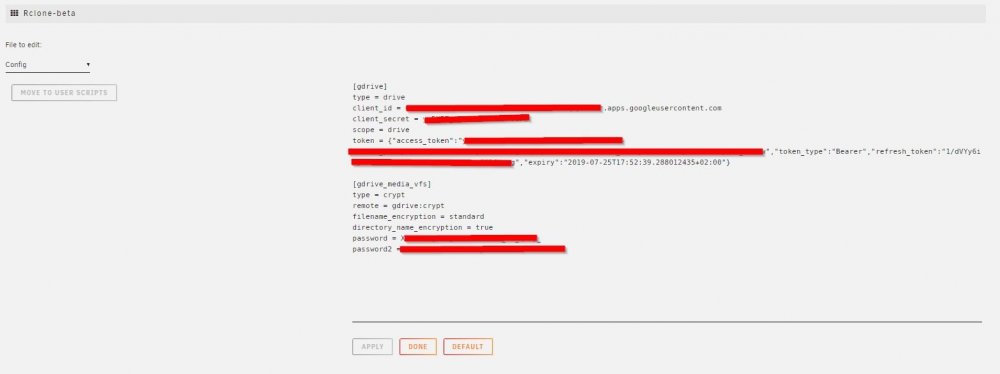
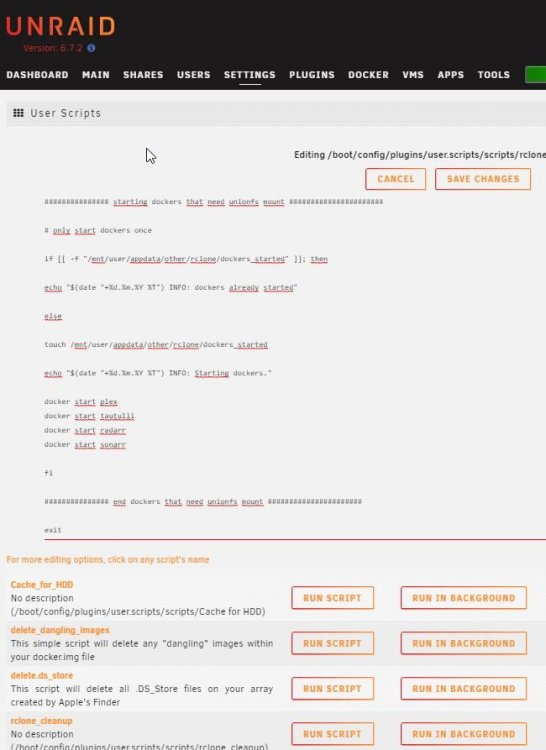
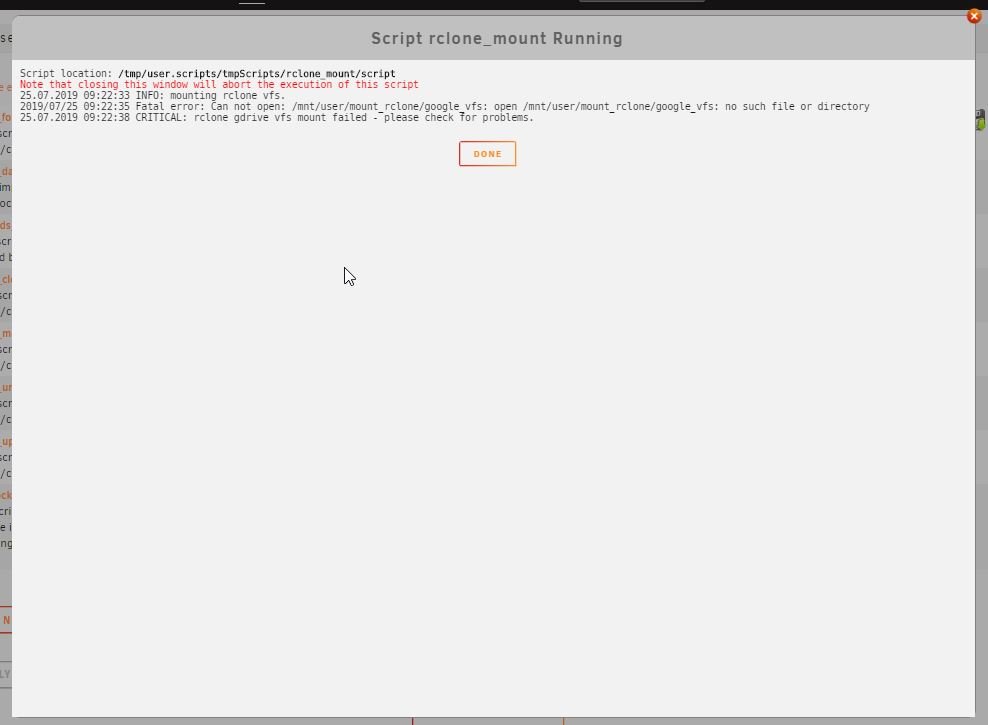
I rebooted, run in the background and I have the same error: 25.07.2019 16:52:39 INFO: mounting rclone vfs. 2019/07/25 16:52:40 Fatal error: Can not open: /mnt/user/mount_rclone/google_vfs: open /mnt/user/mount_rclone/google_vfs: no such file or directory 25.07.2019 16:52:44 CRITICAL: rclone gdrive vfs mount failed - please check for problems. Could you please double check that I am doing it right: Installed Rclone BETA and add this config: Installed Unionfs-Fuse from Nerdpack: Copied all the scripts in userscripts Past those commands to ssh: "touch mountcheck" "rclone copy mountcheck gdrive_media_vfs: -vv --no-traverse" Started the mountscript in background --> Am I missing something? I started everything all over again with the same result... Thanks !

-
When I created manually the folders, I ran the rclone command directly in a SSH window. When I hit enter, the prompt is working but I have no message or no way to input any other thing. It is like if it was blocked. Is it a normal behavior? Thanks
-
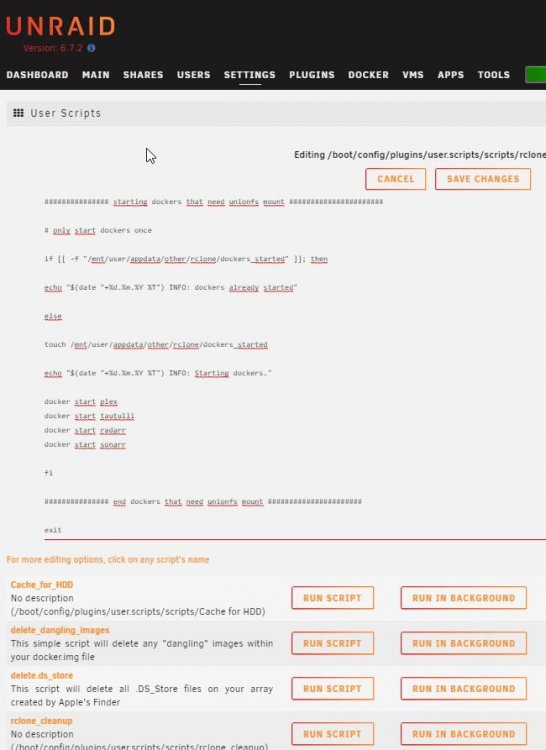
Yes #!/bin/bash ####### Check if script is already running ########## if [[ -f "/mnt/user/appdata/other/rclone/rclone_mount_running" ]]; then echo "$(date "+%d.%m.%Y %T") INFO: Exiting script already running." exit else touch /mnt/user/appdata/other/rclone/rclone_mount_running fi ####### End Check if script already running ########## ####### Start rclone gdrive mount ########## # check if gdrive mount already created if [[ -f "/mnt/user/mount_rclone/google_vfs/mountcheck" ]]; then echo "$(date "+%d.%m.%Y %T") INFO: Check rclone vfs already mounted." else echo "$(date "+%d.%m.%Y %T") INFO: mounting rclone vfs." # create directories for rclone mount and unionfs mount mkdir -p /mnt/user/appdata/other/rclone mkdir -p /mnt/user/mount_unionfs/google_vfs mkdir -p /mnt/user/rclone_upload/google_vfs rclone mount --allow-other --buffer-size 256M --dir-cache-time 72h --drive-chunk-size 512M --fast-list --log-level INFO --vfs-read-chunk-size 128M --vfs-read-chunk-size-limit off gdrive_media_vfs: /mnt/user/mount_rclone/google_vfs & # check if mount successful # slight pause to give mount time to finalise sleep 5 if [[ -f "/mnt/user/mount_rclone/google_vfs/mountcheck" ]]; then echo "$(date "+%d.%m.%Y %T") INFO: Check rclone gdrive vfs mount success." else echo "$(date "+%d.%m.%Y %T") CRITICAL: rclone gdrive vfs mount failed - please check for problems." rm /mnt/user/appdata/other/rclone/rclone_mount_running exit fi fi ####### End rclone gdrive mount ########## ####### Start unionfs mount ########## if [[ -f "/mnt/user/mount_unionfs/google_vfs/mountcheck" ]]; then echo "$(date "+%d.%m.%Y %T") INFO: Check successful, unionfs already mounted." else unionfs -o cow,allow_other,direct_io,auto_cache,sync_read /mnt/user/rclone_upload/google_vfs=RW:/mnt/user/mount_rclone/google_vfs=RO /mnt/user/mount_unionfs/google_vfs if [[ -f "/mnt/user/mount_unionfs/google_vfs/mountcheck" ]]; then echo "$(date "+%d.%m.%Y %T") INFO: Check successful, unionfs mounted." else echo "$(date "+%d.%m.%Y %T") CRITICAL: unionfs Remount failed." rm /mnt/user/appdata/other/rclone/rclone_mount_running exit fi fi ####### End Mount unionfs ########## ############### starting dockers that need unionfs mount ###################### # only start dockers once if [[ -f "/mnt/user/appdata/other/rclone/dockers_started" ]]; then echo "$(date "+%d.%m.%Y %T") INFO: dockers already started" else touch /mnt/user/appdata/other/rclone/dockers_started echo "$(date "+%d.%m.%Y %T") INFO: Starting dockers." docker start plex docker start tautulli docker start radarr docker start sonarr fi ############### end dockers that need unionfs mount ###################### exit
-
Its the exact one from github. No change at all.
-
when I request a cliend_id + secret i should request it from a different gmail account? This remote will stay always empty? I dont understand the purpose of this remote, could you please elaborate? How to do the initial upload? Copy media in the /mnt/user/mount_unionfs/google_vfs/xxxxx/? How to see upload progress --> (local files gets deleted when upload finished as example?) I have 40TB+ to upload so I wanting to plan this: Is there a way to make symlink or something similar to do a continious upload during few weeks and keep my plex as it is in parallel? So I could switch once everyhting has been uploaded? How does rclone work with Cache? I have a SSD where all downloads goes and the cache is emptied every night. Should I disable cache now? Why is there a script for Radarr and not for Sonarr? i dont see where is the tutorial it is used. Thanks for the help ! EDIT: I started right after work and i'm kinda stuck: Here is my rclone config: [gdrive] type = drive client_id = XXXXXXXXXXXXXXXXXXXXXXXX.apps.googleusercontent.com client_secret = XXXXXXXXXXXXXXXXXXXXXXXX scope = drive token = {"access_token":"XXXXXXXXXXXXXXXXXXXXXXXXXX","token_type":"Bearer","refresh_token":"1/n-7ZOV5GTQUhOYNW_8txP2xIFciNSN6sOtCxjbvSbEQ","expir y":"2019-07-23T19:16:10.643780944+02:00"} [gdrive_media_vfs] type = crypt remote = gdrive:crypt filename_encryption = standard directory_name_encryption = true password = XXXXXXXXXXXXXXXXXXXXXXXXXXXXX password2 = XXXXXXXXXXXXXXXXXXXXXXXXXXX When I input the command for mountcheck: root@Kanard:~# rclone copy mountcheck gdrive_media_vfs: -vv --no-traverse 2019/07/23 18:59:45 DEBUG : rclone: Version "v1.48.0-073-g266600db-beta" starting with parameters ["rcloneorig" "--config" "/boot/config/plugins/rclone-beta/.rclone.conf" "copy" "mountcheck" "gdrive_media_vfs:" "-vv" "--no-traverse"] 2019/07/23 18:59:45 DEBUG : Using config file from "/boot/config/plugins/rclone-beta/.rclone.conf" 2019/07/23 18:59:46 DEBUG : mountcheck: Size and modification time the same (differ by -365.632µs, within tolerance 1ms) 2019/07/23 18:59:46 DEBUG : mountcheck: Unchanged skipping 2019/07/23 18:59:46 INFO : Transferred: 0 / 0 Bytes, -, 0 Bytes/s, ETA - Errors: 0 Checks: 1 / 1, 100% Transferred: 0 / 0, - Elapsed time: 1.1s 2019/07/23 18:59:46 DEBUG : 5 go routines active 2019/07/23 18:59:46 DEBUG : rclone: Version "v1.48.0-073-g266600db-beta" finishing with parameters ["rcloneorig" "--config" "/boot/config/plugins/rclone-beta/.rclone.conf" "copy" "mountcheck" "gdrive_media_vfs:" "-vv" "--no-traverse"] but then, I try to start mount script and I have an error: 23.07.2019 18:44:56 INFO: mounting rclone vfs. 2019/07/23 18:44:58 Fatal error: Can not open: /mnt/user/mount_rclone/google_vfs: open /mnt/user/mount_rclone/google_vfs: no such file or directory 23.07.2019 18:45:01 CRITICAL: rclone gdrive vfs mount failed - please check for problems. I tried to use only the rclone mount command but same error of path. If I manually create the path, I can run the command but it hangs in the ssh window (i never get the prompt again) so I assume that there is something fishy. Permissions issues? Thanks
-
So it adds up 750go to the initial user and the teamshare is never used? So with this you could upload 1500gigs a day? That is great ! I have a 1000/400 fiber internet and during my test I was hitting this limit everyday (initial upload)
-
@DZMMThanks for all those scripts it is greatly appreciated. I played around few months ago with Google Apps for business in a similar setup but using a windows solution instead of rclone (Stablebit Clouddrive) I ended up building my current unraid server but because it is exponentially growing in size, the cost of HDD is becoming very high. I an considering testing your solution so I am super interested into your tutorial... What is the purpose of the teamdrive? Do you use it and merge it into plex at one time or is it only here to provide a seconde 750G/day allowance ? I was scared at the time that Google Enforce one day the limit per user and that I loose all my content. Do you have a backup strategy somewhere? I saw that you had a second Gdrive? Thanks again for sharing all this stuff !
-
One other issue: I mapped the path /downloads -> /mnt/user/Media/Downloads/ but when I start a download I have an error: No space left on device (/downloads/xxxxxxxxxxx.mkv) --> I have 120gb left and the download is 4gb Container config: root@localhost:# /usr/local/emhttp/plugins/dynamix.docker.manager/scripts/docker run -d --name='transmission' --net='bridge' --privileged=true -e TZ="Europe/Paris" -e HOST_OS="Unraid" -e 'PUID'='99' -e 'PGID'='100' -p '9091:9091/tcp' -p '51413:51413/tcp' -v '/mnt/user/Media/Downloads/':'/downloads':'rw' -v '/mnt/user/Media/Downloads/_Watch/':'/watch':'rw' -v '/mnt/user/appdata/transmission':'/config':'rw' 'linuxserver/transmission' c5ae215adda4c5875af4e91665f328ef2ae6402653cd376429cfe61f835bc229
-
Hello, I have issues with my first docker app: Transmission. I cannot manage to make settings saved: I have installed the docker, then just go in the preferences in the webview change few things and restart the container --> Preferences are reverted to defaults. I tried reinstall the container using "priviledged" setting without luck. I also tried the "Docker Safe New Perms" and the "Fix Common Problems' plugin but no error founds. Could you please tell me what I am doing wrong? Is it a permission issue? How to correct it ? Thanks


