





mihcox
Members
-
Joined
-
Last visited
-
Yeah, this was intermittently fixed for me by uninstalling the unraid connect plug-in. But sometimes that still wouldn't fix it. I rolled forward to 7.2.0 beta1 and have not seen the issue since Potentially compatibility settings between the GUI and plugins I think
-
The Unraid connect plugin was causing the issue. After removing it, I found that all my network settings had been deleted/removed. Working on adding those now to see if the problem isresolved.
-
That worked. But now what could be the issue then? Heres the list of plugins I'm using on this server, same as on another 7.1.4 server, but that one is running without issues? Appdata Backup ASPM Helper BTRFS Scrubber CA Auto Turbo Write Mode CA Auto Update Applications CA Cleanup Appdata CA Mover Tuning Community Applications Compose Manager controlrd Custom Tab Disable Mitigation Settings Disk Location Dynamix Active Streams Dynamix Auto Fan Control Dynamix Cache Directories Dynamix Date Time Dynamix Factory Reset Dynamix Local Master Dynamix Password Validator Dynamix S3 Sleep Dynamix Safe Mode Dynamix Schedules Dynamix Share Floor Dynamix Stop Shell Dynamix System Buttons Dynamix System Information Dynamix System Statistics Dynamix System Temperature Enhanced Log Viewer File Activity Fix Common Problems Flash Remount FolderView2 GPU Statistics GUI Links Mellanox Firmware Tools MOTD Network UPS Tools (NUT) for UNRAID Nvidia Driver Open Files Parity Check Tuning plexstreams PWM Fan rclone Recycle Bin Sanoid for unRAID 6/7 Tailscale Theme Engine Tips and Tweaks Tmux Terminal Manager (TTM) Unassigned Devices Unassigned Devices Plus Unassigned Devices Preclear unbalanced Unraid Connect USB Manager User Notes User Scripts User Scripts Enhanced VM Backup Web Push Notification Agent ZFS Master for Unraid
-
no, it does not work on either of 2 pcs, edge or firefox.
-
attaching my logsepycrig-diagnostics-20250721-0904.zip
-
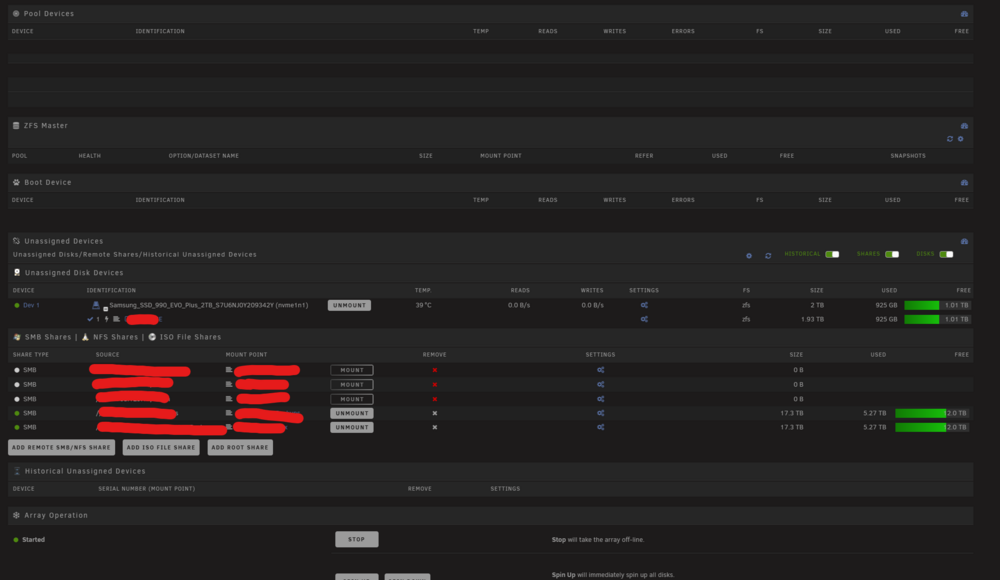
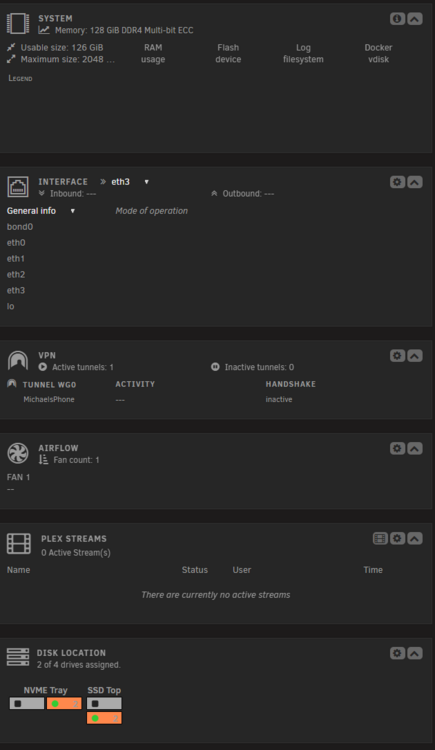
I just upadted 2 servers, 1 went off without problems, but the other is having some issues with displaying some of the webgui after the update. Some sections of the dashboard, and most sections of the main page are just blank. No disks are showing, no network devices are showing, etc Any suggestions on how to resolve this?
-
i do notice theme park is for docker styling, while theme engine was for the unraid gui itself.
-
thanks so much for the detailed explanation!
-
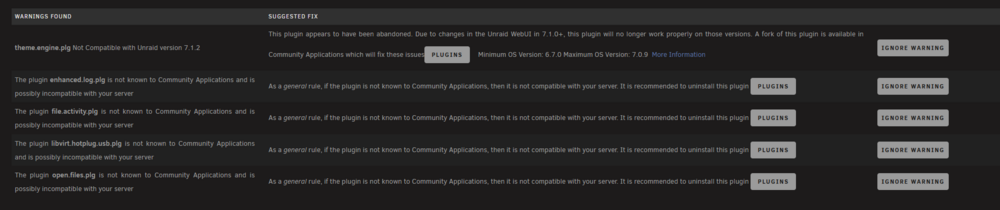
Got it, so the recommendation would be to remove these plugins: enhanced log file activity open files Upgrade to the newer version of this one: libvirt hotplug What about the theme engine, i expect its possible an update is coming to make that one compatible?
-
Since upgrading to 7.0 and further, I am starting to get a lot of notifications in the Fix Common Problems plugin that suggest some growing issues in the plugins repo. I have had 5 plugins that are not compatible with existing versions of unraid. I dont really enjoy having to perform cleanup after the upgrades, i would hope that in the future all plugins can be checked for compatibility BEFORE upgrading, instead of having to track down issues after the update. What is the suggested resolution for these?
-
seeing this in my fix common problems plugin today: The plugin active.directory.plg is not known to Community Applications and is possibly incompatible with your server
-
Im not sure what is causing the hangups, but it seems to report some sort of filesystem issue when trying to shutdown. I can attempt to shutdown and get more screeenshots if that would help. precisionrig-diagnostics-20250321-1446.zip
-
Does this mean I should effectively uninstall the plugin?
-
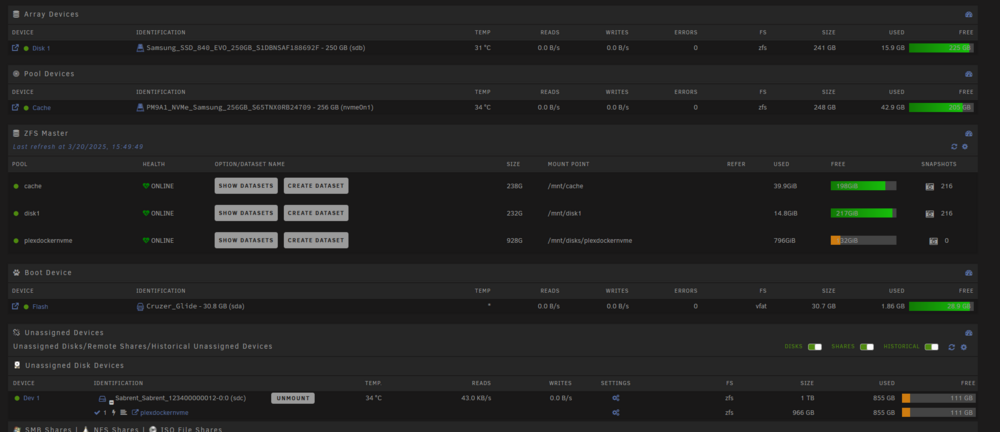
Just got this email after a reboot, any thoughts/suggestions? Event: Unraid Status Subject: Mover Tuning Notification Description: Fatal error: cache not present, or only cache present, and less than 2 pools set up. Importance: warning
-
Once i was able to login, i am able to see my ups stats in the app. All seems to be working well for me now My only feedback would be to put the ups stats on another line under the parity and temps, instead of having to scroll. Thanks for helping me troubleshoot!



