shikinami
Members
-
Joined
-
Last visited
-
I had the container already, playing again for the first time in a while. I had this error message, which persisted even after deleting the appdata/valheim folder and letting it redownload: ---Start Server--- Stack overflow in unmanaged: IP: 0x14617238590a, fault addr: 0x55827ebb072b [S_API] SteamAPI_Init(): Loaded local 'steamclient.so' OK. Setting breakpad minidump AppID = 892970 SteamInternal_SetMinidumpSteamID: Caching Steam ID: 76561197960265728 [API loaded no] [S_API FAIL] Tried to access Steam interface SteamNetworkingUtils004 before SteamAPI_Init succeeded. I fixed by changing the Container Variable: WORLD_NAME to a different name (I kept the same Container Variable: SRV_NAME ) then restarted the container. Server now starts with no errors, and I am able to connect.
-
After a Plex update on Unraid, it showed as migrating ("Plex Media Server is currently running database migrations.") but logs showed this error: Error: Unable to set up server: std::exception (N2DB9ExceptionE)The database was corrupted. I fixed it by restoring from Plex's automatic backup. There are resources out there already that explain this but hopefully this might help someone with this exact problem solve it a bit faster all via the Unraid terminal. Start a temporary container to access Plex's SQLite: docker run -it --rm \ -v /mnt/user/appdata/plex:/config \ linuxserver/plex /bin/bashNavigate to the database folder: cd "/config/Library/Application Support/Plex Media Server/Plug-in Support/Databases"List available backups: ls -la *.db*You should see backup files like com.plexapp.plugins.library.db-YYYY-MM-DD. Restore the most recent backup (replace the date): mv com.plexapp.plugins.library.db com.plexapp.plugins.library.db.corrupt cp com.plexapp.plugins.library.db-2026-01-01 com.plexapp.plugins.library.db mv com.plexapp.plugins.library.blobs.db com.plexapp.plugins.library.blobs.db.corrupt cp com.plexapp.plugins.library.blobs.db-2026-01-01 com.plexapp.plugins.library.blobs.dbRemove stale WAL and SHM files: rm com.plexapp.plugins.library.db-shm com.plexapp.plugins.library.db-wal rm com.plexapp.plugins.library.blobs.db-shm com.plexapp.plugins.library.blobs.db-walExit and then start Plex via Unraid UI normally: exit
-
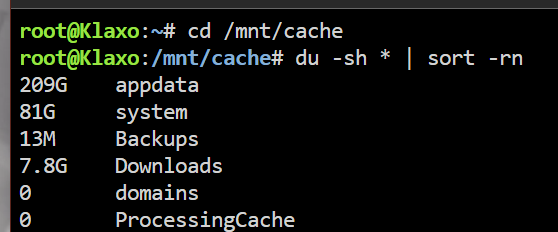
My cache drives report to have ~75GB that I can't seem to account for. The docker.img file is 80gb (the /system folder) and /appdata is mostly minecraft servers. I don't think I've ever used VMs which seem to often cause other people to have similar issues. Is there another command or setting I can use to locate/delete whatever is making the total reported used space be 374GB? Thanks in advance

-
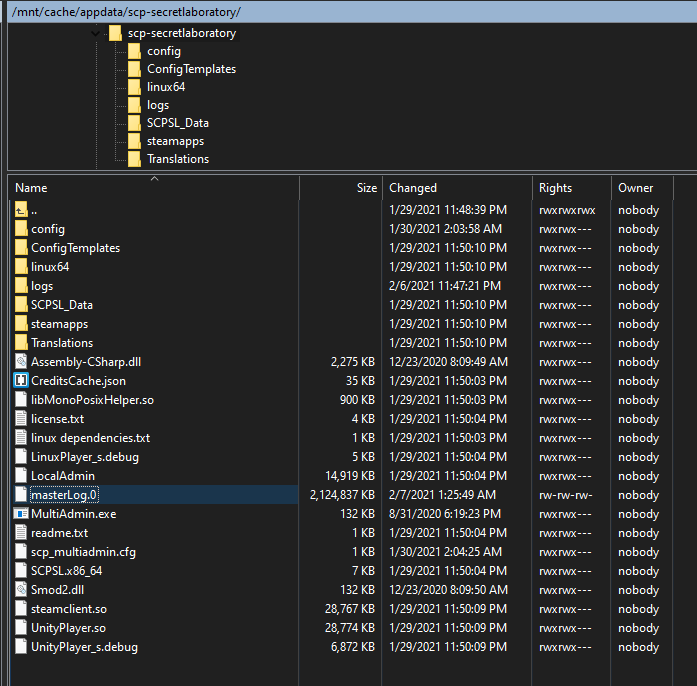
Sorry to be a bother again! The log fix seems to work for the huge files inside /logs/. I also read the replies to the github issue you opened and your fix based on that info seems to be working. However, I've noticed there's now a 'masterLog.0' file within the root directory that is also getting huge within just a few minutes. We're still experiencing similar random crashes, so I'm unsure of if these 'logs' are the root problem or are just symptoms of something else.
-
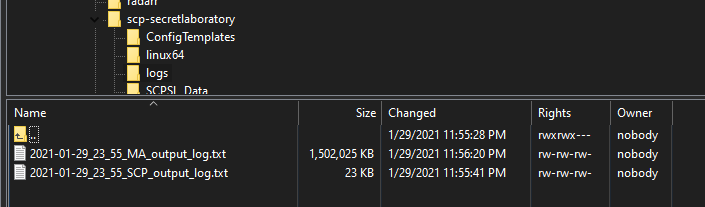
Thanks. Yeah, one got up to 23GB before I noticed what was happening!
-
Yes I think there was, but haven't been able to find anyone with the same problem - did your log files also balloon in size?
-
Thank you - yes, I deleted the docker, image, and the folder inside /appdata/. Then reinstalled from community apps and left everything default. (The server ran perfectly fine for many months up until recently, so thanks for all the fun times we've had so far!)
-
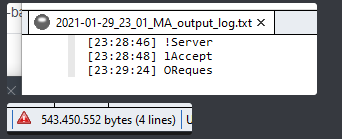
If anyone knows a solution or is able to replicate this issue: the SCP Secret Laboratory docker is generating absolutely huge log files within a few minutes of running, and I can't find a way to disable or prevent it from happening. It looks like the log file is corrupting since there are only a few lines (no garbage characters, all file readers show nothing). A fresh install with all default settings has the same issue.
-
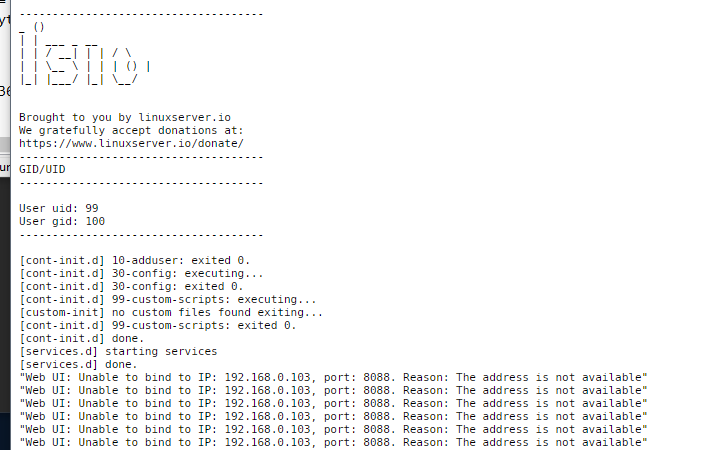
I also recently have had issues with this container: I haven't changed anything about the server (I might've updated the container, don't remember when it started). Changing ports with "WebUI" "WEBUI_PORT" etc etc doesn't fix it. All other containers are running smoothly still. `netstat -plnt | grep :8090` reveals that the address should definitely be available. Anyone have any ideas?