





flic
Members
-
Joined
-
Last visited
Everything posted by flic
-
both Edge and Brave are based on Chrome engine very strange
-
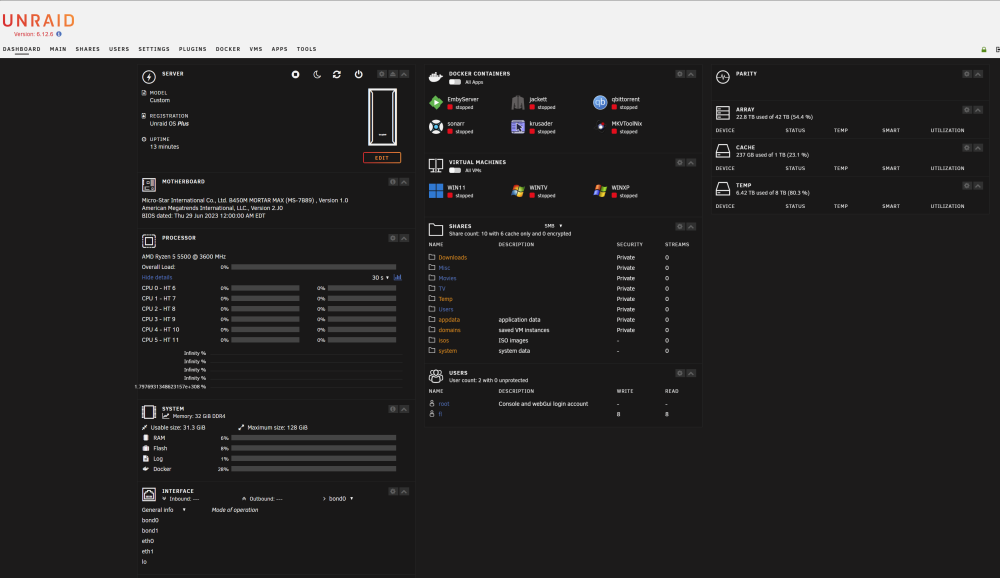
Dashboard page is even worst
-
spoken too soon. both Edge and Brave dont display UnRaid server page correctly

-
After I had to reset the server while upgrading to 12.6 from 12.5, this is whats coming up! g, the culprit is Brave browser. loaded Edge and seems ok
-
a "little"? It takes over 60 SECONDS to complete the folder opening. thats not a little anyway, thanks for your help JorgeB
-
itimpi, thanks for the tip I've put your setting in smb-extra.conf in the config folder on the flash drive and restarted the array but same slow result
-
got it! but FUSE was changed recently to cause the speed degradation cant say exactly when it happened but it wasnt taking a full 60 SECONDS to access the share before anyways, thanks for your help Jorge
-
Disk shares is instantaneous! well, under 1 second to display all 6,000+ subfolders. nice not so nice is the fact that I cannot rename "disk1" to something else Any ideas to apply the same settings to User Shares?
-
Hey there, There is a SMB share on my server with over 6,000 folders in it Recently, browsing this folder has become very slow to the point of seeing the green progress timer in Windows File Explorer for 60 seconds before it finally stops. Same situation if I hit F5 Refresh. It goes again with the green progress timer for 60 seconds... First I thought it was Windows, tested with 11 Pro desktop, 11 Home laptop and 7 Ultimate in a VM, but same long delay on all of those. The share resides on brand new 7200 rpm, 512MB cache, 14TB Western Digital Ultrastar DC HC530 A duplicate of the share was created on TrueNAS and browsing that dup share with the same above Windows clients take under 1 second to display. Not even seeing the green progress at all Please, let me know if you need +info Any help to solve my issue would be much appreciated Thank you
-
ok, entire server is very unresponsive up to stop playing video file
-
the Mover cannot move faster than the disks in the array. Even Windows does not use that much CPU to move/copy files, no matter the file size
-
mine needs to run at every hours or on demand when im doing manual downloads but, why the high CPU use?
-
anyone?
-
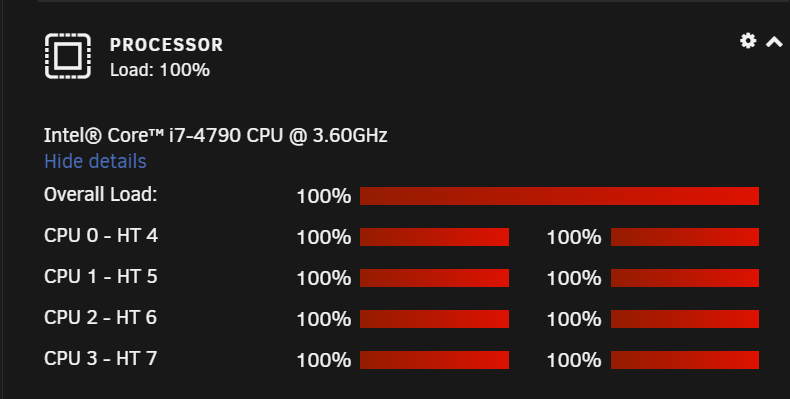
was wondering if the Mover was sucking all the life out of the CPU, and...
-
server-diagnostics-20211120-2039.zip
-
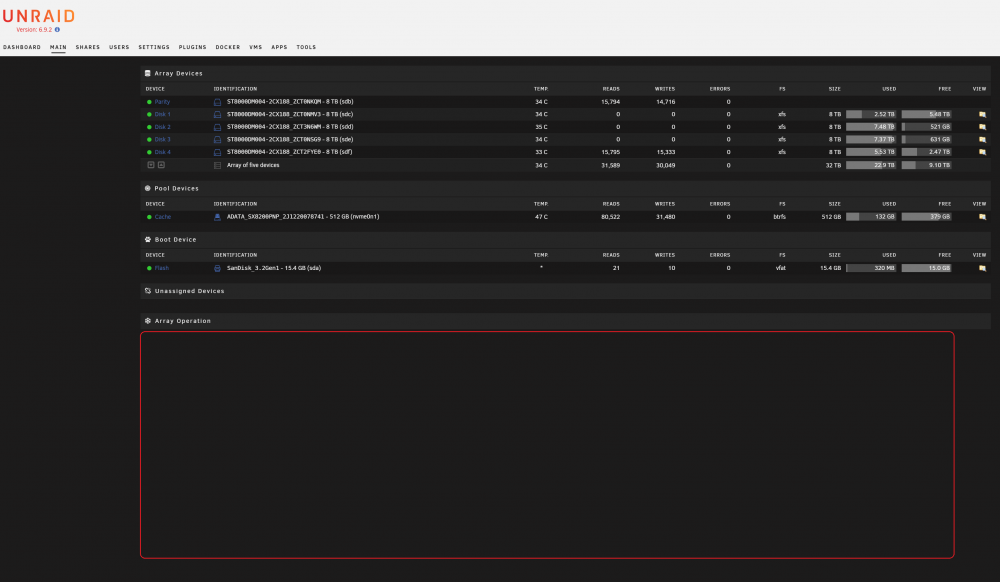
hitting refresh on the Main tab when the Mover is running
-
here's the situation: in Sonarr, when a new download of an entire season has complete, the Mover gets moving from cache to the array, then my CPU all maxed out making the server unresponsive. Even the Main tab takes a long time to refresh and any other tabs also. And, if I'm watching a video on Emby, it completely stops. Trying to refresh Emby page makes it spin and spin... Once the Mover ends moving, everything comes back to normal To my knowledge, the Mover should mostly wait for disk IO and take little CPU Everything is up to date Any ideas whats taking all the server resources?reinstall of the apps did fix them all
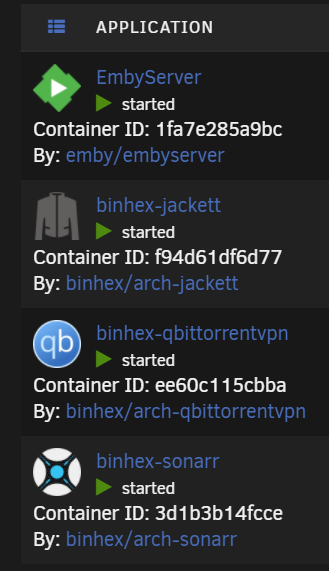 yes probably, just copied the config folder from the old flash backup to the new USB drive is there another folder that should be copied over?Had a boot drive failure recently and managed to recover the config folder from an old flash backup But, since the recovery, the docker apps show a ? icon (see attached) And, if trying to apply update, "Configuration not found. Was this container created using this plugin?" pops up in the update window Any ideas to recover the correct config of course, without losing any config data? Thanks in advance
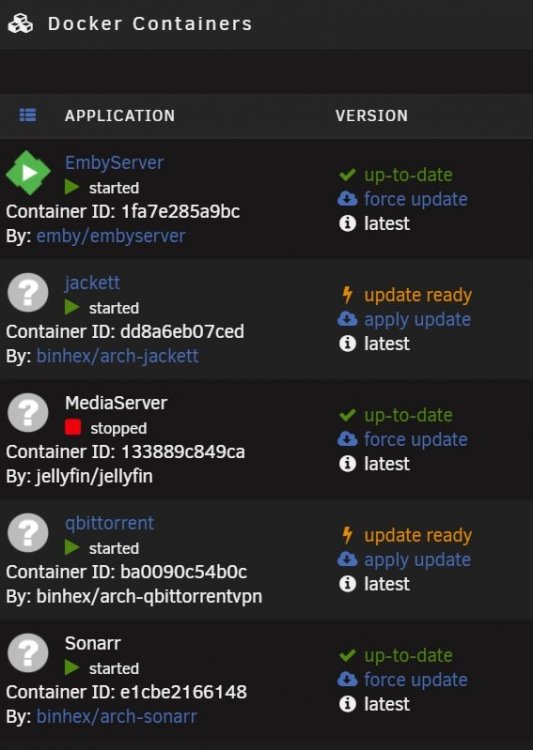 now all my Docker apps show ? as icon except Emby If I try to update them, getting "Configuration not found. Was this container created using this plugin?"USB drive is broken. But, found an old flash-backup files dated 2019 rebooted with a brand new USB drive. config folder was overridden from backup still have a few errors on docker apps, like Emby, Jackett, etclooks like it got lost overnight... still can navigate inside unRaid. I will manage to copy it out of the arrayflash backup keeps looping at 100% CPU


