jsavargas
Community Developer
-
Joined
-
Last visited
-
In 6.12.15 it doesn't load, I had to go back to the previous version mentioned above
-
It is not so easy to keep the packages updated, I made a fork and started working on it in my personal account, I updated several packages, mostly the ones I use on a daily basis. I am thinking of changing the system and taking the official Slackware packages.
-
I use several and they are updated to their latest stable and slackware versions
-
I might try to update as many as I can.
-
I'll try the unraid beta and see what I can do with the packages that need updating.
-
Obsolete, why? Most packages don't have updates in the slackware packages. I was looking for updates and even several packages are above the version that is in slackware
-
I modified the fork I had of nerdtools in my git and I plan to keep it, if anyone wants the plugin address, ask me, while squid ls changes in the CA
-
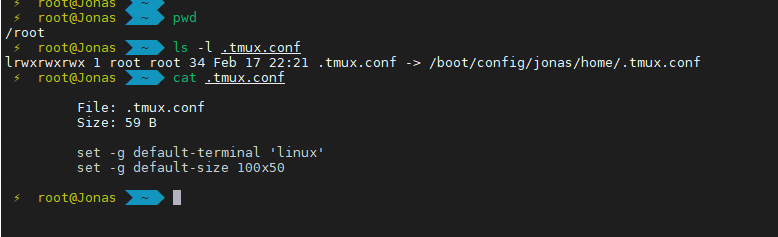
nano /root/.tmux.conf And you add more lines that are indicated above
-
/root/.tmux.conf If it doesn't exist, you must create it.
-
is that the plugin takes advantage of the method suggested by unraid, at startup, which is exactly what you don't want, so you can use other alternatives, such as user script, there you can install in another startup stage, such as the array
-
It occurs to me that you could use the user script plugin and make a script there that installs python when the array boots for example
-
Hello, we are testing the compatibility of some packages and we will have updates shortly
-
no, close tmux completely and reopen it
-
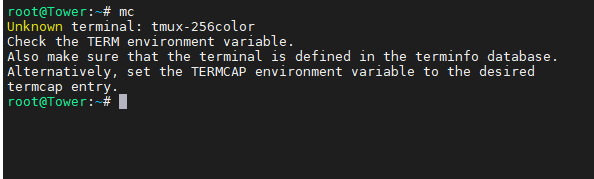
This is solved, close all tmux windows, add that line to the .tmux.conf file and open it again and it works mc echo "set -g default-terminal 'linux'" >> .tmux.conf
-
It is stored in the root user's home, in /root this is the content of mine