





Haris2887
Members
-
Joined
-
Last visited
-
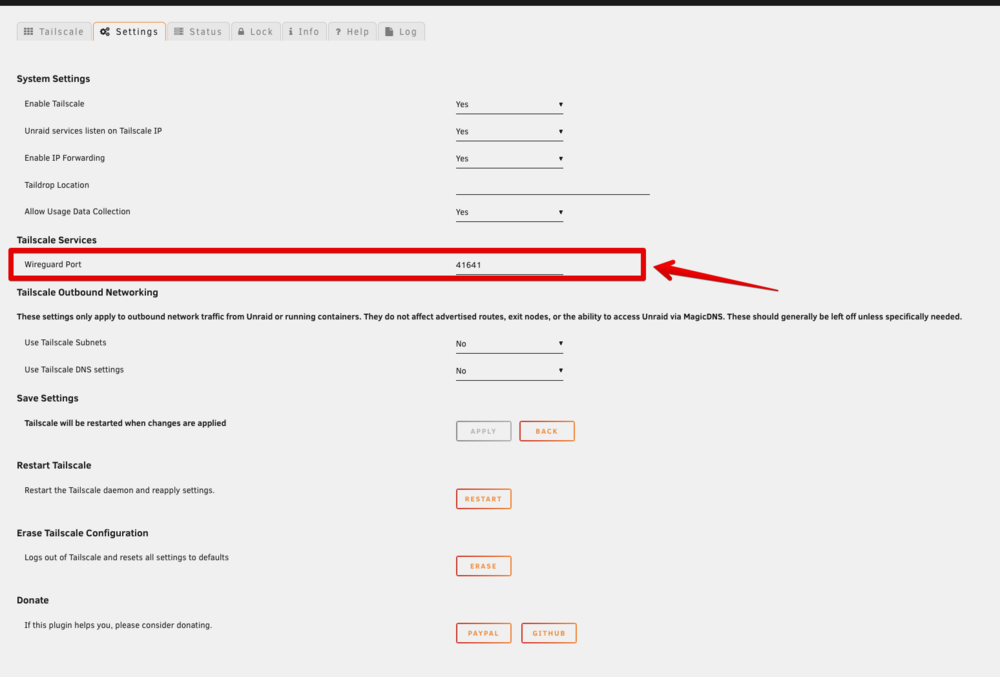
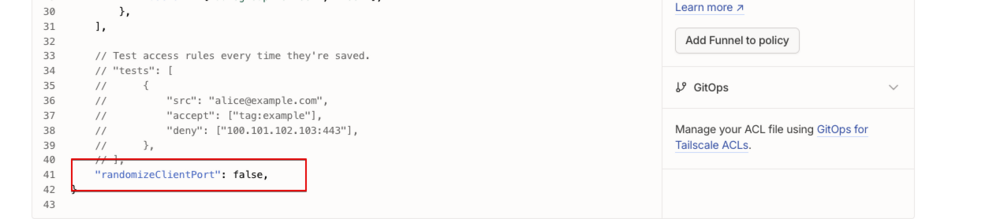
Issue resolved by uninstalling plugin completely. Then changing this setting in the WEB UI admin console. THe Reinstalling Plugin.
-
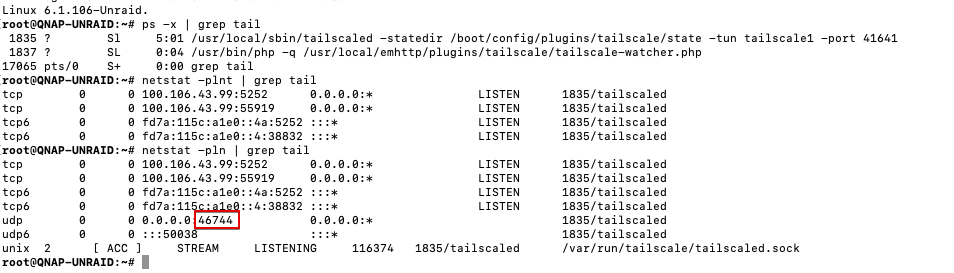
Hi All, I am convinced that this plugin is broken under Unraid 6.12.13. When starting tailscale, the process uses random wireguard ports even when the port is specified under the GUI. As the result i can never get direct connections as the firewall mapping don't match. I am not intrested in UPNP that induces other security issues in the environment. I suspect the issue is the running command : /usr/local/sbin/tailscaled -statedir /boot/config/plugins/tailscale/state -tun tailscale1 -port 41641 Should be with a "--port" at the end. I have tried completely uninstalling the plugin and reinstalling. Cleaning up manually by deleting all tailscale files etc...
-
OMG ! You are a life saver. All working now Thanks soo much.
-
tower-diagnostics-20240404-0923.zip See attached.
-
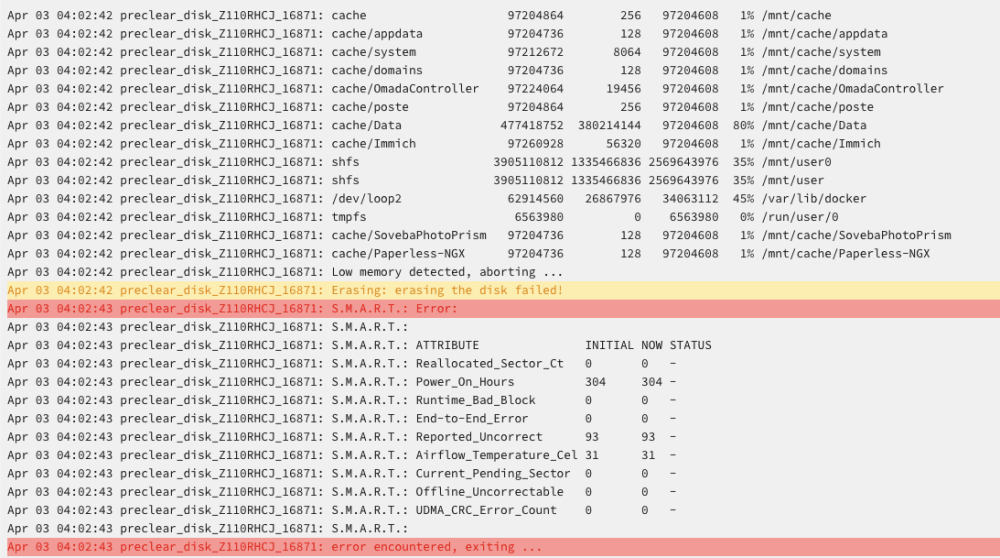
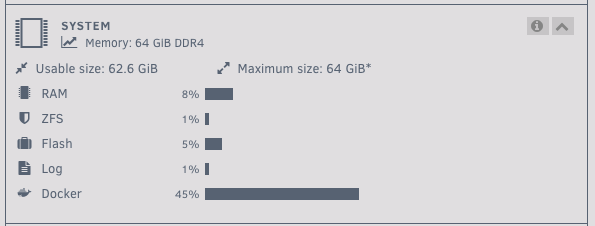
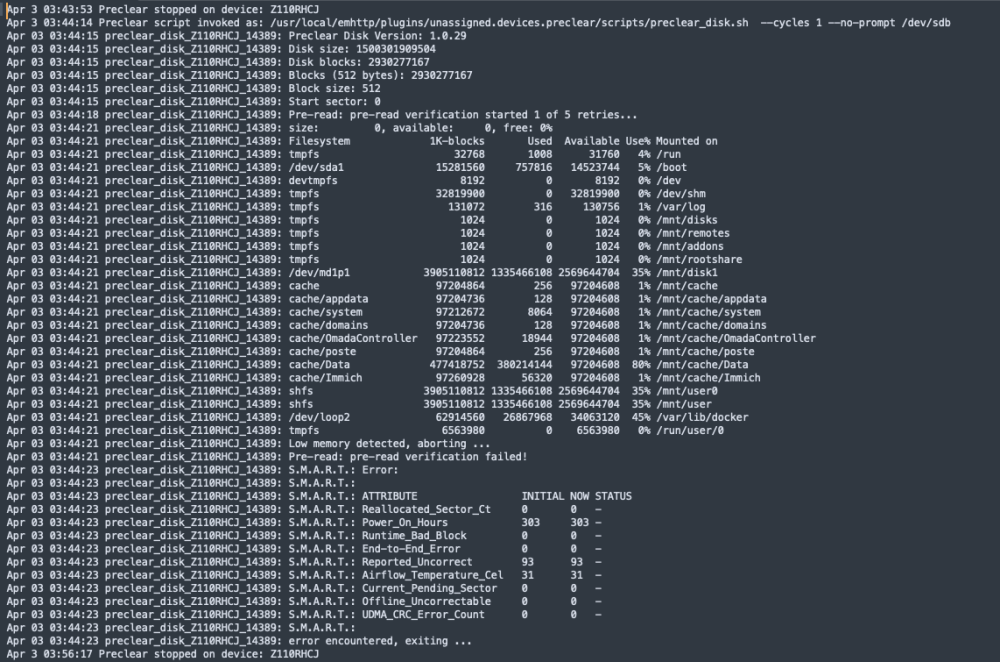
I am struggling with this plugin I have a 1.5 TB USB HDD attached I keep getting low memory error. Running Unraid 6.12.4 I am not using plex or using ram trans-coding.

-
Hi Guys, I was wondering if someone could help me. I have next cloud running using the default config from the linux server container. I am trying to use HTTP instead of HTTPS to access. Access nextcloud work perfectly via https. when I run the container with -p 8080:80 I get redirects to what am I missing ? here is my config.php <?php $CONFIG = array ( 'htaccess.RewriteBase' => '/', 'memcache.local' => '\\OC\\Memcache\\APCu', 'apps_paths' => array ( 0 => array ( 'path' => '/var/www/html/apps', 'url' => '/apps', 'writable' => false, ), 1 => array ( 'path' => '/var/www/html/custom_apps', 'url' => '/custom_apps', 'writable' => true, ), ), 'passwordsalt' => 'xxxxxxxxxxxxxxxxxxxxxxxxxxxxxxxxxx', 'secret' => 'xxxxxxxxxxxxxxxxxxxxxxxxxxxxxxxxxxxxxxxxxxxxx', 'trusted_domains' => array ( 0 => '10.137.148.4:8080', ), 'datadirectory' => '/var/www/html/data', 'dbtype' => 'mysql', 'version' => '16.0.3.0', 'overwrite.cli.url' => 'http://10.137.148.4', 'dbname' => 'Nextcloud-db', 'dbhost' => 'mariadb', 'dbport' => '', 'dbtableprefix' => 'oc_', 'mysql.utf8mb4' => true, 'dbuser' => 'nextcloud', 'dbpassword' => 'xxxxxxxxxxxxxxxx', 'instanceid' => 'xxxxxxxxxxxxxxxxxxx', 'installed' => true, ); My plan is to have a traefik reverse proxy with letsencrypt in front of the container. The container uses a self signed cert. I am thinking this will cause a configuration issue with traefik (I could be wrong). otherwise no reason to use http,


