TangoEchoAlpha
Members
-
Joined
-
Last visited
Everything posted by TangoEchoAlpha
-
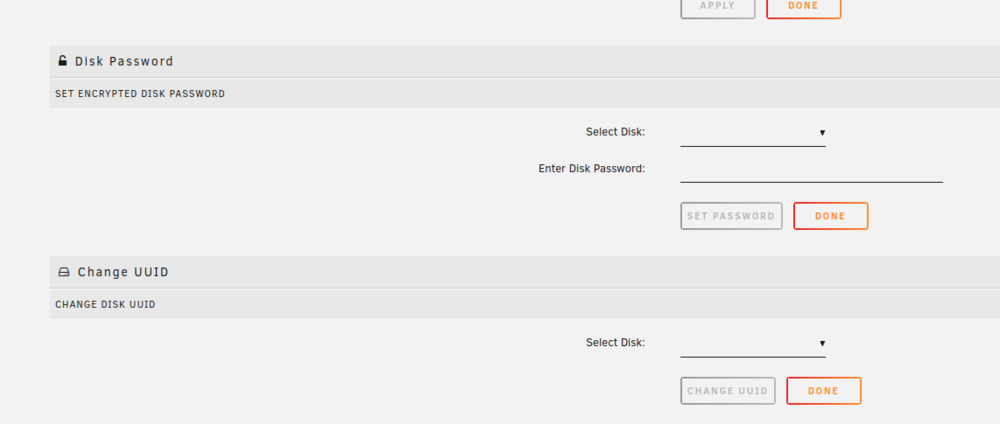
Hi all, I am having problems with a USB hard drive that was previously mounted via unassigned devices. For some reason it disappeared from my list of unassigned devices and now I can't get Unraid to recognise the drive when I plug it in. I plugged the drive into another computer and formatted it freshly as EXT4, still when I plug it into my Unraid server, it is not recognised, even if I do a refresh of the unassigned devices. If I go into settings -> Unassigned devices and then list the attached drives, say by the drop down box for 'select disc' for 'change UUID', then my USB drive isn't listed there either. I've attached the Unraid diagnostics file - any help would be much appreciated. invader-diagnostics-20250619-0918.zip
-
Thanks @JorgeB - removed the NVME drive and server is happy again. Ordered a replacement and hopefully WD will honour a warranty claim (it's out of warranty in three months). But then again, they might look at the number of powered on hours and say no 😇
-
Thank you @JorgeB - I will give that a go 👍
-
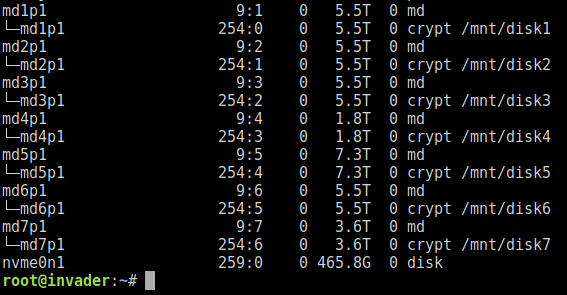
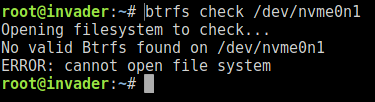
Restarted my Unraid server this morning, for some unknown reason it had shutdown overnight. Now I am receiving a warning message that my cache drive can't mount, with an unsupported file system. I have spent some time looking through old posts. When I look in /dev, nvme0n1 is there but I can't mount it to a temporary mount point. Running blkid doesn't list a mount point and lsblk also shows just the disk: I have booted from a Debian live image and can also see the NVME disk listed, however that has an unknown file system as well and can't mount it. I have also tried checking the BTRFS and that doesn't work either: I am not sure what else I can do here, aside from reformatting my cache drive and starting again. The only data I expect I have lost will be all my Docker images and configuration, which would be annoying but not the end of the world. Any ideas much appreciated, thanks in advance. invader-diagnostics-20240411-0941.zip

-
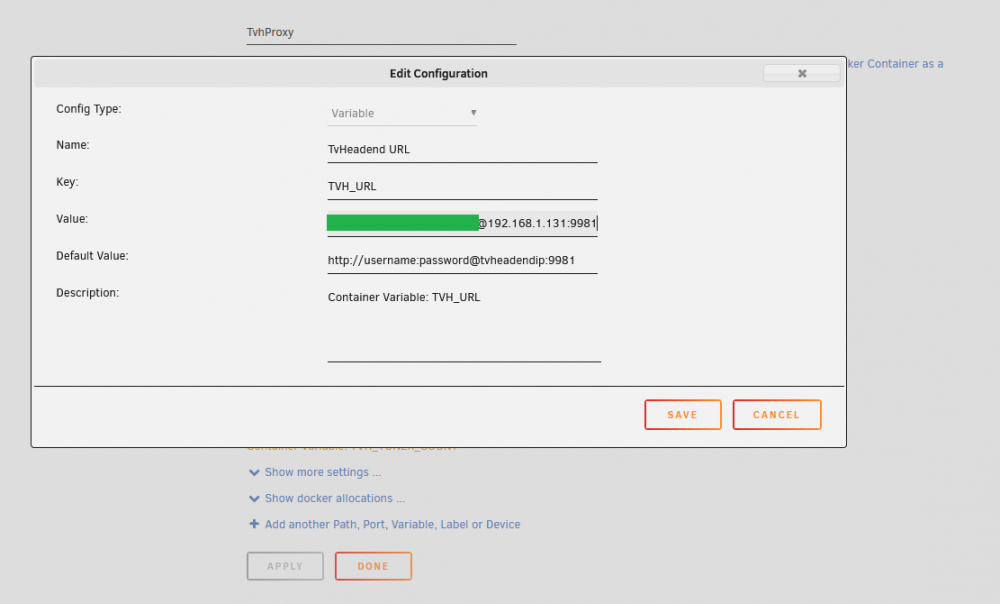
@alturismo Thanks, that did indeed resolve the problem and I could reach the tvhproxy from the Plex Docker container. Unfortunately TVHProxy fails to get the channels list from TVHeadEnd: Traceback (most recent call last): File "/usr/lib/python2.7/site-packages/flask/app.py", line 1982, in wsgi_app response = self.full_dispatch_request() File "/usr/lib/python2.7/site-packages/flask/app.py", line 1614, in full_dispatch_request rv = self.handle_user_exception(e) File "/usr/lib/python2.7/site-packages/flask/app.py", line 1517, in handle_user_exception reraise(exc_type, exc_value, tb) File "/usr/lib/python2.7/site-packages/flask/app.py", line 1612, in full_dispatch_request rv = self.dispatch_request() File "/usr/lib/python2.7/site-packages/flask/app.py", line 1598, in dispatch_request return self.view_functions[rule.endpoint](**req.view_args) File "/opt/tvhproxy/tvhProxy.py", line 54, in lineup for c in _get_channels(): TypeError: 'NoneType' object is not iterable ::ffff:192.168.1.231 - - [2021-07-16 02:50:57] "GET /lineup.json HTTP/1.1" 500 412 0.010207 [2021-07-16 02:50:59,315] ERROR in app: Exception on /lineup.json [GET] However when I connect with a browser, copying the value from the TVH_URL field into the address bar of the browser, I reach TVHeadend and get a channels list returned. I am reaching the point where I think I will just record from within TVHeadEnd soon, without the proxy flask.
-
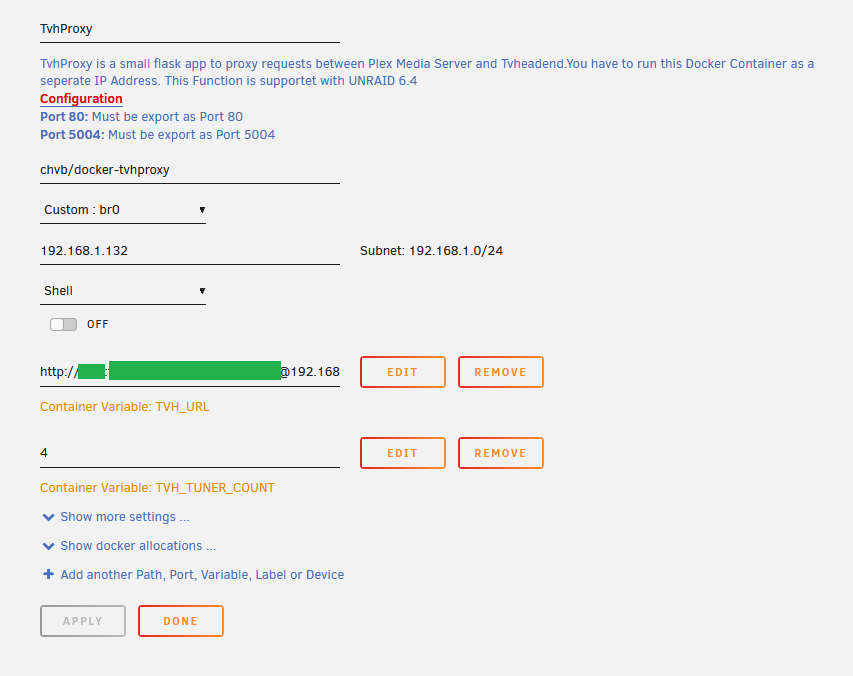
Hi Amardilo - did you ever get anywhere with this? I'm having the sam problems. My Plex server is the binhex-plex docker, running on network type 'host'. I can connect to Plex via the web GUI from the dockers page, or stream from Plex via other devices on my network - so that's good. My tvheadend server is running on a Raspberry Pi with a TV HAT. I can access the tvheadend GUI via 192.168.1.131:9981 and then login. I know there's a good connection between the Pi and Unraid as tvheadend records to a share on Unraid 🙂 I am a bit stumped as to what the problem might be and the TVHProxy container doesn't show anything in the logs at all.
-
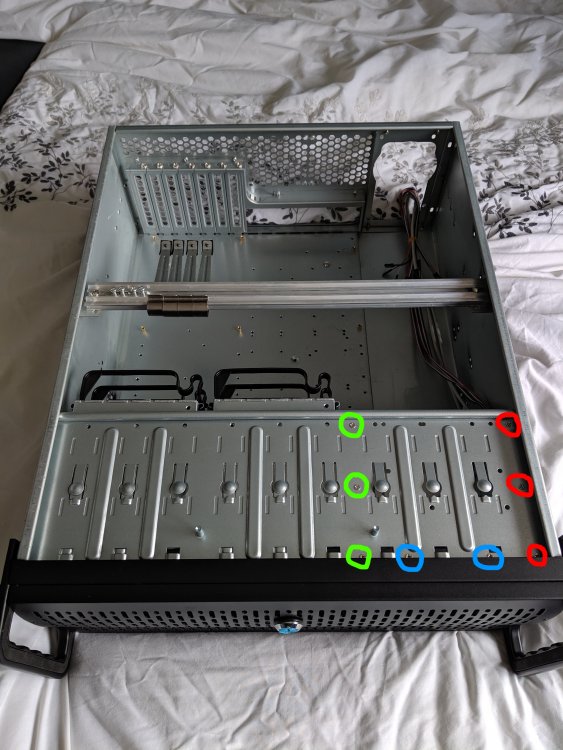
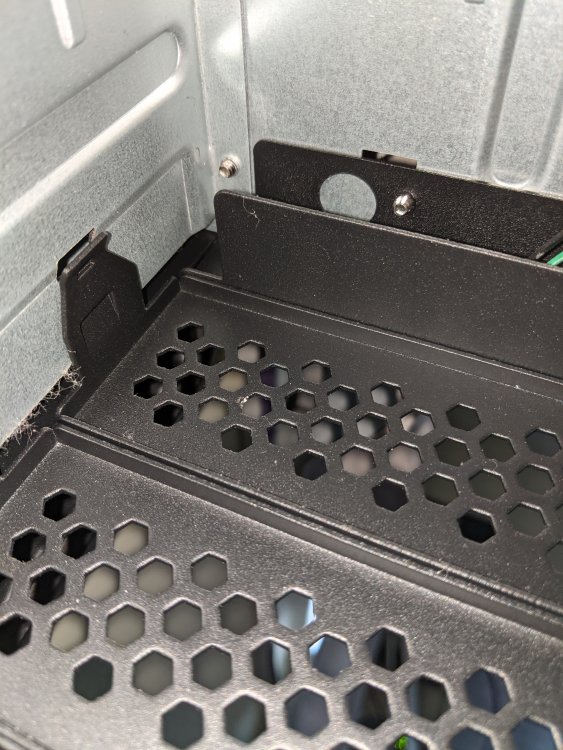
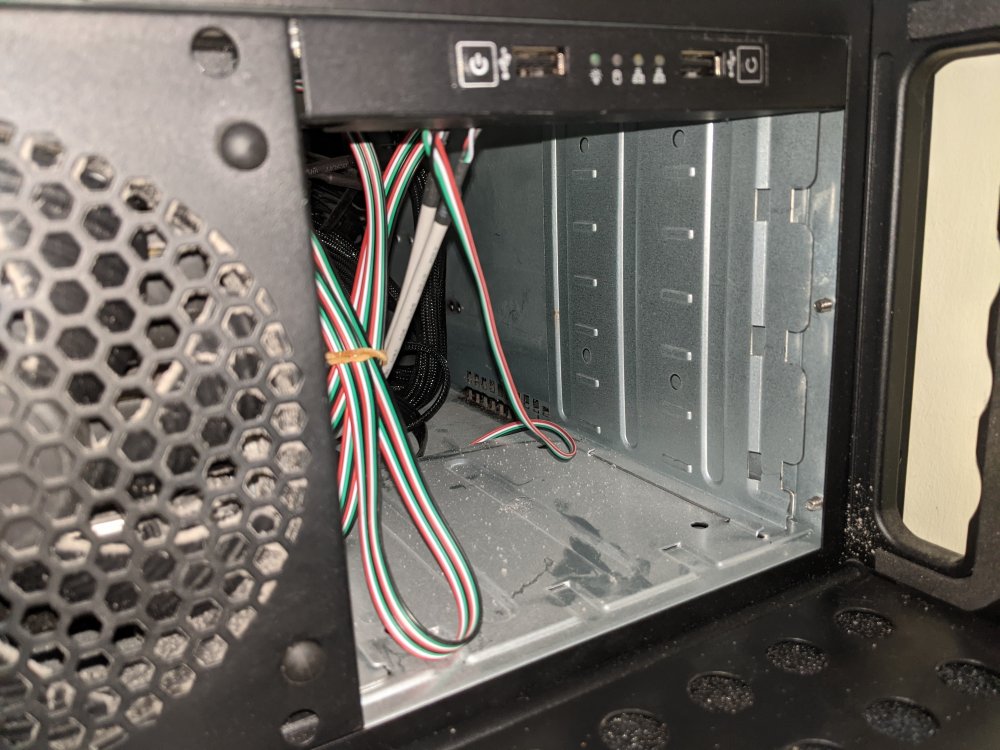
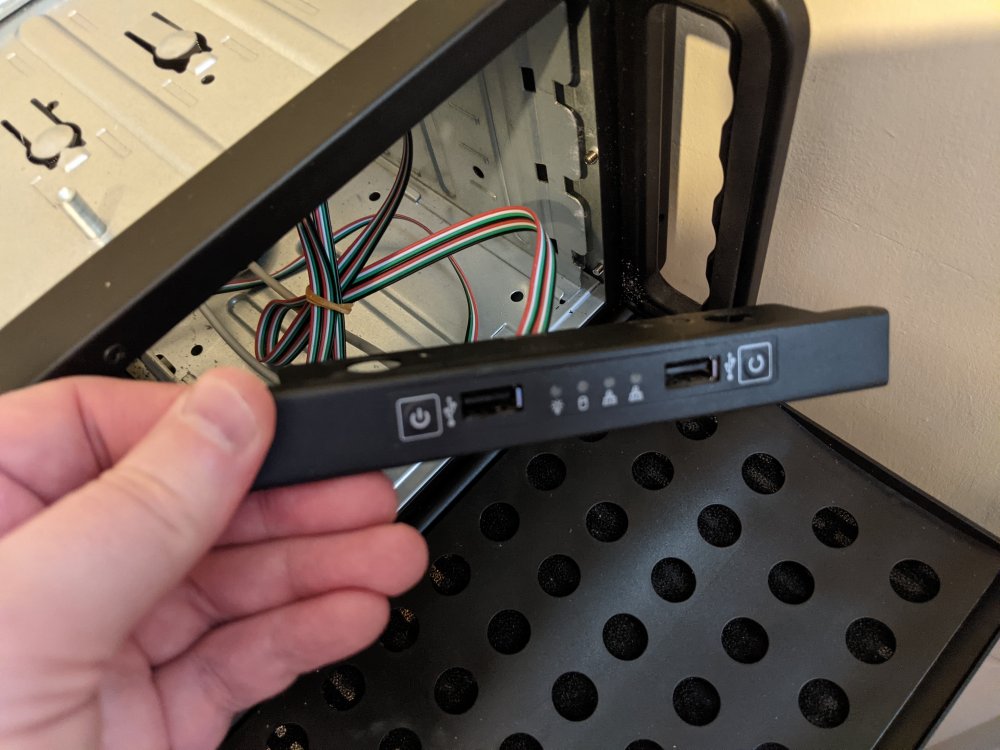
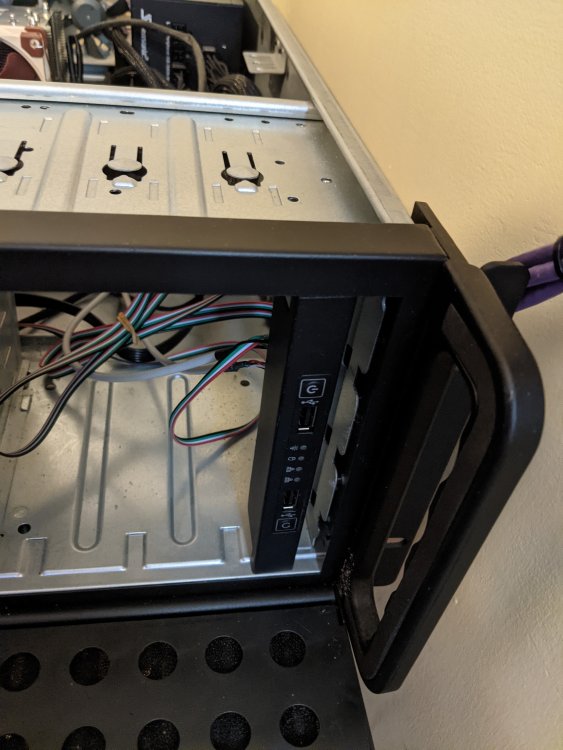
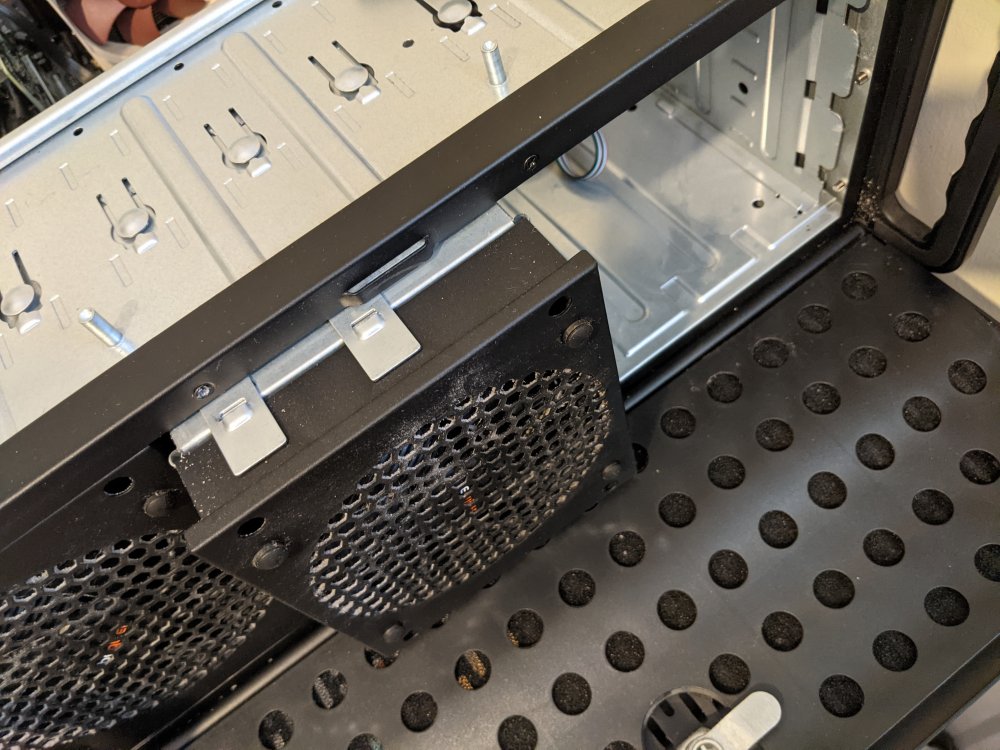
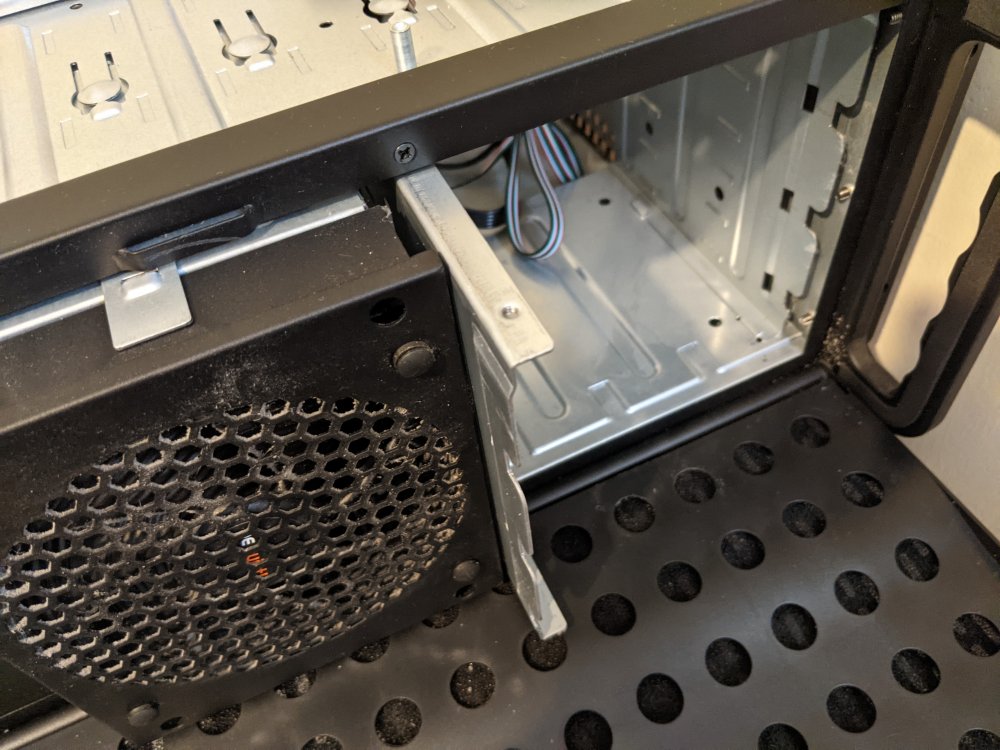
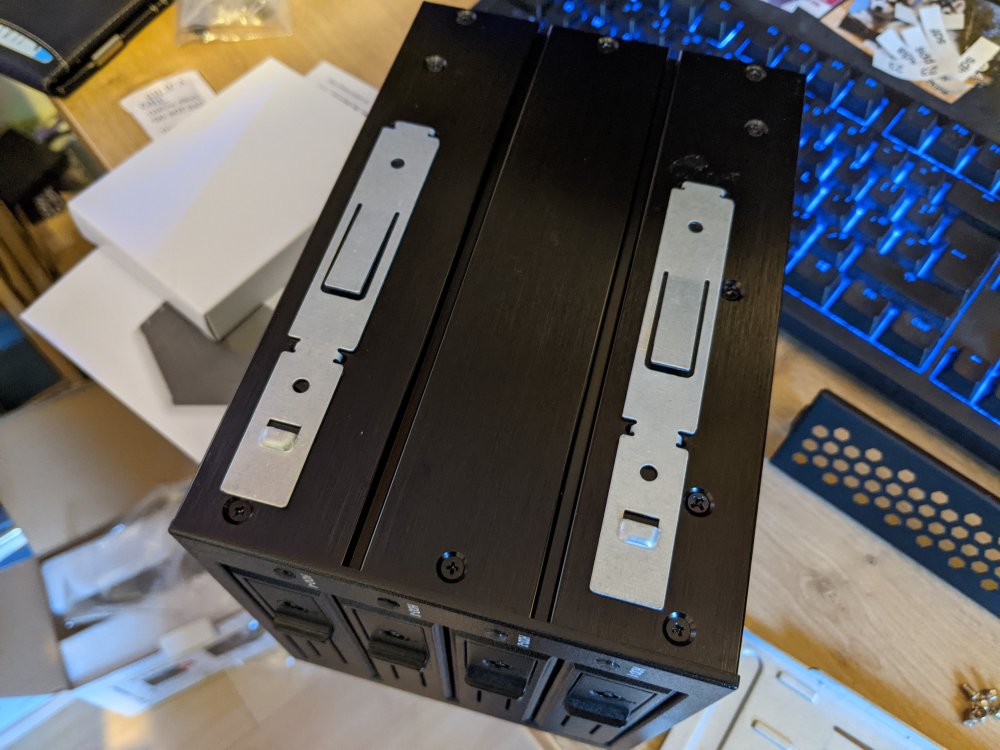
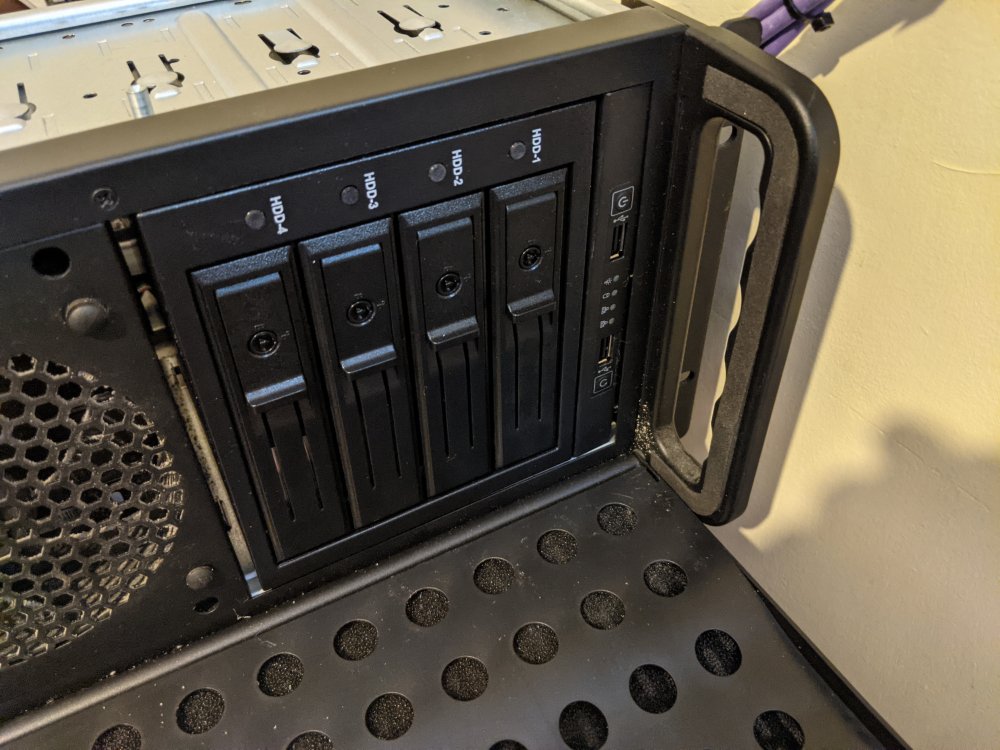
So had a go with this, so for anyone else interested, who finds it in a search, or @Tydell then I hope this helps somewhat. My efforts were foiled by my hotswap cage/backplane being faulty, so never got to actually get the drives installed and use it in 'anger' as it were. The cage/backplane I tried was the Icybox IB-564SSK. So to take apart the horizontal section at the front right of the case, there are several screws that need undoing. The ones I have labelled with green and red hold some metal plates in place, which in effect act as runners for any 5.25" devices you want to install. The screws labelled in blue hold the I/O front panel in place. This photo (sorry for the quality, it was taken one handed and 'blind') shows the screws holding the I/O front panel in place.... This picture shows the front I/O panel and the vertical metal plate, retained by the red screws, can be seen as well. I undid the screws but couldn't get it out of the case, so it's possibly I missed a fixing somewhere or needed to be more medieval with it.... And as soon as you undo the blue screws, the front I/O panel succumbs to gravity.... This next photo shows that the I/O panel will indeed fit vertically - however there appears to be no way of fixing it permanently to the chassis using existing holes. Probably the best solution would be to attach the I/O panel to the edge of the chassis or the side of a drive cage using 3M stick pads or tape etc. And this picture shows the mechanism used to retain the default drive cages and fan assemblies - the metal clips on top spring up and hold the cage in place. This picture shows the vertical metal plate that was held in place by the green screws - I was able to remove it quite easily once the three screws had been undone: And this photo shows how the drive cage would fit inside the case using the retaining clips provided with the chassis. Note that they don't screw in to the exterior of the drive cage - they simply clip in: Finally, here's a photo of the IcyBox cage/backplane with the I/O panel in a vertical setup, mirroring the Rosewill RSV-L4412: So with a little effort, I think it will be quite doable. Depending upon which drive cages are used, there may be some small gaps between each of the drive cages - but they could easily be blanked off. Indeed, if you look closely at a RSV-L4412, there appear to be small gaps with that anyway....
-
Ah, sorry. Yes, I think they will wipe the entire disk. The only tool I have ever used to wipe free space is on Windows, a free tool called file shredder - https://www.fileshredder.org/ Actually, shred can delete individual files. Check out the -u option:
-
I don't know if either will be viewed as a 'full disk' but how about nwipe (kinda replacement for the old Darik's Boot And Nuke DBAN) or shred?
-
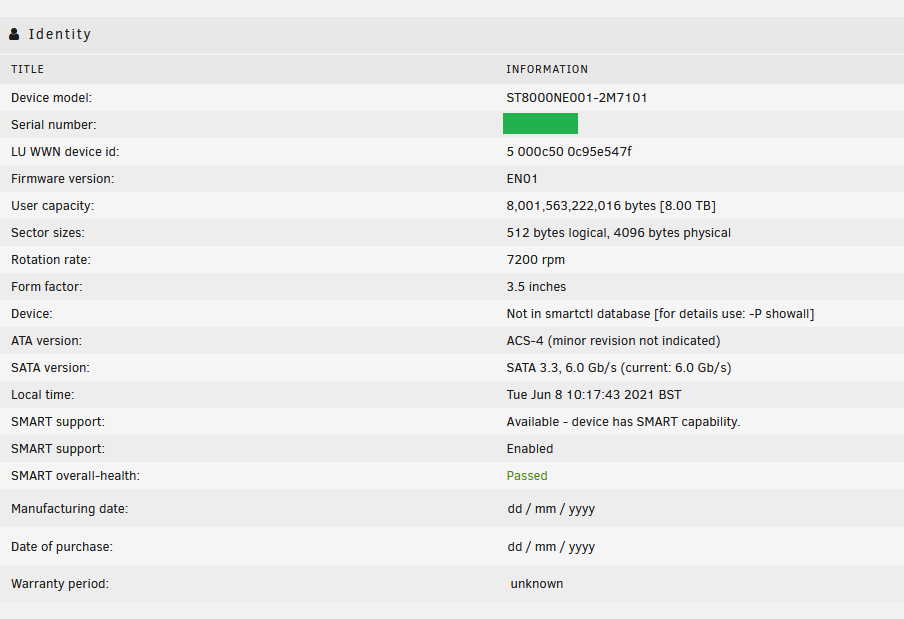
@Cessquill Just in case you do pick up an Ironwolf Pro from Scan, here's the info from the drive - had hoped to add it to the server earlier, but an unexpected parity sync meant it had to wait. Just running preclear on it now to make sure it's a goodun.
-
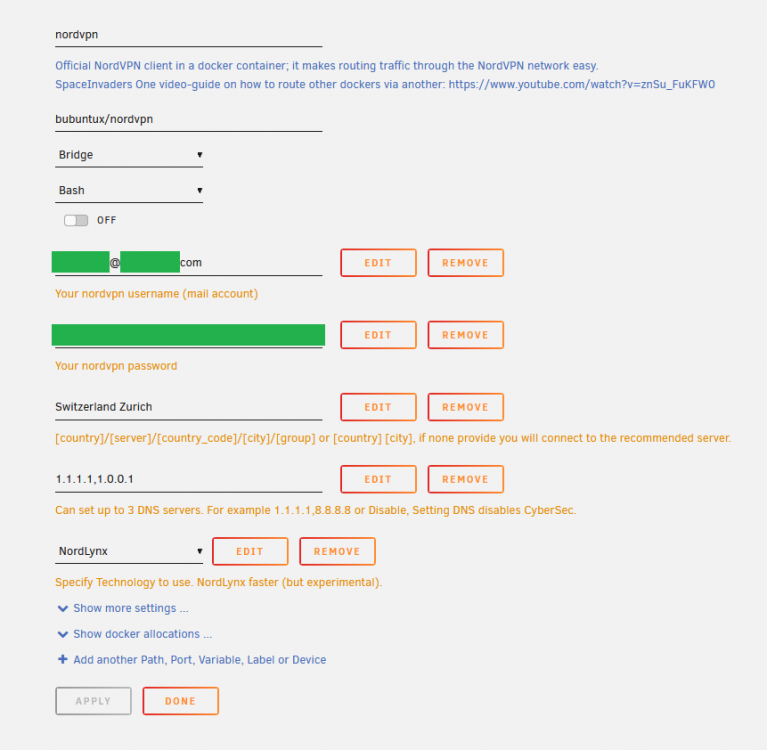
Hopefully this helps you, appears to resolve to the correct server for me when using the container.
-
@Cessquill Well I didn't pay the extra for Sunday delivery, just took the 'free' delivery option that came with the drive, standard DPD. I was therefore very surprised to get a message on my phone informing me that my parcel was due to be delivered today! The drive has since been delivered. At some point today I will connect it up and preclear, but wondered if there were any checks I could do/useful info I could gather before running the SeaChest tools as per your original post?
-
Yes, maybe the bootable USB is a way to go I'm having to wap my parity drive for the Ironwolf Pro - the largest drives at the moment are 6TB, so the 8TB will have to go to the parity.
-
Scan Computers in the UK. The Pro is £10 more than the non-Pro, for the extra warranty etc I'll take that. https://www.scan.co.uk/products/8tb-seagate-ironwolf-pro-st8000ne001-nas-hard-drive-35-hdd-sata-iii-6gb-s-7200rpm-256mb-cache-oem I've ordered the drive and downloaded the SeaChest tools. Might be inclined to make the changes from a Live install of Ubuntu elsewhere, or caddy the drive up to my Raspberry Pi. Looks like there's even a Windows version now?
-
I am very glad that I stumbled across this thread - thanks @Cessquill ! I've got a LSI card ordered from Art Of Server that I am waiting to have delivered - I've gone for the LSI 9201-8i, which I understand is the same as the 9211-8i but without the IR mode NVRAM chip. I was just about to order some more drives and was about to hit the buy button on the Seagates. Does anyone know if this issue affects the ST8000NE001? This is the same drive as the ST8000VN004, just the former is the Ironwolf Pro and the latter the standard Ironwolf? I was about to buy the Pro drive, not because of the 'Pro' moniker but for the extra 2 years warranty. And given that the retailer does a 48 hour replacement service for the lifetime of the warranty, that extra two years could be of benefit - the price difference was only £10 GBP. Running Unraid 6.9.2 Thanks in advance 😎
-
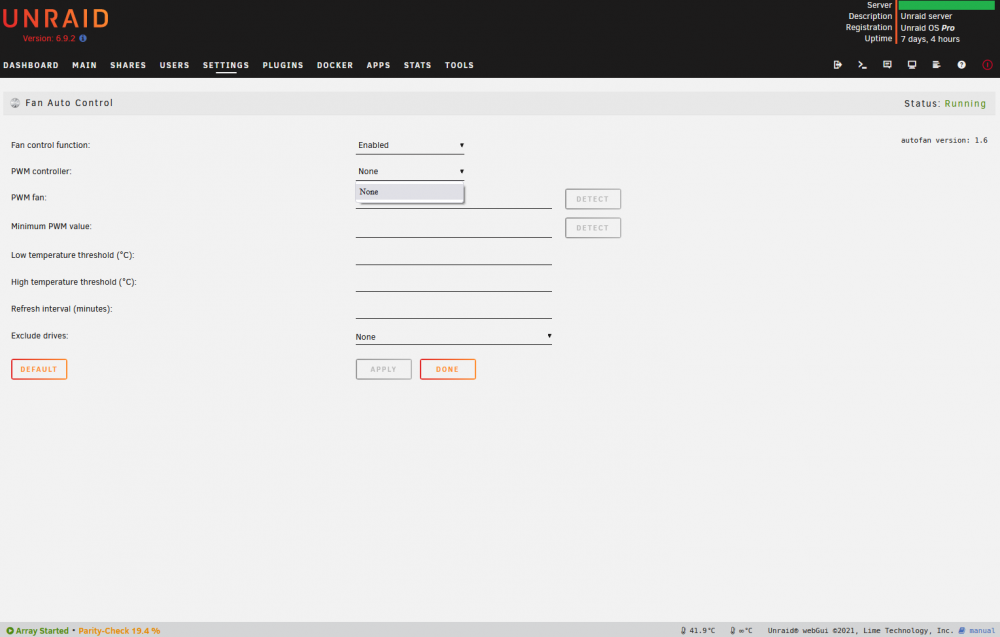
I'm also having trouble with my motherboard and the AutoFan plugin not being able to detect a PWM controller. My motherboard is a MSI X470 Gaming Pro Carbon. I appreciate that this is a work in progress, but is this something that can work or might ever be able to work? Thanks 🙂 SOLVED - had to reboot the Unraid server for something else, after reboot the PWM controllers are listed and the airflow data shows on the dashboard. Weird.
-
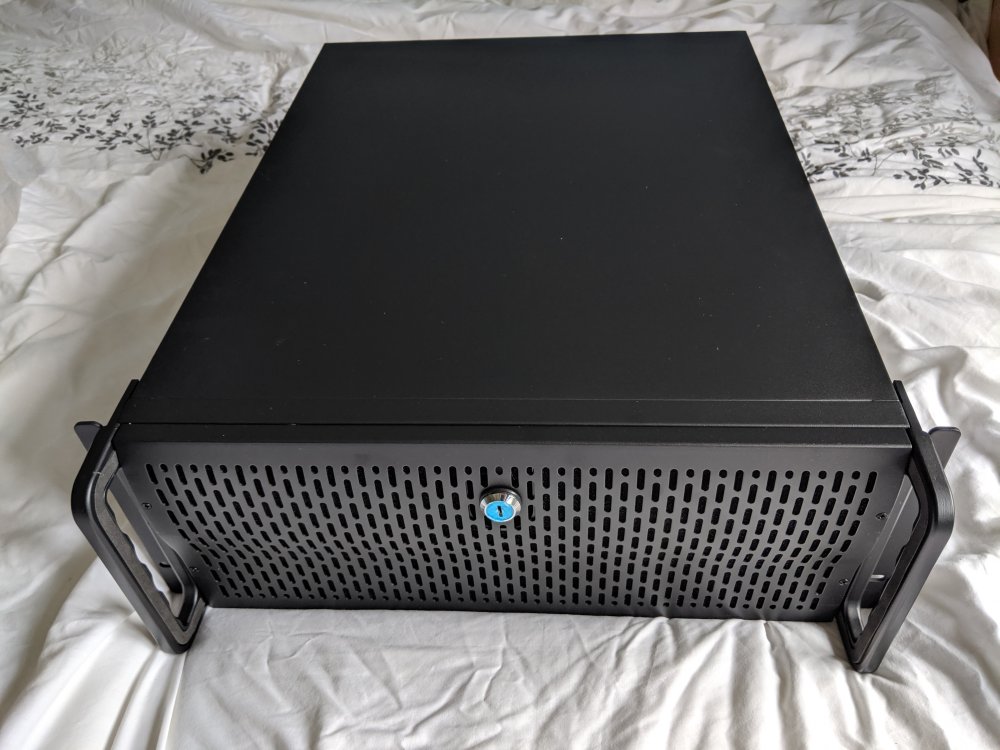
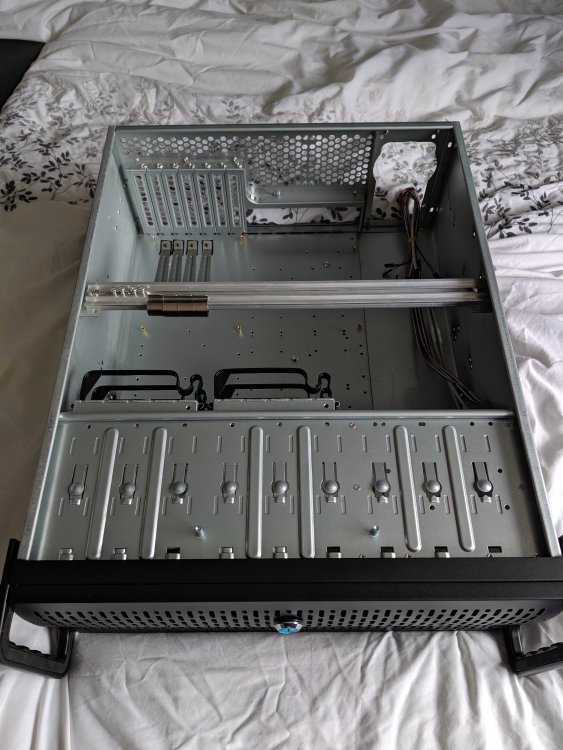
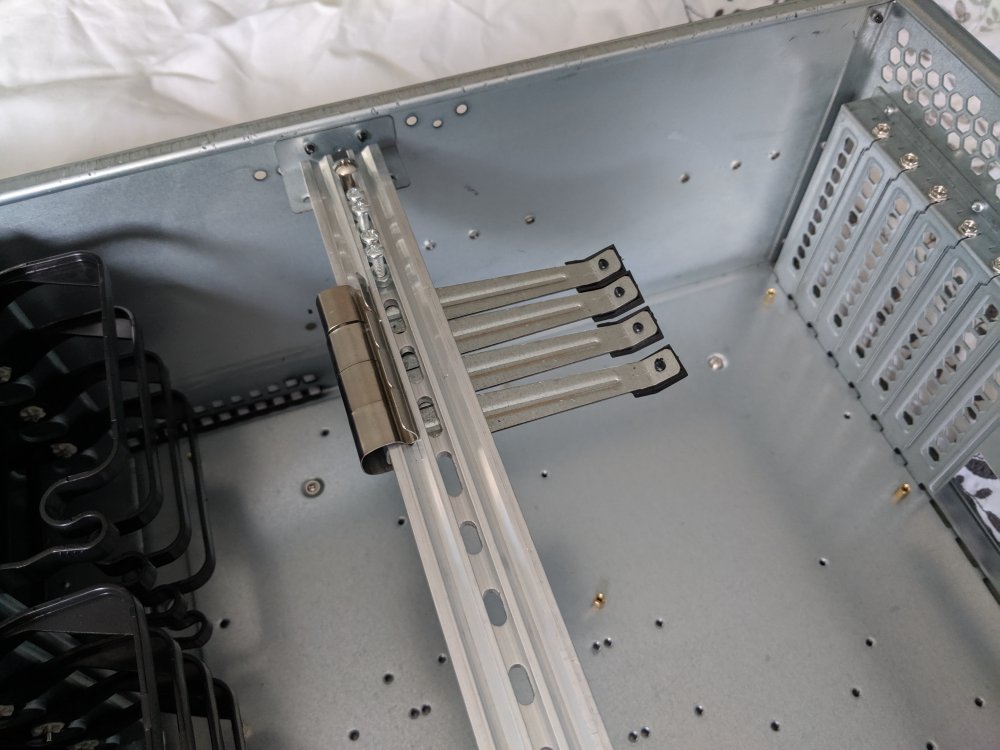
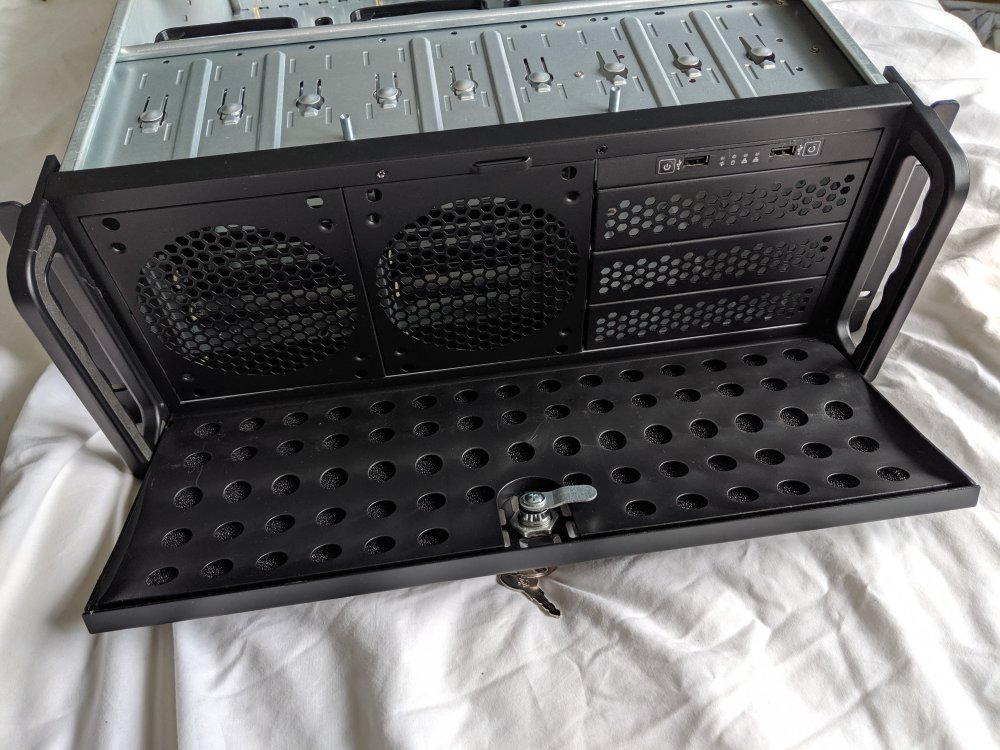
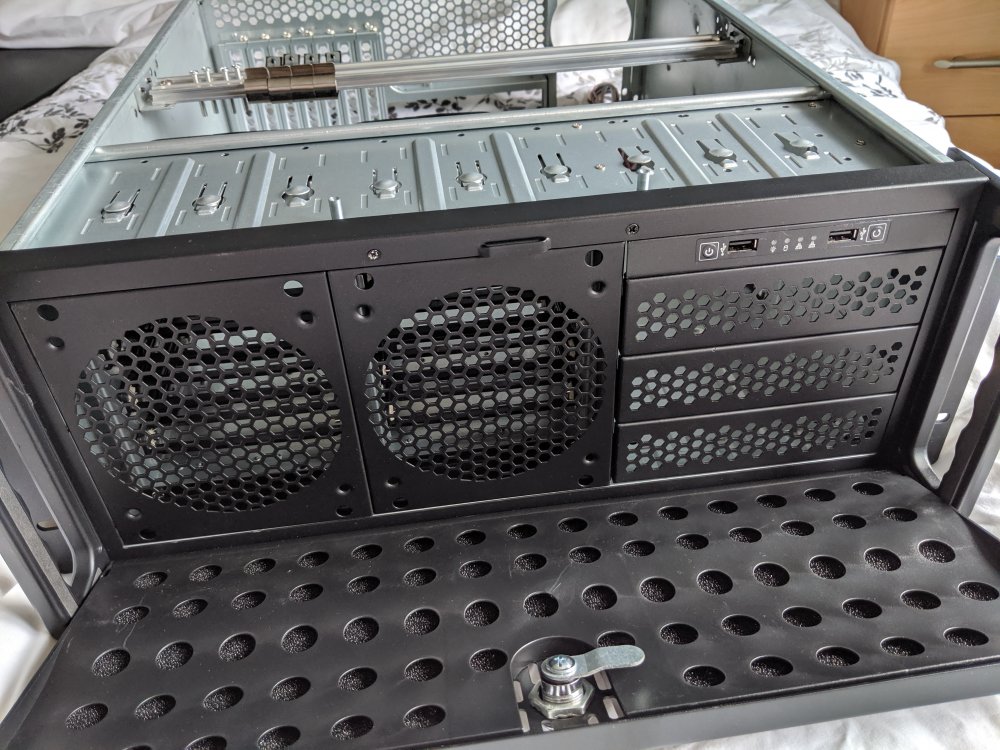
Hi Tydell - For sure you can put two hot swaps in place of the fans (which if the case is in a normal rack mount position, would means those hot swaps are vertical) and then a third hot swap in place of the 3x 5.25" bays (that would then be horizontal). The 5.25" bays appear to be an extra cage which is a combination of screwed in and held in place via metal lips. I suspect that you could remove that extra cage, allowing the third hot swap cage to also be vertical, if it were not for the position of the front I/O panel. The front I/O panel; appears to be screwed in to the case, via screws into the metal caging where the drive bays would go. My current theory is to unscrew the I/O panel and then fix it, vertically, to the third hot swap cage, using something like 3M double sided tape or pads. That should result in a setup mimicking the RSV-L4412. I haven't actually tried doing this yet, constrained by not being well and also needing to get hold of the hot swap bays I want. I ordered my case from CCL Computers via their Amazon store and I put some photos up when it arrived. Maybe they will help you? I have previously bought some parts from Server Case UK (in the UK unsurprisingly) and they do export to the US. They have a good range of cases, albeit stock for some is an issue. You might want to check out their range 🍺 I have no connection other than being a previous customer! https://www.servercase.co.uk/shop/server-cases/rackmount/ Hope that helps. When I get round to actually trying this, I will update the thread for anyone who might find it in a search. TEA
-
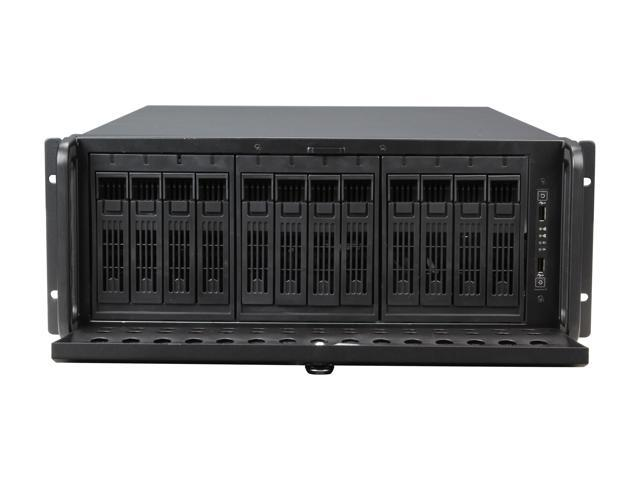
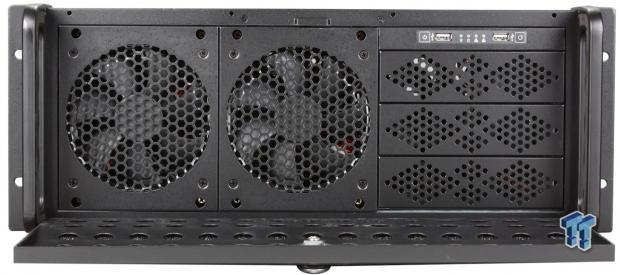
I figure this is a good as place as any, given the number of American users on here. I am in the UK and my Unraid setup is in a 4U server chassis, which is essentially a rebranded Rosewill RSV-L4000. The exact case I have is this one: https://www.cclonline.com/product/311567/4U600V2/Cases/Codegen-4U-Rackmount-600mm-v2-Server-Case-in-Black-with-Butterfly-Lock-2-x-80mm-fans-2-x-120mm-fans/CAS3920/ Having looked at the RSV-L4000 and the RSV-L4412 on the Rosewill website, they seem to be the exact same chassis, but with RSV-SATA-Cage-34 drive docks in place of the existing frontage and the front USB/power/reset panel being repositioned slightly. Otherwise they seem to be the exact same chassis. RSV-L4000: RSV-L4412: https://www.reddit.com/r/DataHoarder/comments/hwq4xr/converted_rosewill_rsvl4000_into_rsvl4412_for_12/ Here the chap has tried it but said that the front panel isn't easily removed. Just wondering if anyone else has tried? I'm considering changing the layout of my existing chassis to mimic the RSV-L4412. Has anyone tried this or have any observations that I might have missed? Thanks
-
Thanks, found the command line version for it (DEEP_ARCHIVE) after I made those previous posts. But as you say, for big files you don't need quickly it's massively cheaper!
-
Hi Joch - Sorry, I meant to add to this thread earlier this morning. I added the --verbose flag to the command parameters and now I am successfully uploading to S3 straight into the Glacier storage class. Maybe the lock file got cleaned up in the interim, maybe it's a co-incidence but it's working! Am I right in thinking that this will not support either client side or server side encryption due to the need to do the MD5 hash as part of the file comparison? Thanks 😀
-
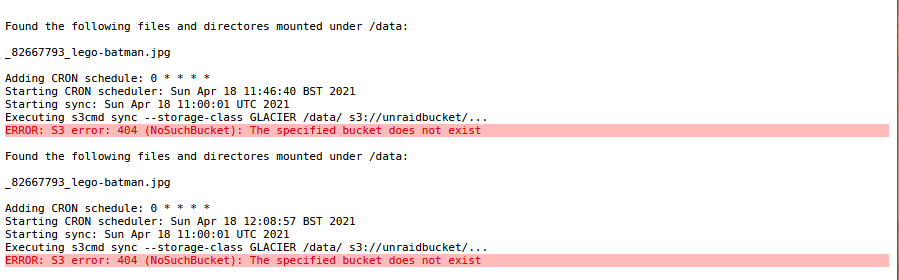
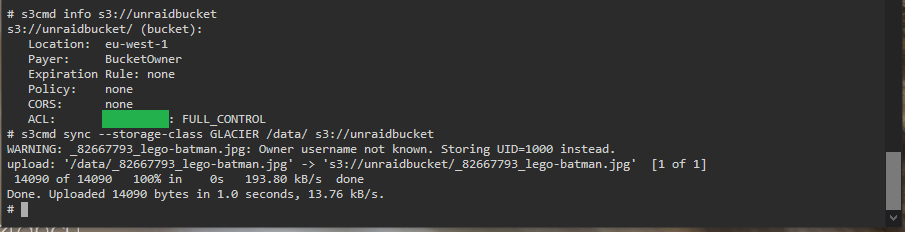
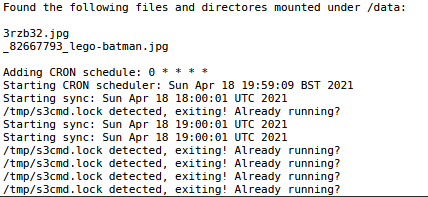
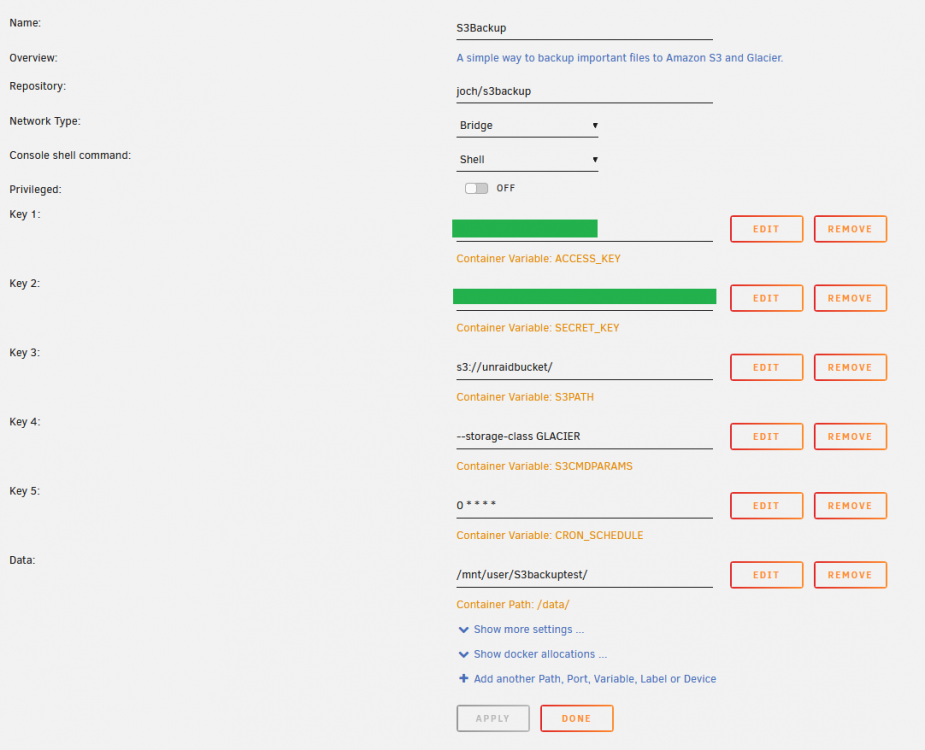
I'm trying out this container, hoping to automate my AWS backups with a lightweight solution! At the moment I use a Windows app called FastGlacier to manually backup files to AWS, but obviously an automated solution would be better. I have installed the container and set my configuration as per the following: As I want to use Glacier for backup and the lower cost, my storage-class command parameter is set to GLACIER which according to https://awscli.amazonaws.com/v2/documentation/api/latest/reference/s3/sync.html is a supported option. After starting the container and checking the logs, I saw this error saying that the bucket didn't exist: I don't know if there's a way to create the bucket automatically if it doesn't exist, but in the meantime I consoled into the container and used s3cmd to make a new bucket. I then checked the bucket exists and also verified that I could manually use s3cmd to upload a file from my container's 'data' path: But I am now seeing a similar issue to that which joeschmoe saw, the job fails due to an existing S3 lockfile: Based upon joeschmoe's findings, I am assuming this is because s3cmd doesn't like my s3 parameter being set to GLACIER - yet the same option runs fine from the command line when I ran s3cmd sync manually. I can also see that the file uploaded successfully in the bucket using the AWS management console. I would really like to get this working so would be grateful for any pointers! I did try restarting the container several times in case that would help cleanout /tmp but it didn't change the behaviour.