





Glonch
Members
-
Joined
-
Last visited
-
SOLVED! Had to clear cache for that site.. Go to the site -> F12 (Dev Mode) -> Right Click Reload (top left) -> select Hard Refresh

-
Greetings all... On 7.3.0 and the latest version of Krusader - any ideas?:
-
Greetings All, Anyone have luck with the RTL8127 working at 10Gb?
-
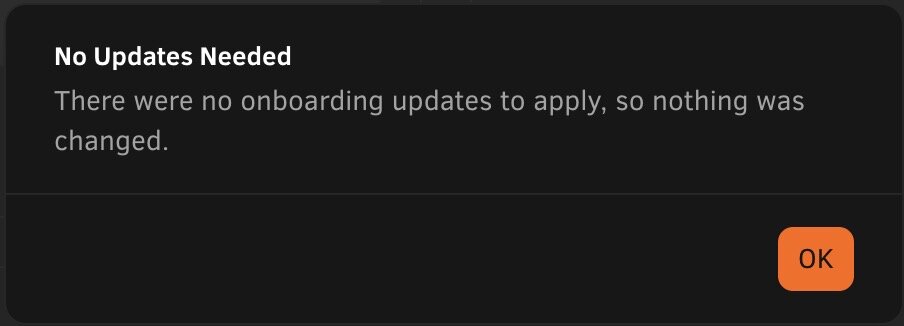
Reboot worked* *I was able to get to the Dashboard, but the API was down. I restarted the API and it took a bit. Once it went online, the On-Boarding screen came up again. Clicked Go To Dashboard and it worked. API getting hit alot today???
-
That's the problem... I cannot close it, it just pops back up. Cannot get to the Dashboard at all to attempt a reboot. I can get to the command line - so could reboot from there.
-
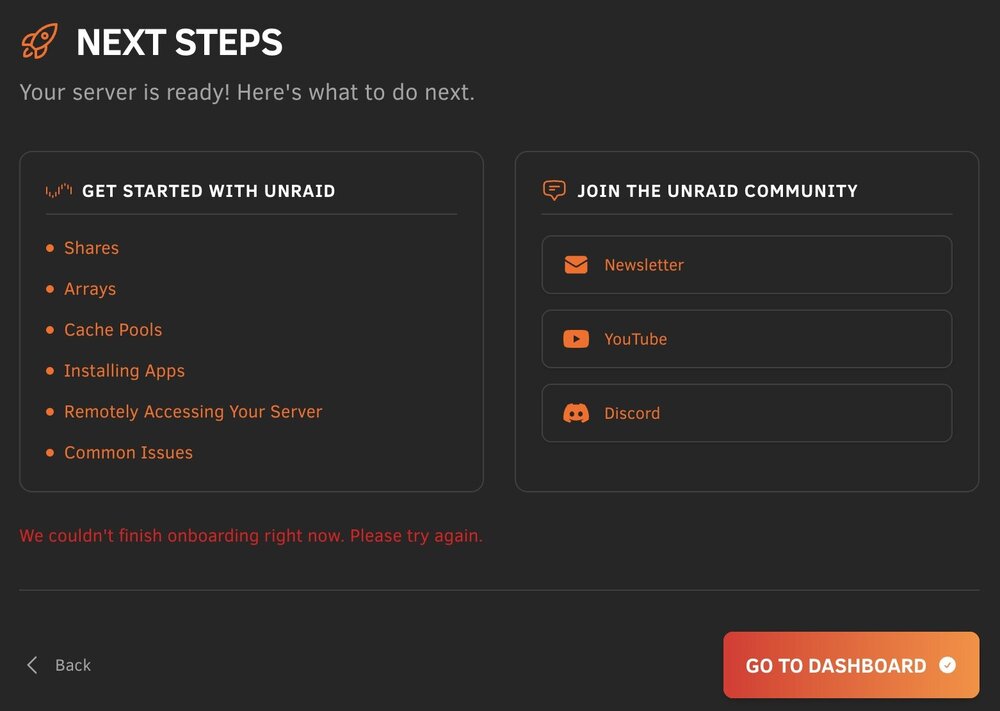
Just upgraded to 7.3.0 and the Onboarding process will never finish or exit. "We couldn't finish onboarding right now. Please try again." Any ideas? I left all my on-boarding questions to default.
-
Thanks - It might be a week or so until I get the diags...
-
Thanks - Understood. We removed the 'hack' and setup the Root Share via UD and came up with the same error. For testing, we mounted one of the (non-root) shares as a mapped drive on the windows laptop. Moving one of the files from one directory to another (in the same share) failed with the same error as above. So, it appears it has nothing to do with the Root Share. Any ideas?
-
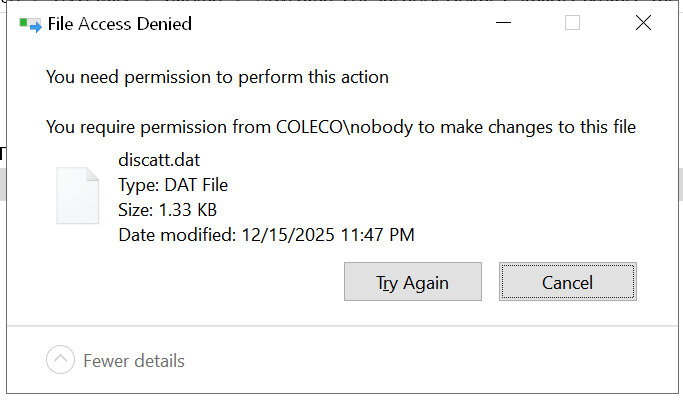
Greetings all, I have been using the 'god share' that SpaceInvader One talked about in his video for about 5 years without issue. It continues to work with 7.2.2. https://www.youtube.com/watch?v=TM9pPz732Gc I built an unRaid server for a friend of mine and setup the same god share for him too. Environment: unRaid 7.2.2 Windows 10 (latest updates with extended support, he'll be going to Win11 in 2026 when he gets a new laptop) What works: God share mounts (Win10 network is set to private) Windows -> unRaid copies Windows <- unRaid copies What doesn't work: Windows moving files between shares within the unRaid God share: Fails with an error - attached The odd thing - I checked my unRaid setup and did the same functions without any issues. Win11/unRaid 7.2.2, same god share settings After looking around the forums, I see that some suggest to not use God/Root shares due to security concerns, etc. I have also since learned that Unassigned Devices has a Mount Root Share function. ChatGPT suggested creating an 'admin' share and adding simlinks to the shares you want and then mount that 'admin' share Not sure what the best plan of action is. Any ideas? Thanks
-
Well... look at that... folders are back and I just reinstalled the two dockers. Amazing. Thanks so much!
-
Thanks. What do you mean by “rebake”? Restart?
-
I'm an idiot.... In the process of swapping my cache drive, I have lost appdata/domains/system. I cannot locate the folders on the array (I forgot to execute the mover when I changed the folders to move to the array). The original cache has been formatted. Domains is not important as I didn't have VMs. Since this is a backup server, I only had two dockers (Krusader/resilio-sync). Any suggestions on how to recover? Thanks! Diags attached. gooseisland-diagnostics-20251128-1905.zip
-
I forgot where mine landed but it was over a million - all super small files...
-
Awesome! I just curious, it appears you had the same issue as me. The number of files was extremely high. I wonder what Krusader is saving/caching?
-
Looks like from the Krusader instructions all of the settings are in: appdata\binhex-krusader\home\.config\krusaderrc I suspect if that was backed up, you should be fine... BUT... your mileage might vary, no warranty implied, etc, etc.


