





Superdean56
Members
-
Joined
-
Last visited
-
Is there a new to setting this up? When I install the docker from community apps and run it, I get this error in logs 17:22:26 0|OctoFarm | 2023-12-09T17:22:26: WARN MESSAGE: ~ The OCTOFARM_PORT setting was not a correct port number: >= 0 and < 65536. Actual value: undefined. 17:22:26 0|OctoFarm | 2023-12-09T17:22:26: 12/10/23, 1:22:26 AM | ERROR | Utils-Env 17:22:26 0|OctoFarm | 2023-12-09T17:22:26: ERROR MESSAGE: cant find target folder... | /app/images 17:22:26 0|OctoFarm | 2023-12-09T17:22:26: Error: EACCES: permission denied, open '../images/bg.jpg'
-
So I found some SATA cables without the locking clips. I changed them. I even swapped the parity's SATA port with another HDD port on the motherboard I re-ran the parity check and 2 hours in I already had over 120,000 errors detected Someone, please help trinity-diagnostics-20220101-1920.zip
-
I see.. i changed a locking cable…with a locking cable looks like I will be ordering a new set of sata cables today thank you! I will report back once I install new cables and run a parity backup
-
Thank you for responding! funny thing is, last month I changed the cable to the parity drive. But you are right I do have a WD drive and the locking cables connected to it so should I put a cable that does not have a locking clip? Just on the parity? Or all of them?
-
So one month later, I re-ran my sync with the "fix errors" unchecked. It is currently syncing and I have over 300,000 errors detected so far. I did an extended SMART test on every disk I have, and all come back with zero errors. Can someone please explain this to me? trinity-diagnostics-20220101-1249.zip
-
Yes, you are right, it’s not a backup. I just think of it that way.
-
So far 3 hours in, memtest seems okay
-
It could be a RAM issue?
-
Please see below, newer comments! I now have over 200,000 errors! -------------------------------------------------------------------------------------------------------------------- Hello Everyone, I run my parity backup on the first of every month, last month I had 80 errors. I re-ran the backup and it finished with zero errors. Now today, my parity backup ran and completed and I now have 1344 errors. I ran SMART on all disks and they all seem perfectly fine, no issues What does this mean? Thank you in advance trinity-diagnostics-20211201-2028.zip
-
Hello everyone, I followed spaceinvader’s newest most recent video on Macinabox installing Bigsur as a vm I got everything running smoothly and I even logged into my icloud but every time I try to log into iMessage or FaceTime I get an error “an unknown error occurred” is there a way to fix this?
-
Bump i have the same issue Did you ever find a solution?
-
Hi, Were you able to find out how to use it? or are there any instructions on how to use it?
-
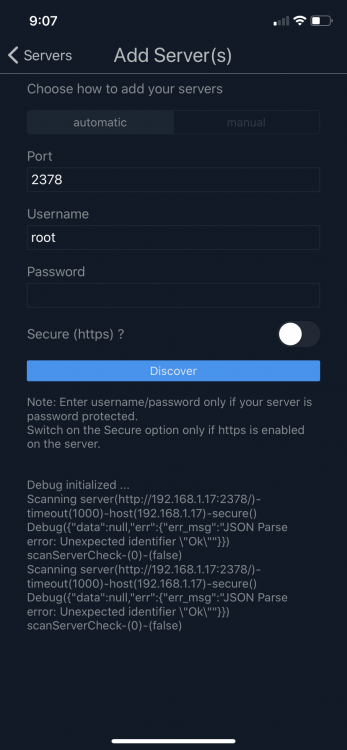
Thank you for responding! I am actually running 6.8.0 I just realized right now that there is an update for 6.8.2 Do you think that could be the issue? Attached is the screenshot of the app
-
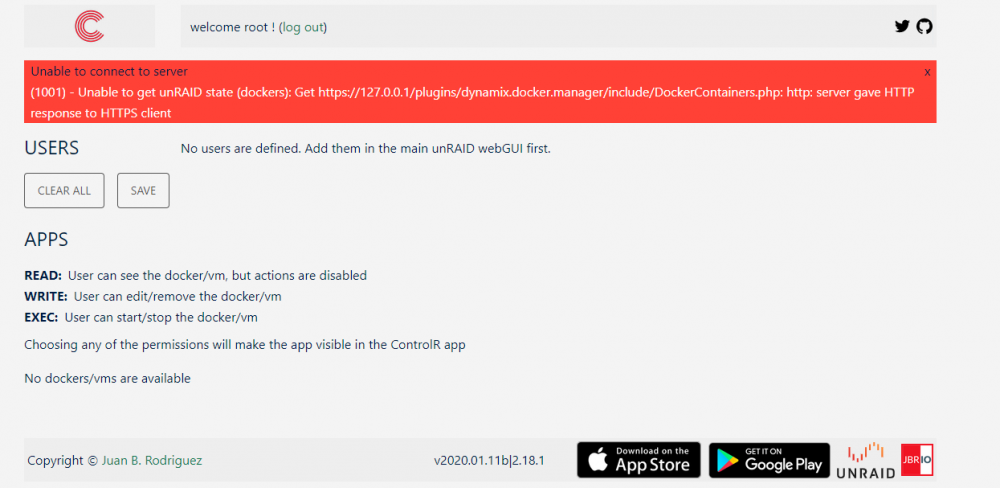
Hello, I just installed ControlR App for IOS and installed controlR plugin. I have the plugin running and i click on the URL link and it takes me to the login page, I log in and there is nothing listed, no dockers and no vms. Also I try to add the server on the app and it locates my server but then it jumps back to the main screen on the app and says "no servers available" I have my port set at 2738 in the plug-in, but when I click on the URL link, it says port 2379. I dont know if that is an issue, I tried changed the port number but I get errors But now that i restarted my server, im getting a error when trying to login in the URL page (see attached) Also, i am unable to locate the log file
-
Thank you!!

