





Young_Max
Members
-
Joined
-
Last visited
-
Sapphire RX460 2G GPU passthrough displays exceptions to the virtual machine But my gtx1060 is fine,I had no problem using Dataland RX460 2G before What I've tried to do: 1、Now the RX460 is in second slot,I'm going to move it to the first slot,also show exceptions 2、I added VBIOS, either black screen, or display an exception 3、I use RX460 to enter the BIOS interface, everything is normal 4、Is it the VBIOS of RX460 or the driver is wrong, or Sapphire RX460 2G is not compatible with UNRAID? Thanks New: 1、I bought another piece of Dataland RX460 2G, but the problem remains the same. Is there any solution? Thanks tower-diagnostics-20200607-1309.zip
-
In version 6.7.2, sleep command can be used to wake up normally. In version 6.8, sleep command can cause problems in the system and the system cannot be entered after starting up tower-diagnostics-20200404-2258.zip
-
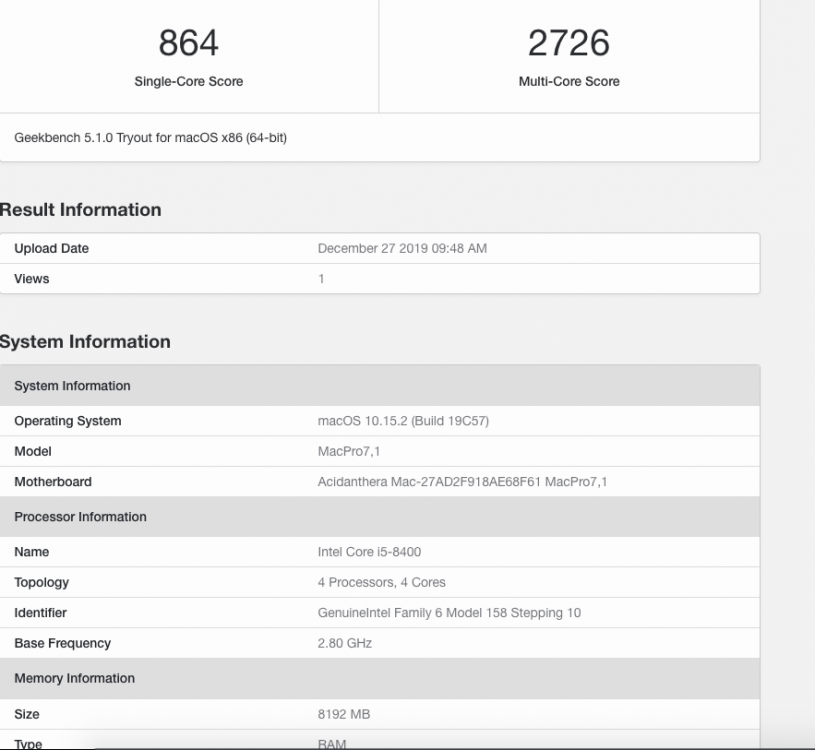
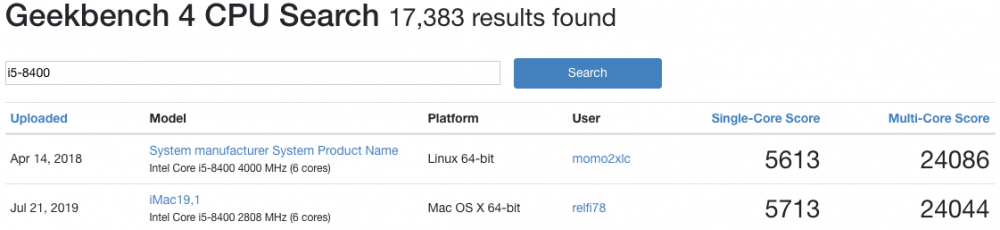
I used geekbench 5, so this score is probably normal.
-
@LeoyzenI5 8400 ,opencore 5.4,only update liu and weg, other configurations are the same as yours .But Geekbench score too low. <qemu:commandline> <qemu:arg value='-device'/> <qemu:arg value=''/> <qemu:arg value='-smbios'/> <qemu:arg value='type=2'/> <qemu:arg value='-cpu'/> <qemu:arg value='host,kvm=on,+invtsc,+hypervisor,+avx,+avx2,+fma,+popcnt,+xsave,check'/> </qemu:commandline> </domain>
-
Has been solved, is the screen saver problem, replaced with a simple screen saver to reduce power consumption
-
@Leoyzen Now my power consumption using virtual macos is 100w,but the power consumption of the virtual macOS in the lock screen state is 130w. Do you have this situation?
-
@Leoyzen Use your opencore.release.qcow2 file,standby power consumption(Screen Lock) is higher(10W) than normal power consumption. Is there something that hasn't been optimized?
-
Thanks! Clover.qcow2
-
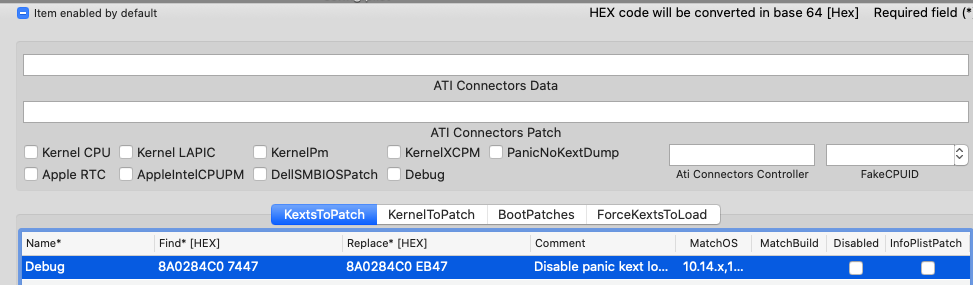
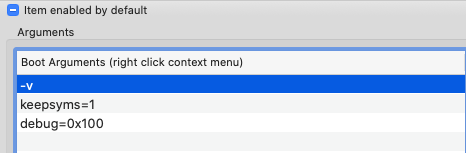
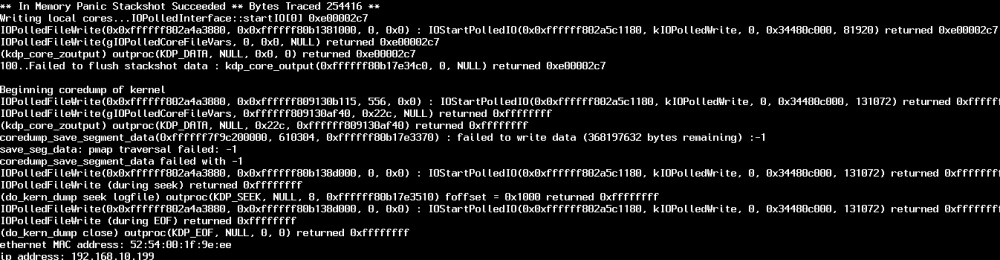
Yes, I haven't used Hackintosh for a long time. I'm getting used to it. I add AppleIntelMCEReporter.kext and patch. It seems that shutting down Lilu logging didn't work
-
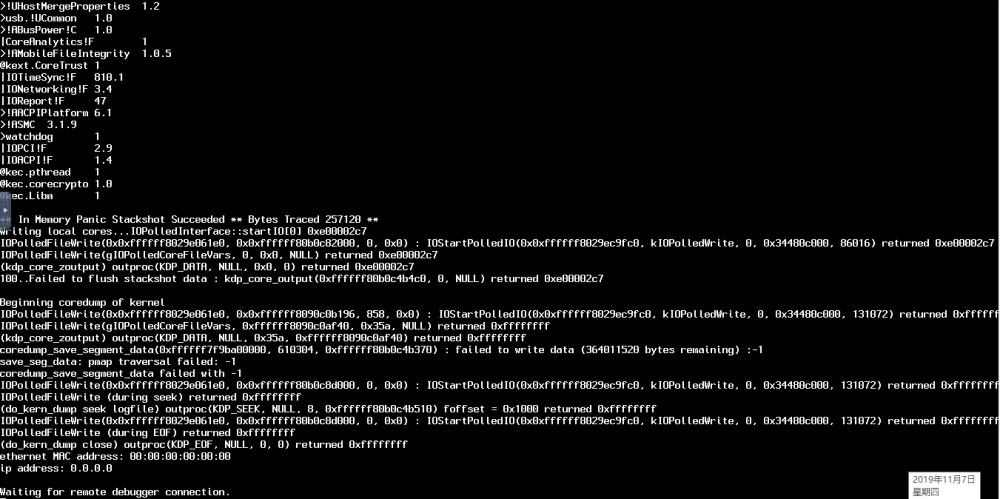
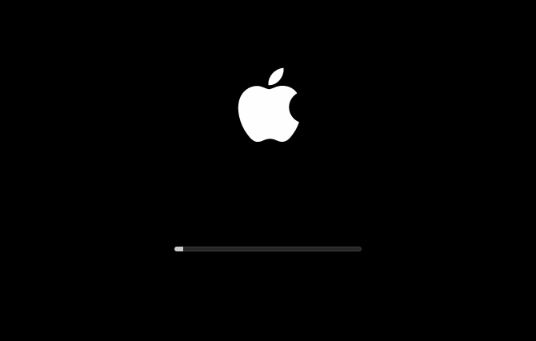
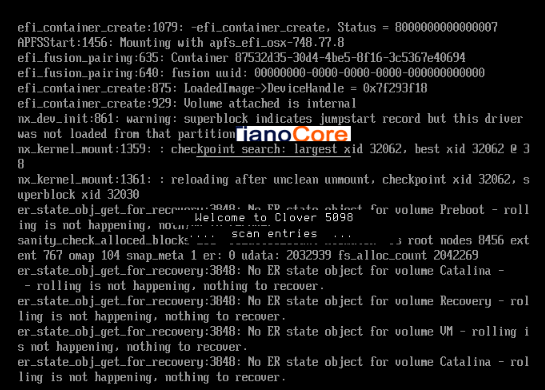
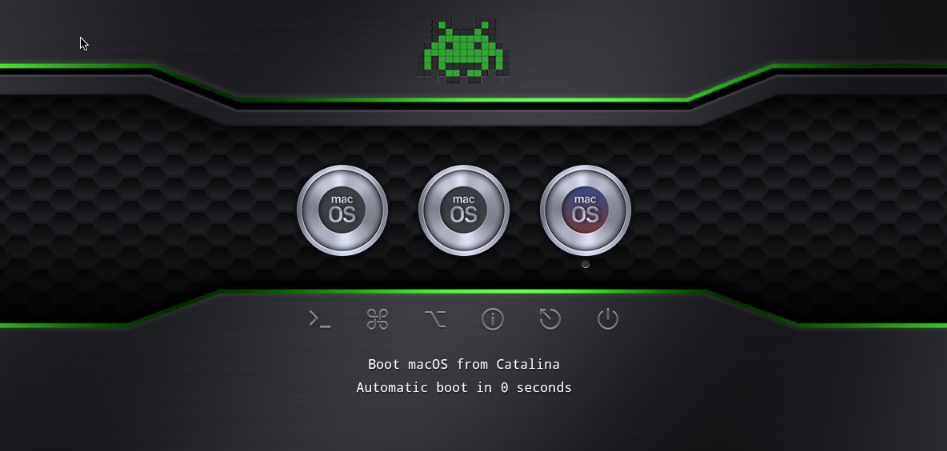
Sorry, I forgot to provide the information. It's my fault. And logo problem has been resolved. I‘m very sorry to disturb you. MacOS:catalina10.15.1 Lilu:1.3.9 WEG:1.3.4 AppleALC:1.4.3 “-v” and "debug = 0x100": clover.qcow2 structuration: I add AppleIntelMCEReporter.kext , it's useless. This is SpaceInvaderOne clover.qcow2, I only update AppleALC, Lilu and WEG. C lover.qcow2 root directory has EFI folder and nvram.plist file. ├──BOOT └── BOOTx64.efi ├── Clover| └── cloverx64.efi └── config.plist └── startup.nsh └── kexts └── Other └── AppleAlc.kext └── Lilu.kext └── WhateverGreen.kext └── drivers64UEFI └── themes └── tools clover bootload then show this,catalina not happening,nothing to recover And then go back to clover interface, so repeatedly My xml: <?xml version='1.0' encoding='UTF-8'?> <domain type='kvm' id='11' xmlns:qemu='http://libvirt.org/schemas/domain/qemu/1.0'> <name>Catalina</name> <uuid>767f3b01-df6f-de85-277a-82deb76002b0</uuid> <metadata> <vmtemplate xmlns="unraid" name="Linux" icon="linux.png" os="linux"/> </metadata> <memory unit='KiB'>4194304</memory> <currentMemory unit='KiB'>4194304</currentMemory> <memoryBacking> <nosharepages/> </memoryBacking> <vcpu placement='static'>2</vcpu> <cputune> <vcpupin vcpu='0' cpuset='0'/> <vcpupin vcpu='1' cpuset='1'/> </cputune> <resource> <partition>/machine</partition> </resource> <os> <type arch='x86_64' machine='pc-q35-3.1'>hvm</type> <loader readonly='yes' type='pflash'>/mnt/user/domains/Catalina/ovmf/OVMF_CODE.fd</loader> <nvram>/mnt/user/domains/Catalina/ovmf/OVMF_VARS.fd</nvram> </os> <features> <acpi/> <apic/> </features> <cpu mode='host-passthrough' check='none'> <topology sockets='1' cores='2' threads='1'/> </cpu> <clock offset='utc'> <timer name='rtc' tickpolicy='catchup'/> <timer name='pit' tickpolicy='delay'/> <timer name='hpet' present='no'/> </clock> <on_poweroff>destroy</on_poweroff> <on_reboot>restart</on_reboot> <on_crash>restart</on_crash> <devices> <emulator>/usr/local/sbin/qemu</emulator> <disk type='file' device='disk'> <driver name='qemu' type='qcow2' cache='writeback'/> <source file='/mnt/user/domains/Catalina/Clover.qcow2'/> <backingStore/> <target dev='hdc' bus='sata'/> <boot order='1'/> <alias name='sata0-0-2'/> <address type='drive' controller='0' bus='0' target='0' unit='2'/> </disk> <disk type='file' device='disk'> <driver name='qemu' type='raw' cache='writeback'/> <source file='/mnt/user/domains/MacOS Catalina/macos_disk.img'/> <backingStore/> <target dev='hdd' bus='sata'/> <alias name='sata0-0-3'/> <address type='drive' controller='0' bus='0' target='0' unit='3'/> </disk> <controller type='sata' index='0'> <alias name='ide'/> <address type='pci' domain='0x0000' bus='0x00' slot='0x1f' function='0x2'/> </controller> <controller type='pci' index='0' model='pcie-root'> <alias name='pcie.0'/> </controller> <controller type='pci' index='1' model='pcie-root-port'> <model name='pcie-root-port'/> <target chassis='1' port='0x10'/> <alias name='pci.1'/> <address type='pci' domain='0x0000' bus='0x00' slot='0x02' function='0x0' multifunction='on'/> </controller> <controller type='pci' index='2' model='pcie-root-port'> <model name='pcie-root-port'/> <target chassis='2' port='0x11'/> <alias name='pci.2'/> <address type='pci' domain='0x0000' bus='0x00' slot='0x02' function='0x1'/> </controller> <controller type='pci' index='3' model='pcie-root-port'> <model name='pcie-root-port'/> <target chassis='3' port='0x12'/> <alias name='pci.3'/> <address type='pci' domain='0x0000' bus='0x00' slot='0x02' function='0x2'/> </controller> <controller type='pci' index='4' model='pcie-root-port'> <model name='pcie-root-port'/> <target chassis='4' port='0x13'/> <alias name='pci.4'/> <address type='pci' domain='0x0000' bus='0x00' slot='0x02' function='0x3'/> </controller> <controller type='virtio-serial' index='0'> <alias name='virtio-serial0'/> <address type='pci' domain='0x0000' bus='0x02' slot='0x00' function='0x0'/> </controller> <controller type='usb' index='0' model='ich9-ehci1'> <alias name='usb'/> <address type='pci' domain='0x0000' bus='0x00' slot='0x07' function='0x7'/> </controller> <controller type='usb' index='0' model='ich9-uhci1'> <alias name='usb'/> <master startport='0'/> <address type='pci' domain='0x0000' bus='0x00' slot='0x07' function='0x0' multifunction='on'/> </controller> <controller type='usb' index='0' model='ich9-uhci2'> <alias name='usb'/> <master startport='2'/> <address type='pci' domain='0x0000' bus='0x00' slot='0x07' function='0x1'/> </controller> <controller type='usb' index='0' model='ich9-uhci3'> <alias name='usb'/> <master startport='4'/> <address type='pci' domain='0x0000' bus='0x00' slot='0x07' function='0x2'/> </controller> <interface type='bridge'> <mac address='52:54:00:1f:9e:ee'/> <source bridge='br0'/> <target dev='vnet0'/> <model type='vmxnet3'/> <alias name='net0'/> <address type='pci' domain='0x0000' bus='0x01' slot='0x00' function='0x0'/> </interface> <serial type='pty'> <source path='/dev/pts/0'/> <target type='isa-serial' port='0'> <model name='isa-serial'/> </target> <alias name='serial0'/> </serial> <console type='pty' tty='/dev/pts/0'> <source path='/dev/pts/0'/> <target type='serial' port='0'/> <alias name='serial0'/> </console> <channel type='unix'> <source mode='bind' path='/var/lib/libvirt/qemu/channel/target/domain-11-Catalina/org.qemu.guest_agent.0'/> <target type='virtio' name='org.qemu.guest_agent.0' state='connected'/> <alias name='channel0'/> <address type='virtio-serial' controller='0' bus='0' port='1'/> </channel> <input type='tablet' bus='usb'> <alias name='input0'/> <address type='usb' bus='0' port='1'/> </input> <input type='mouse' bus='ps2'> <alias name='input1'/> </input> <input type='keyboard' bus='ps2'> <alias name='input2'/> </input> <graphics type='vnc' port='5900' autoport='yes' websocket='5700' listen='0.0.0.0' keymap='en-us'> <listen type='address' address='0.0.0.0'/> </graphics> <video> <model type='qxl' ram='65536' vram='65536' vgamem='16384' heads='1' primary='yes'/> <alias name='video0'/> <address type='pci' domain='0x0000' bus='0x00' slot='0x01' function='0x0'/> </video> <memballoon model='virtio'> <alias name='balloon0'/> <address type='pci' domain='0x0000' bus='0x03' slot='0x00' function='0x0'/> </memballoon> </devices> <seclabel type='dynamic' model='dac' relabel='yes'> <label>+0:+100</label> <imagelabel>+0:+100</imagelabel> </seclabel> <qemu:commandline> <qemu:arg value='-usb'/> <qemu:arg value='-device'/> <qemu:arg value='usb-kbd,bus=usb-bus.0'/> <qemu:arg value='-device'/> <qemu:arg value='isa-applesmc,osk=xxxxxxxxxxxxxxxxxxx'/> <qemu:arg value='-smbios'/> <qemu:arg value='type=2'/> <qemu:arg value='-cpu'/> <qemu:arg value='Penryn,kvm=on,vendor=GenuineIntel,+invtsc,vmware-cpuid-freq=on,+pcid,+ssse3,+sse4.2,+popcnt,+avx,+aes,+xsave,+xsaveopt,check'/> </qemu:commandline> </domain>
-
@Leoyzen I add the lasted Lilu/WEG to my clover/kexts/others ,it's fine. And I add AppleIntelMCEReporter.kext ,no problem. Then I use IMacPro1,1 as product model, boot failed and restart all the time
-
@LeoyzenOh, thanks, you are so cool. Can I copy clover.qcow2 EFI to OS EFI? And the launch logo is in the upper left, blurred screen.Can I solve these problems through kext files?
-
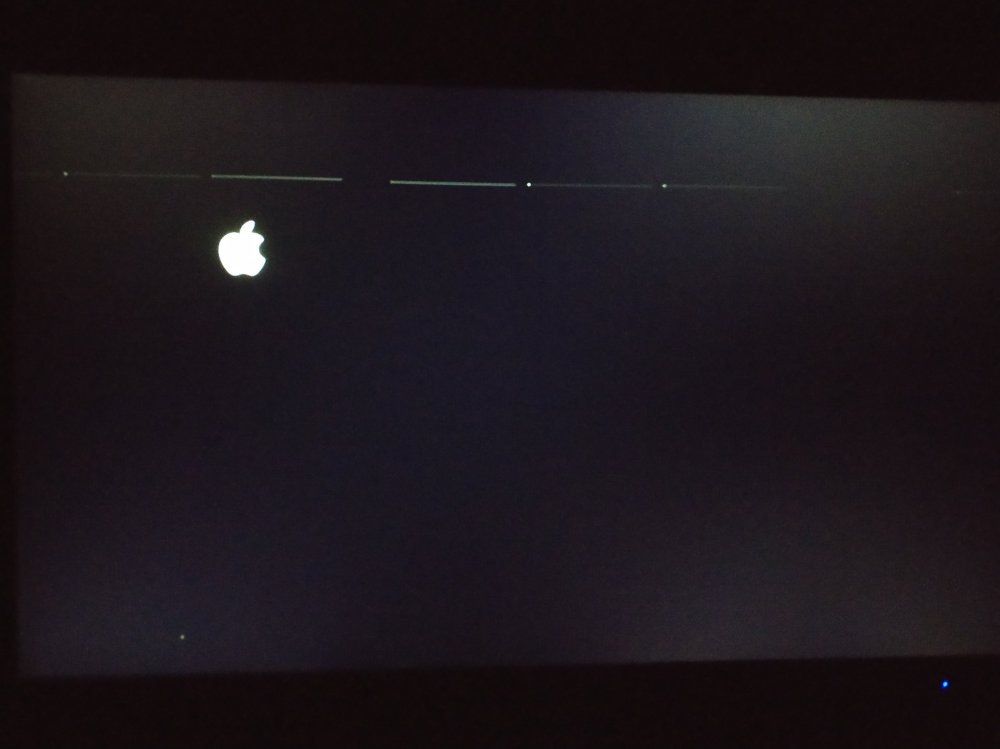
Boot, logo in the upper left corner,blurred screen
-
Changing the product model results in boot failure and black screen system:catalina clover:spaceinvaderone clover.qcow2 model imac14 to imac18 and imac19
-
Maybe it's time synchronization


