





Haugi
Members
-
Joined
-
Last visited
-
Found the Solution. You need to go to the Log of the docker and there is a link where you can set the PW.

-
Hi, started duplicati today and now i need to enter a password to connect again. I never set a password or something. It worked for years without. Is ther posibillity to remove that without deleting an reinstaling everything? THX
-
Thx but this was my starting point ☺️ without spaceinvader one I wouldn't be that far. I tryed every combination on the settings so far
-
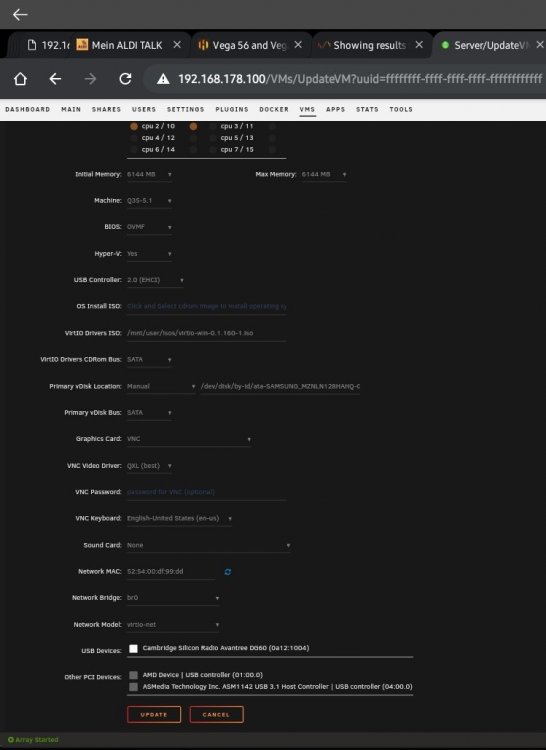
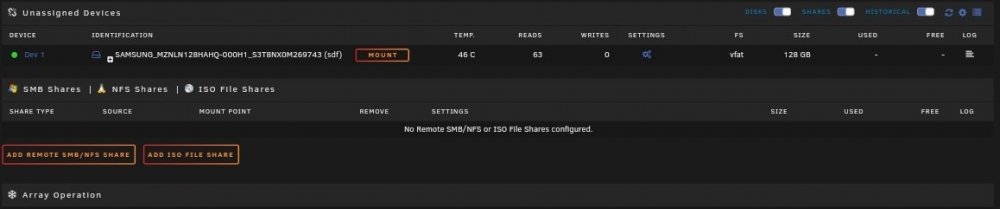
Hi everyone, Hope you can help me here with this. I can't get my windows 10 install running in a VM again. What do I have: I have a ssd with a Windows 10 install that I use for booting directly into win10. What do I want: I want to use this ssd and win10 to run it as a VM in unraid if I need it. What is my problem: I always run in to this blue screen with inaccessable boot drive. I tryed already all possibilities with the config. Etc. It is always the same. Blue screen or nothing at all. Can you help me here? Maybe I missed something Thx

-
Hi, i have some issues with the Onlyoffice Server Docker. I get this Error after opening a document and try to edit and safe it for a couple minutes: ==> /var/log/onlyoffice/documentserver/docservice/out.log <== [2021-05-25T17:56:50.175] [WARN] nodeJS - error description: docId = 1817512848 errorId = Update Version error I use: Nextcloud Docker NGINX Proxy manager Can you help me here? BR Christian
-
Hi, great work! Thx a lot. Where do i finde the BTC adresse in my Nicehash Account^^ THX again
-
THX Danioj, this solved my issue! - I Enabled Host Acess to custom Network in advanced Docker settings - I disabled preserve user defined Network in advanced Docker settings The multiple DNS servers is handled by my router. So it does this job already. BR Haugi
-
Hi, when PiHole runs. unraid is unable to get updates for the OS / Plugin`s and the App store. As soon as i stop pihole all works. Can someone tell me wich adresses i need to wihtelist? Thx
-
Hi, as long i run pihole as docker. Unraid dont find any update of the system and the plugin`s. When i switch pihole off it finds the update`s. Can you tell me which Adresse i need to Whitelist to solve the issues? thx
-
Hi, i use a vpn to my homenetwork and want to start the server from your app. This dosent work any more. I can use everything fine when i`m normaly connected to the local lan. I use the fritzbox vpn client. Can you help here? Thx
-
Hi, i also have the same problem. Can someone help here? There are several post about this problem but no answer to it. I appreciate the awesome work that you are doing here. so i hope someone can help or make a how to video ^^ Thx



