





yaksnip
Members
-
Joined
-
Last visited
-
I was messing with the settings too playing around with tailscale and now im stuck with the wrong ip and sub net. i have tired deleting the network.cfg file on reboot it goes to the tailscale ip . tired a new eth card and network.cfg file with the ip and sub that i need but still no luck. l've got the right ip and sub and gateway in there but can not see it on my network. l can see the server running in the gui thats all i can do thanks yak.
-
hi will the new config tool fix ip and sub net problems at startup. thanks yak
-
I was messing with the settings too playing around with tailscale and now im stuck with the wrong ip and sub net. i have tired deleting the network.cfg file on reboot it goes to the tailscale ip . tired a new eth card and network.cfg file with the ip and sub that i need but still no luck. l've got the right ip and sub and gateway in there but can not see it on my network. l can see the server running in the gui thats all i can thanks yak.
-
I was messing with the settings too playing around with tailscale and now im stuck with the wrong ip and sub net. i have tired deleting the network.cfg file on reboot it goes to the tailscale ip . tired a new eth card and network.cfg file with the ip and sub that i need but still no luck. help please yak thanks
-
stuck with tailscale ip address and sub net but would like go back to the old one. would like some help thank you
-
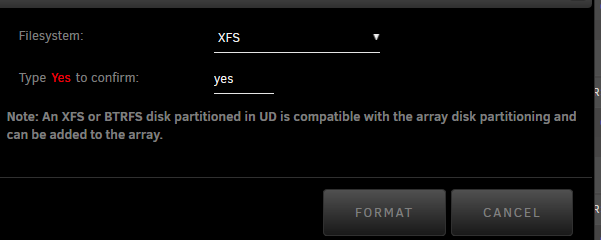
Capital Y yes that it is XD thank you guys
-
yes
-
yes did that too it's just not letting me do it
-
already did that still the same
-
hi new boy here .i have no + icon next to the disk serial number .has been preclear cannot format to use out side of the array thank you yak

