PanicMechanic007
Members
-
Joined
Everything posted by PanicMechanic007
-
I'll look into it
-
I'm working on a fix for persisting configuration during reboots
-
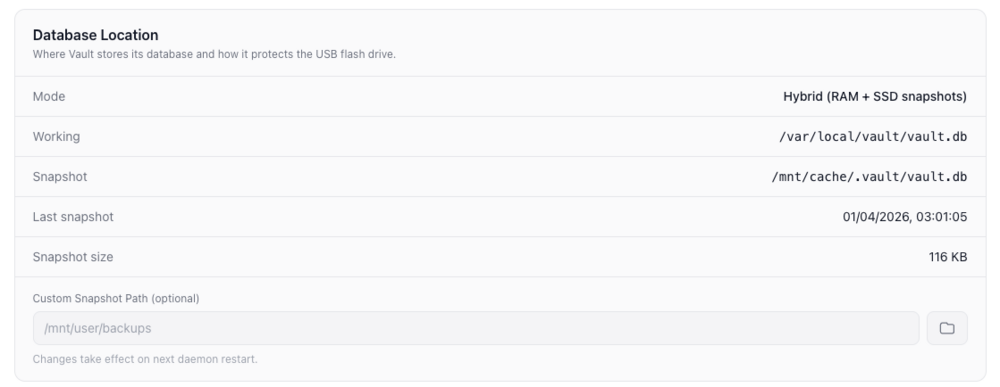
I could probably word this better, but to change database location, under Database Location, change the snapshot path to the new location if you dont use cache pool. Vault DB will save a snapshot in new location. You can delete the backup files manually from the backup location. I have a list of improvements to make so will add feature in to delete backups files from the UI but keep the jobs intact.
-
Hello, you delete the backup job and it will ask you "Keep backup files" or "Delete backup files" I have a list of improvements I need to make and "Clear logs" feature is on the list.
-
Hi, yes it supports folder and file backups on a schedule and you can backup only the contents under /mnt/user/appdata or whichever folder and file you want to backup. It only wakes up the disk where the backup location is to store the compressed backup file. I'm going to add functionality in for container backups so that users can specify containers paths eg. /config/Library/Application Support/Plex Media Server/Cache which should be excluded. For more info you can look at the wiki https://deepwiki.com/ruaan-deysel/vault
-
If you are on github please open issue for enhancement or bugs. I'll make a plan to investigate and add extra features
-
If you are on GitHub it will be great if you can log it as an issue for me to investigate
-
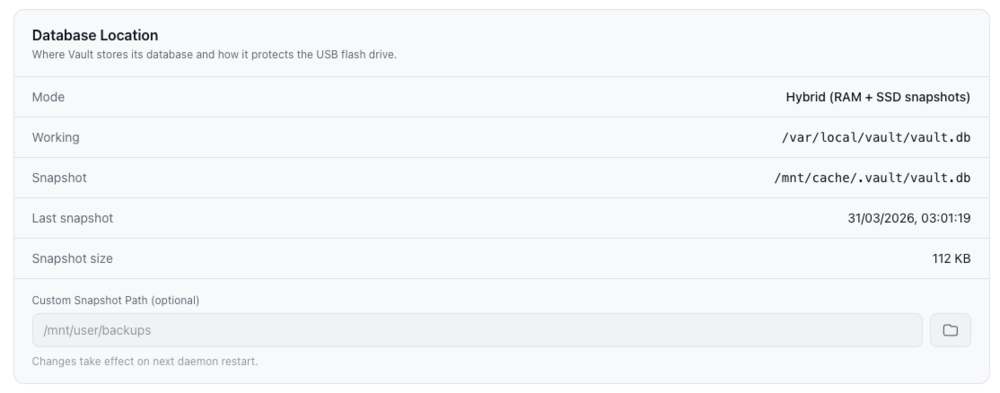
I'll look into it. Thanks for the feedback> You change the custom snapshot path location to location of your choice. Vault runs in memory by default to not put strain on the usb and keeps backup copy of database on cache or another location so in the event of power failure or reboot it restores from snapshot location automatically.
-
@erdius Fix implemented and working with tailscale enabled containers
-
Thanks for letting me know. I'll have a look and work on a fix.
-
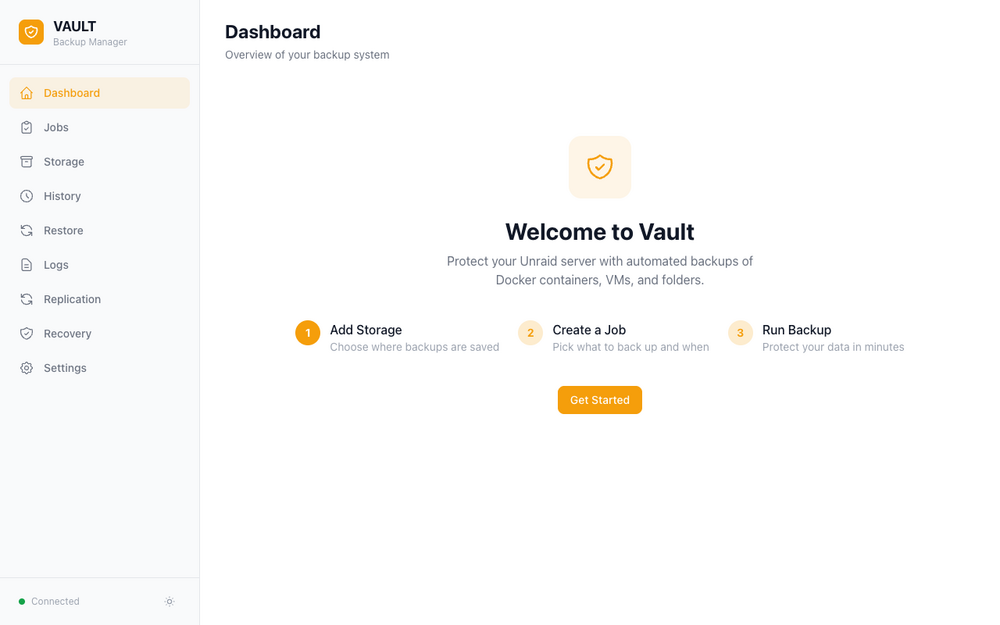
Vault is backup and restore plugin for Unraid 7.0+. Search for Vault in the CA Store and install. Install URL: https://raw.githubusercontent.com/ruaan-deysel/vault/main/plugin/vault.plg Why this plugin: To simplify the backup process of Dockers and VMs on unraid servers without needing multiple plugins. What it backs up: Docker containers (image, XML config, appdata volumes) Virtual machines (live snapshot or cold backup) Folders and plugins Storage destinations: Local, SFTP, SMB/CIFS, NFS, WebDav, S3/S3 Compatible storage Highlights: Full, incremental, and differential backup types Cron scheduling with retention policies AES-256 encryption at rest Guided restore wizard Backup replication to a second Vault instance (Work in Progress) Real-time progress via WebSocket Unraid and Discord notifications REST API with 40+ endpoints MCP server for AI assistant integration Modern web UI (Svelte 5) with multiple themes For any bugs please submit on Github as its easier to track and implement fixes. Bugs: https://github.com/ruaan-deysel/vault/issues Wiki: https://deepwiki.com/ruaan-deysel/vault
-
This should work now. Latest plugin update supports the modern mcp protocols. streaming http and stdio. Instructions located here. https://github.com/ruaan-deysel/unraid-management-agent/blob/main/docs/integrations/mcp.md Also please log any issues in GitHub
-
Hey everyone! I wanted a faster, more flexible way to keep tabs on my Unraid server and control things like Docker containers and VMs without always needing to jump into the WebUI. The Unraid Management Agent is a lightweight tool built in Go that acts as a bridge between your server and whatever you want to use to monitor it. It’s designed to be "snappy"—it uses an event-driven setup, meaning you get real-time updates via WebSockets and a standard REST API. I’ve focused on making it as "set and forget" as possible. It has zero external dependencies, so it won't clutter your system. Whether you're building a custom dashboard, a mobile app, or using AI to help you manage your server, this plugin provides the hooks to make that happen. Built-in AI Support (MCP) One of the coolest features is the built-in Model Context Protocol (MCP) support. If you use AI tools like Claude Desktop, Cursor, or custom LLM agents, you can connect them directly to your Unraid server. This lets the AI "see" your server's health, check logs, or even restart a stuck Docker container for you. It essentially makes your Unraid server "AI-ready" out of the box. Key Features 54+ AI Tools: Deep integration for LLMs via MCP to monitor and control your system. Real-time Monitoring: CPU, RAM, Array status, Disk health (SMART), Network throughput, UPS status, and GPU metrics. Docker & VM Control: Start, stop, restart, pause, and resume containers or virtual machines via API. System Operations: Start/stop the array, trigger parity checks, and spin up/down individual disks. Low Overhead: Written in Go with native system calls—it’s fast and doesn't lean on heavy shell commands. How to Install The plugin can be installed via Community Applications just search for Unraid Management Agent Configuration Once installed, go to Settings > Unraid Management Agent. Port: The default port is 8043. Intervals: You can adjust how often it collects data to save on power/CPU. AI Setup: Check the MCP Guide MCP Instructions in the GitHub docs to connect your LLMs. Support This has been tested on Unraid 7.x (amd64). If you find a bug or have a feature request (especially for hardware I don't have, like specific RAID controllers or UPS models), please feel free to open an issue on Github
-
Thanks. I have noticed this as well and have made updates to clean up old logs automatically
-
Thanks. I'll check and update the code
-
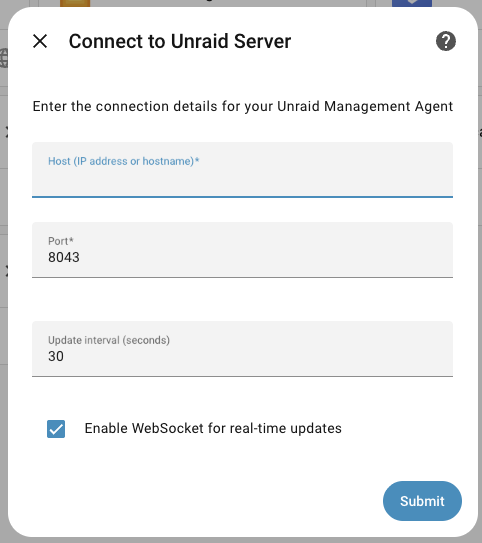
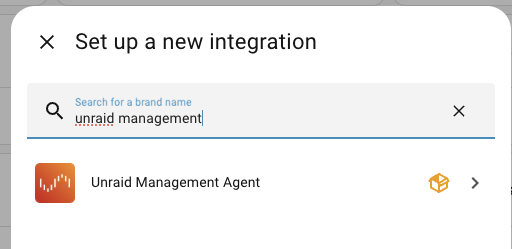
Hello, I think you can bypass the GraphQL errors by turning off SSL/TLS in unraid under management access and then try the Unraid API integration again. https://github.com/chris-mc1/unraid_api/issues/18#issuecomment-3577331567 Other option is to install Unraid Management Agent plugin then you can use the HA Unraid Management Agent integration https://github.com/ruaan-deysel/ha-unraid-management-agent Once installed via HACS and you search for Unraid Management Agent in integrations to configure it All you have to do is enter your unraid server IP address and click Submit. You are all done and should show entities for your unraid server
-
I made improvements to the ssh based integration to reduce log spam and overall amount of ssh connections the integration makes to unraid server. You can also try out the beta version of the Unraid Connect integration that uses the Unraid API. See latest post
-
Im working on the unraid integration that uses the Unraid GraphQL API. You can try it out and go through the list of issues to see what’s features are missing. GitHubGitHub - domalab/ha-unraid-connect: Unraid Connect Integr...Unraid Connect Integration for Home Assistant. Contribute to domalab/ha-unraid-connect development by creating an account on GitHub.
-
You can add it as a custom integration in HACS GitHubGitHub - domalab/ha-unraid: Monitor and control your Unra...Monitor and control your Unraid server directly from Home Assistant. Track system metrics (CPU, RAM, disk usage), manage VMs and Docker containers, monitor UPS status, and receive real-time alerts....
-
@pujitm https://github.com/domalab/unraid-api-client
-
@pujitm I think I have resolved my issue with the API for now. The Authentication and Redirect Handling was a hurdle for me: The code had to discover and handle the redirect URL. Maybe this is something worth mentioning in the Unraid API developer documentation. I'm happy to help contribute. And here's the tool to test the api. https://github.com/domalab/unraid-api-client
-
Working fine for me on 7.0.1 and latest unraid connect version
-
I can share a python client and test script I developed to connect to unraid api graphql sandbox environment which handles the CORS and redirects correctly. Allows you to run graphql queries
-
@pujitm I managed to get my code to handle the URL redirects to https://xxxxxxxxx.myunraid.net It connects now to the Sandbox environment and I can run queries.
-
I'm developing a Home Assistant integration for Unraid Connect and am experiencing CORS policy issues when making GraphQL requests. Environment: - Unraid Server: Running Unraid Connect plugin with API enabled - Client: Home Assistant integration making GraphQL API requests - API Key: Generated using unraid-api apikey --create Issue Details: When making GraphQL requests to http://[unraid-ip]/graphql, all requests are rejected with the exact error: "The CORS policy for this site does not allow access from the specified Origin." The API responds with HTTP 200 status code but returns this CORS error in the response body. Steps Taken: 1. Added Home Assistant URL to "Unraid API extra origins" in the Unraid Connect settings (http://homeassistant_ip:8123) 2. Clicked APPLY to save changes 3. Restarted Unraid Connect services 4. Tried with and without port number in the origin URL 5. Tried multiple API key formats (standard, with unraid_ prefix, and both local and remote keys) 6. Enabled developer mode using "unraid-api developer" 7. Verified that non-GraphQL requests to other endpoints do work properly Request Details: - Header used: {"x-api-key": "[valid API key]", "Origin": "http://192.168.1.100", "Referer": "http://192.168.1.100"} - Simple query: "query { online }" - GraphQL endpoint: http://[unraid-ip]/graphql I also noticed that requests redirect to https://192-168-1-100.xxxxxxxxxxxxxxxxxxxxxx.myunraid.net, which might be complicating the CORS situation. Basic HTTP connectivity to the Unraid server works, but the GraphQL requests are blocked due to CORS. Expected Behavior: GraphQL requests should be allowed when using a valid API key and when the client origin is in the allowed origins list, as indicated in the documentation. Please advise on the correct configuration for allowing external applications to use the GraphQL API, or consider updating the CORS handling to properly respect the configured allowed origins. Or is this just because GraphQL Sandbox is proxied through Unraid Connect cloud services and I should wait until API is included in Unraid OS and seperate from Connect plugin later in the year? Thanks for the help