





afc
Members
-
Joined
-
Last visited
-
Thanks for the Info!! That board looks good!! specially the 8 sata ports!!
-
Hi @MAM59 What motherboard You are using? I am looking at the AsRock X570 Steel Legend. Did you needed to update the Bios to be able to use the Ryzen 5000 series CPU's?
-
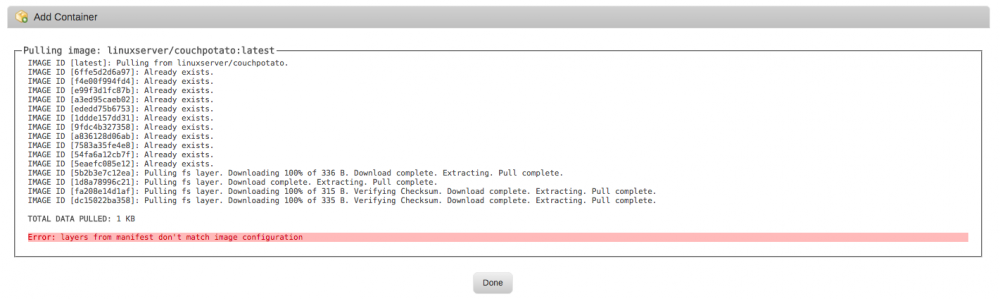
Hi I am trying to install the CP Docker image but I get an error when installing https://db.tt/XMguw8Sa I used to have a CP installation but I deleted the appdata folder and create a new one!! Why I can't install this docker??
-
I will probably make a video soon (possibly tomorrow) that will explain how to set up any docker you want. I Video Would be GREAT!!! If Somebody Can help me I am running Unraid 5.0.5 With Phazed SAB, PLEX, SICK, COUCH Plug Ins!! the NAS is running fine for about a year now!! I want to Upgrade to Unraid 6 and use Docker for all my apps!!! I currently have 3 Media Drives a Cache and a Parity Drive!! I store all the apps in the cache drive in cache only shares! What I need to do to upgrade to Unraid 6 and use Dockers in the Cache Drive and have all my current app data and configuration? Can I use the current PLEX, SICK, COUCH, SAB preferences in the new Dockers containers? It is OK to upgrade or it is better to just start from scratch? Any Suggestion is Welcome!!! I am been using Unraid since 5 beta 4 and it been Working very Good for me!!
