d3vyce
Members
-
Joined
-
Good call ! I just change the Libvirt storage location from "/mnt/user/system/libvirt/libvirt.img" to "/mnt/disk1/system/libvirt/libvirt.img" and the VM are back. THX for your help !
-
So the disk 1 rebuild is complete, the rebuilding of the file system went smoothly. After reboot no more errors for this disk. Parity 1 disk rebuild is in progress with normal speed. I just have one more problem, all my VMs are gone. I checked, the Vdisk are still present, but I think there must be a problem with the libvirt.img file ? I tried to re-create a VM and then assign it an existing vdisk but without success for the moment.
-
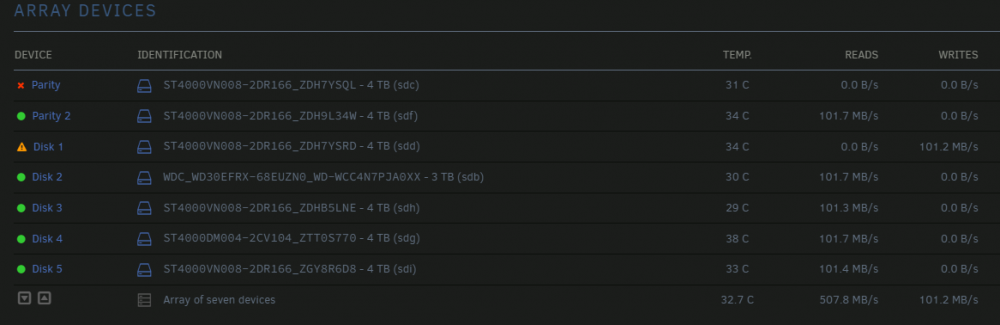
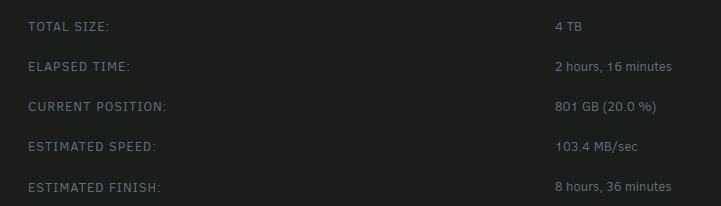
I did a SMART test on both disks, no errors. I switched to MAINTENANCE MODE and removed then added disk 1. I then launched the SYNC. The disk is being rebuilt with normal speed. If the first disk rebuilds properly, I would do the same with the second. Is there a way to remount the disabled disk without having to reset it and rebuild it?
-
mark1-diagnostics-20220706-2025.zip I have this Diagnostics that I downloaded while the array wouldn't stop
-
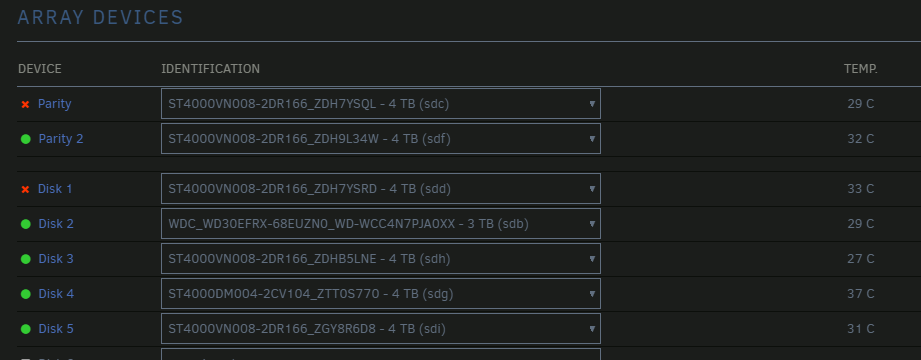
Hello, I am coming to you for help with my unraid array. I just noticed that 3 of my disks had errors and that 2 of them were in the "disable" state. On top of that one of the two disks has the following error: "Unmountable: Wrong or no file system". I have restarted my server in "safe mode" and I don't know what to do. The last time I had the case of a disk with errors and disable status I had to replace it, but now it's 2 disks at the same time which seems strange. regarding the error I have seen the command "xfs_repair -v /dev/xxx" but I don't know if it applies in my situation. Thank you in advance for your answer! mark1-diagnostics-20220706-2034.zip