southloven
Members
-
Joined
-
Last visited
-
I guess its a lesson learned then. Thanks for the advice from both of you.
-
I'll agree, it said it had an an unmountable format something, so I poorly assumed the data was gone. I thought since I had a parity drive it could rebuild the drive. I'm guessing from you response that I am wrong in this instance Should I just stop the rebuild and create a new parity then?
-
The start of my issues is above. I have upgraded and i'm doing a rebuild on the 10 drive. I may have done something to cause me to lose data, so I'm trying to find out should I even let the Rebuild move forward. I did a new config, and checked parity is valid. Then started my array. Drive 10 was unreadable (In the process I had errors that were calling for a xfs rebuild, but I was mixing up xfs with zfs) so I did a format. I had done a partial rebuild on it, and I figured that was what cause my issue. The drive now attaches, but the content is not emulated like it was before. Am I rebuilding a blank drive? Missing data isn't a huge issue, but I would like to lose as little as I can. ozunraid-diagnostics-20250507-1321.zip
-
I logged into my server today and noticed drive 10 was disabled. I shut down my array, removed the disk, started the array and ran an SMART extended self-test and the Drive came back fine. Moved it to another slot on my server which was on a different cable and started the array, and started a sync. Then after a few hours I went to check on things, and i was getting read errors from my parity drive. Rebuild on drive 10 was at 4% I shut down the server, expecting I may have an issue with the cable that cable because they are close on the backplane board and my HBA uses ssf-8643 connectors on both ends. Update: The drives are not same section of the backplane so they were using two different cables to connect to the HBA. After reboot, my 8th drive, also likely on the same cable was disabled. I was able to mount and read it fine, by removing it from the array. I was also able to mount drive number 10, but I don't know how the sync works. was it writing over existing data? my parity should have been fine prior to my recent issues. now have have two drives in a new state and cant sync both. I made changes to my server over the weekend connecting a Jetkvm to my server, and the jumpers are in the area that my HBA is. It does not look like anything was dislodged, and I made sure all the cables are secure. Server case is a Homelabs HL15 with a LSI 9300-16i as my HBA if that information helps. Looking for a recommendation on how to proceed. ozunraid-diagnostics-20250506-2158.zip
-
but my unraid server is happy with everything plugged back in.
-
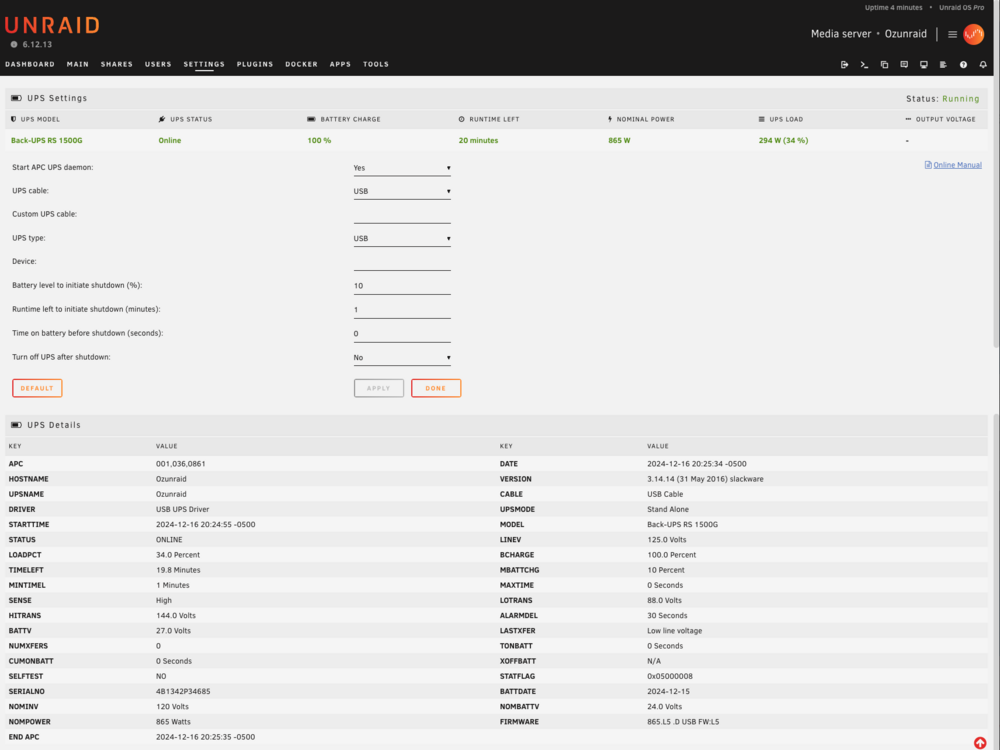
So Ive done some testing and still cant figure out what is the issue. I ran apctest in terminal and updated the BattDate, Still have the same issue. Fails to run a battery calibration or self-test. I moved the battery to another UPS of the same model I have. was able to run one self test, battery calibration, and no test after the first one. Drained the battery, and recharged it, Fails to run a battery calibration or self-test. I plugged the USB of the UPS into my Windows desktop, and installed PowerChute Personal Edition, Passes selftest. Uninstalled Powerchute PE and installed PowerChute Serial Shutdown, Passes self-test uninstalled PowerChute Serial Shutdown and installed winapcupsd (this doesn't seem to run on windows 11, Its driver would not work is the more detailed answer) Connected the UPS back to my unraid server, Fails to run a battery calibration or self-test.
-
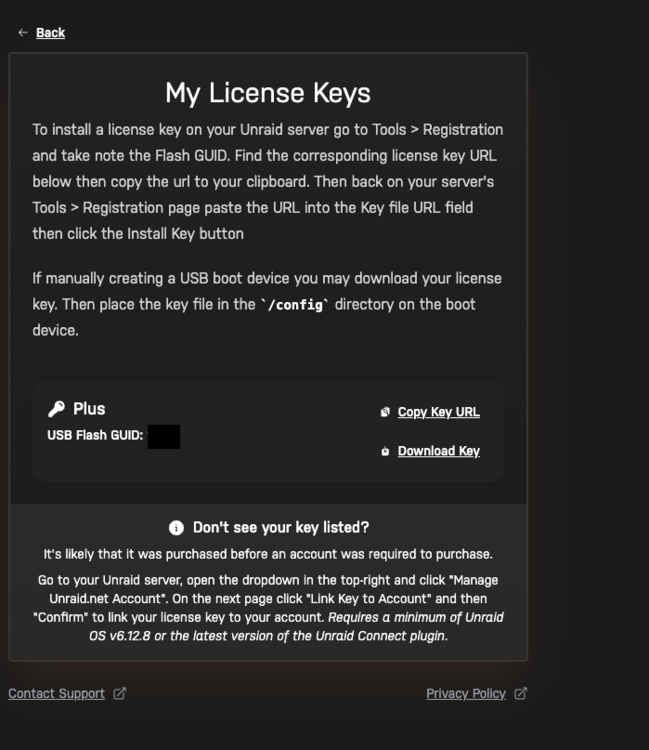
i've been running this hardware setup with no real changes for the last 6 months. Had a recent power outage, and noticed my server went down right away even though I had my ups hooked up. I had been getting errors that the battery was bad that would clear after a self test, so I assumed it was a battery issue. Ordered a replacement battery and installed it today. new battery is charged to 100%. Unraid UI says "Online Low on battery" and that I have 0 mins left of runtime. when i plug the current draw(375w) into the APC calculator, it says I should have a 15 min run time. https://www.apc.com/us/en/product/BR1500G/apc-backups-pro-1500va-865w-tower-120v-10x-nema-515r-outlets-avr-lcd-user-replaceable-battery/ I cant tell if this is an issue with my UPS or the Apcupsd UPS control software unraid uses. And ideas?I don't think this has ever happened to one of my support requests, but it has been a week and I haven't had a response to my support post. Do I repost? not sure what the polite way to say I still need help is lolWell, I'm back again with errors. Thankfully this time the symptoms are different. Things were going fine till about a week ago. I have added a number of docker containers, but most of the new ones are shut down currently and I am still having this issue. I will notice that either the array devices will not show in the UI or my zigbee2mqtt docker will not be able to talk to my SONOFF Zigbee 3.0 USB Dongle which means my Zigbee devices stop working. When I check the logs, I see segfault errors. when I reboot, things go well for about a day. Ive read over a number of posts and it seems these errors can be caused by different things. Any help would be appreciated. Here are the errors I see copied from syslog-previous.txt. diagnostics attached. Aug 8 16:05:22 Ozunraid apcupsd[4497]: UPS battery must be replaced. Aug 8 19:55:53 Ozunraid webGUI: Successful login user root from 192.168.21.102 Aug 8 19:58:39 Ozunraid kernel: eth0: renamed from veth4a42156 Aug 8 19:58:40 Ozunraid kernel: veth4a42156: renamed from eth0 Aug 8 19:58:52 Ozunraid kernel: eth0: renamed from veth7662649 Aug 8 19:58:53 Ozunraid kernel: veth7662649: renamed from eth0 Aug 8 19:59:43 Ozunraid kernel: eth0: renamed from veth4da21b4 Aug 9 01:05:26 Ozunraid apcupsd[4497]: UPS battery must be replaced. Aug 9 02:49:49 Ozunraid kernel: av:h264:df15[8495]: segfault at 22 ip 000015099df044bd sp 0000150994bbf1a0 error 4 in libavcodec.so.60.31.102[15099dc11000+ad0000] likely on CPU 4 (core 8, socket 0) Aug 9 02:49:49 Ozunraid kernel: Code: c4 20 74 71 4c 0f be 9d ac 71 00 00 49 8b 9e b8 21 0b 00 4a 8d 04 dd 00 00 00 00 4c 29 d8 48 8d 44 c5 00 48 8b 88 b8 58 00 00 <48> 39 59 20 0f 84 fc 0f 00 00 0f bf 85 c2 70 00 00 89 c1 83 e1 03 Aug 9 10:05:27 Ozunraid apcupsd[4497]: UPS battery must be replaced. Aug 9 12:11:34 Ozunraid webGUI: Successful login user root from 192.168.21.231 Aug 9 14:24:49 Ozunraid apcupsd[4497]: Power failure. Aug 9 14:24:51 Ozunraid apcupsd[4497]: Power is back. UPS running on mains. Aug 9 16:17:04 Ozunraid kernel: av:h264:df0[30416]: segfault at 22 ip 000014e664704883 sp 000014e65d23e1a0 error 4 likely on CPU 4 (core 8, socket 0) Aug 9 16:17:04 Ozunraid kernel: Code: c4 10 74 61 48 0f be bd 9c 71 00 00 49 8b 9e b8 21 0b 00 48 8d 04 fd 00 00 00 00 48 29 f8 48 8d 44 c5 00 48 8b 88 b8 58 00 00 <48> 39 59 20 0f 84 e3 0a 00 00 0f bf 85 82 70 00 00 c7 44 24 38 01 Aug 9 19:05:30 Ozunraid apcupsd[4497]: UPS battery must be replaced. ozunraid-diagnostics-20240809-2307.zipAfter swapping around every hardware component, and having a few false hopes of finding a resolution, I eliminated everything except the processor. RMAed the Processor, and it has been running for a week without a crash. It had gotten so bad it was crashing every 1-2 days and I was seeing errors in the logs that were not causing crashes. Logs have been clean for the last 7 days also. Glad to have a reliable server up and running again.After swapping around every hardware component, and having a few false hopes of finding a resolution, I eliminated everything except the processor. RMAed the Processor, and it has been running for a week without a crash. It had gotten so bad it was crashing every 1-2 days and I was seeing errors in the logs that where not causing crashes. Logs have been clean in the last 7 days also. Glad to have a reliable server up and running again.When I click on the upper right dropdown and click "Manage unraid.net account", and then "My license Keys" I do not see both my licenses. This is likely my fault because I bought the 2nd one using a different email address. I tried following the directions on the keys page (it shows up sometimes, but not always for me), but I do not see "Link Key to Account", so I can't click it. I do not appear to have an account set up on the email address used to buy the 2nd key. The order number for the missing key is 1200597 if that helps track it down. Asking because I hope to be shutting down that server. I bought the key to use as a backup/troubleshooting key and may have resolved my issues. I don't want to lose the key in the long run.
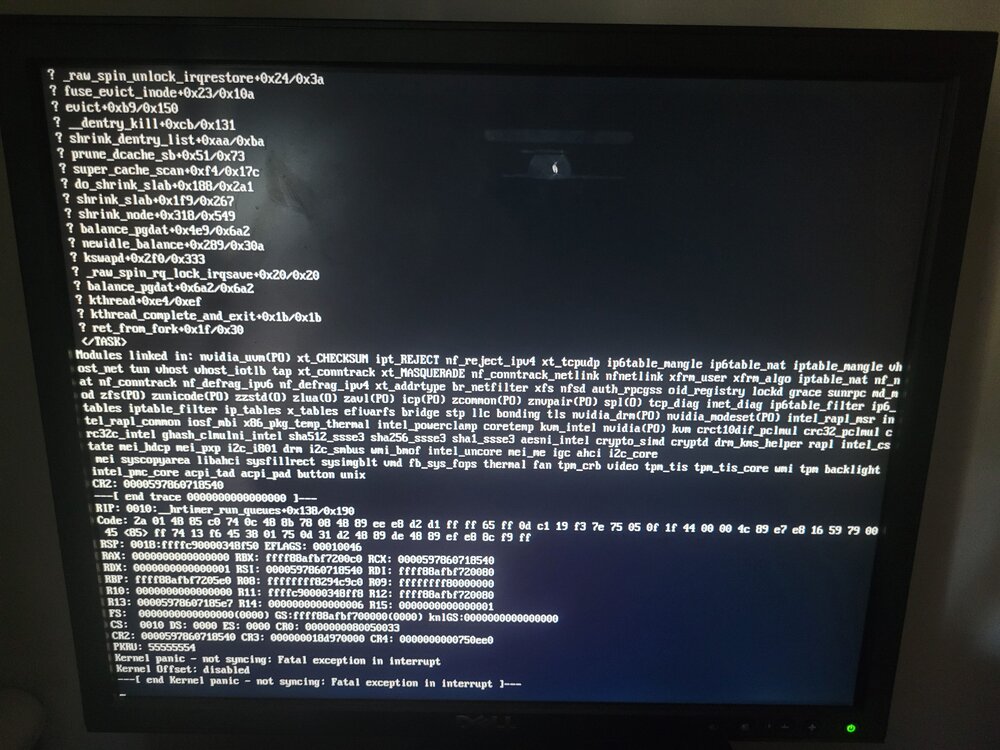
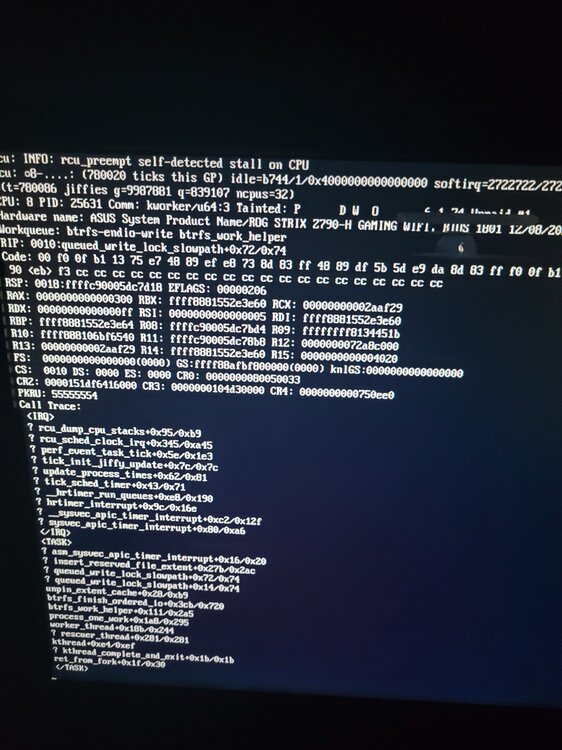
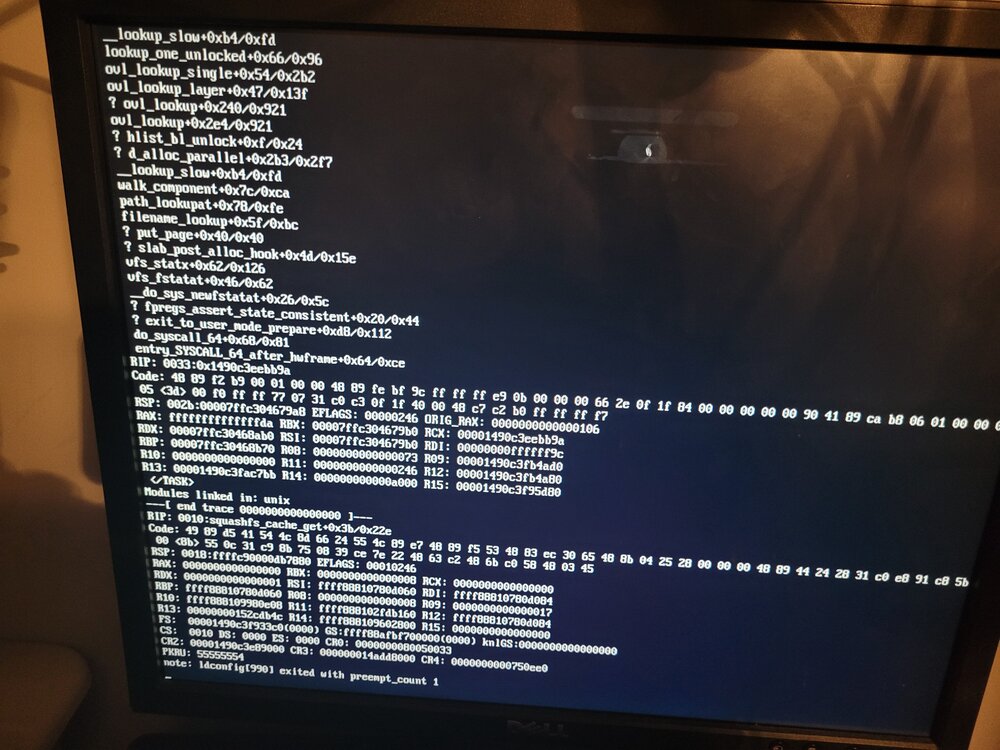
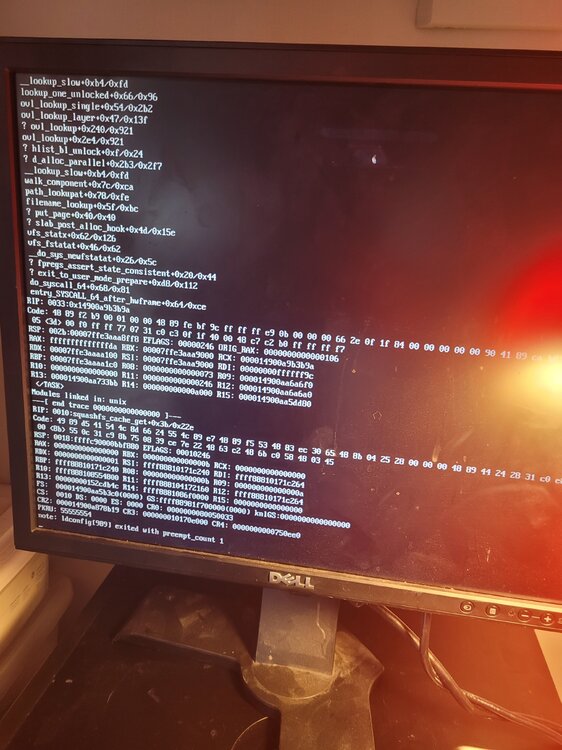
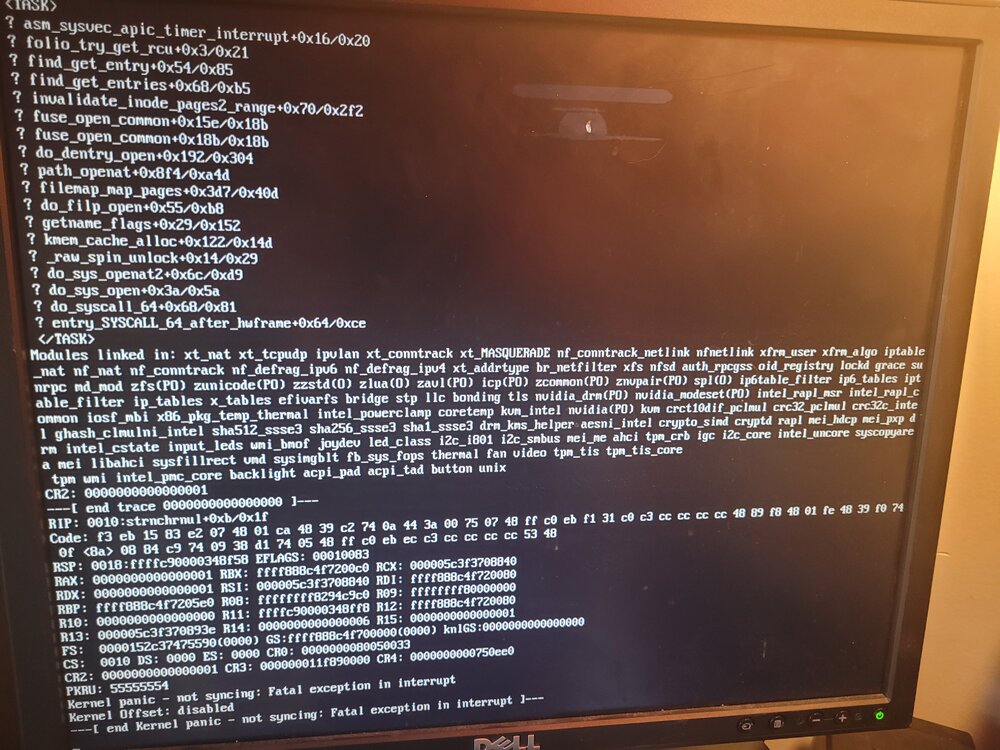
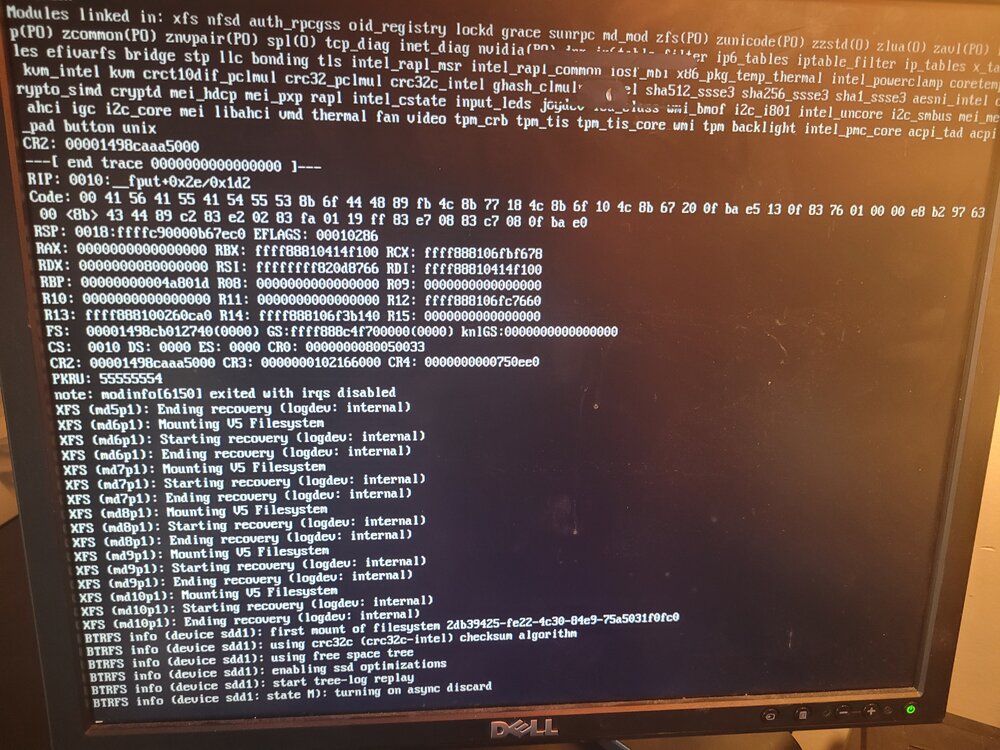
 Did you build this? asking because I am having issues, wondering if its MB related.I built a new server in Dec of 2023 that has been crashing since built and I can't seem to find the reason. Sometimes it will run for a month, other times its less than an hour. I've run memory tests, recently reduced to a single ram stick so I could rotate them. Server crashes on all 4 when run independently. Latest test I removed the Nivida Drivers and my p4000, ran in safe mode with VM and Docker services off. Ran for just over 7 days. Crash errors are not being saved to the syslog. Here are some of the errors (Pictures), more recent crash i did not get to the server before monitor cut off I guess. I've tried every recommendation I could find in the forums I think. Any assistance or guidance would be appreciated ozunraidold-diagnostics-20240508-1159.zip syslog-192.168.21.90.log