





BGG
Members
-
Joined
-
BGG changed their profile photo
-
Hello, is it normal that the "Included" section is further to the right than it should be?

-
Hi, I updated the Spanish translation. If you can please release an update.
-
Hi, would it be possible to add multilanguage to this plugin? I would like to see Unraid completly translated. I already translated FolderView plugin, and I would like to colaborate to translate this plugin too.
-
Yes, it takes the content from the README.md. Probably its not worth, but I would like to see UnraidOS Gui 100% translated.
-
I think this in not possible, but Im just asking. Is it possible to translate the description in "Plugins"?

-
I don't know what happened but the bug that the text appears in English in the create/edit folders menu has reappeared in Chronium browsers.
-
Ok, this is my GH profile.
-
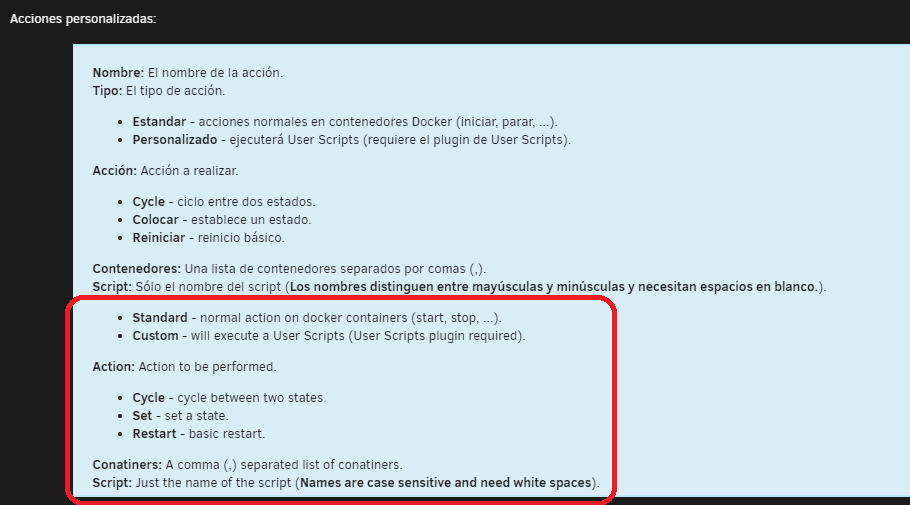
Hello, I'm trying to give the final touch to the Spanish translation because it was still missing some details. There is a problem that I don't know how to solve, which is that in the custom actions section part appears in Spanish and part in English. Edit: I just realized that the text in English is the same as the one in Spanish, it's just duplicated. What I don't understand is why it appears if that doesn't appear in the translation.
-
I agree with this, but if all the dockers in the folder are paused it should say paused instead of running (like the photo I sent). Otherwise I agree with you. video.mp4 Video of the bug It always works in Firefox, but not in Chronium browsers (sometimes it does appear in the language it should, but most of the time it appears in English).
-
I think I've found a few bugs (or maybe it's just me). First: when I pause a folder, on the left it says that it is started instead of saying that it is paused (I managed to get it to say paused once but I can't replicate it anymore). This means that if they are paused and I want to resume them all, I have to go one by one, because if you do it from the folder menu it will not do anything because it does not recognize that they are paused. Image of the bug Second: Sometimes when I click on add folder the text is not in the language it should be. This only happens in the section of adding a folder, in everything else it is always translated.

-
I updated it to make small changes and add the missing translations (I had downloaded a file that did not have all the translations). es.json
-
Spanish translation: es.json
-
You wont believe this. I restarted the router and now it works! I realized that my plugins are not there, but I downloaded the store plugin, went to my downloaded plugins and installed them all. Now everything is solved. Thank you so much guys!
-
In the router it says its connected, but I cant ping the server from my Pc, or the router from the server, it says its unreacheable.
-
Now it boots normal, the problem is it has no internet (only accesible from the server, not from the IP). Maybe deleting "network.cfg" and "network-rules.cfg" solves the problem, no?




