



Skip to content
View in the app

A better way to browse. Learn more.

Unraid

A full-screen app on your home screen with push notifications, badges and more.

To install this app on iOS and iPadOS
  1. Tap the Share icon in Safari
  2. Scroll the menu and tap Add to Home Screen.
  3. Tap Add in the top-right corner.
To install this app on Android
  1. Tap the 3-dot menu (⋮) in the top-right corner of the browser.
  2. Tap Add to Home screen or Install app.
  3. Confirm by tapping Install.

_Raphiii_

Members
  • Joined

  • Last visited

  1. omfg sorry for wasting yout time .... the error was caused by my switch that was stuck in an update and was duing shit lol
  2. its not the same pw because my winows pc has no pw... but that worket for me untill like 3months of uptime that came.
  3. my problem mow is that i cant even see the shares not even flash. The error is before that
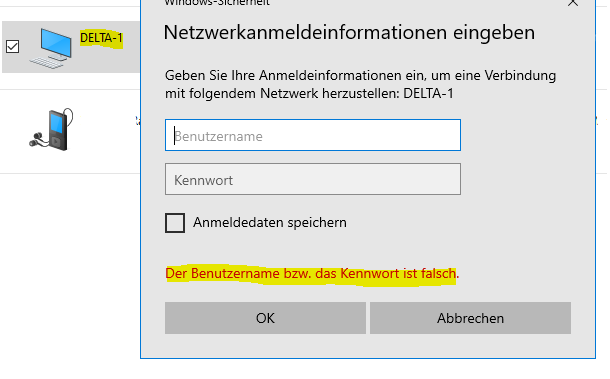
  4. at the moment i can only accses my data via WinSCP with root... and not with my user
  5. delta-1-diagnostics-20210906-2128.zip If I want to open my network share on Windows it just says: wrong pw or missing permission even if the pw is correct and the permissions are set up the right way... same on android and macOS or other Windows pc`s

Account

Navigation

Search

Search

Configure browser push notifications

Chrome (Android)
  1. Tap the lock icon next to the address bar.
  2. Tap Permissions → Notifications.
  3. Adjust your preference.
Chrome (Desktop)
  1. Click the padlock icon in the address bar.
  2. Select Site settings.
  3. Find Notifications and adjust your preference.