jvanheu1
Members
-
Joined
-
Last visited
Everything posted by jvanheu1
-
im good with reinstalling it the dockers, but im having problems with that. when trying to install community application it keeps failing, and im not sure why, even after deleting the .img file, and staring new.
-
tower-diagnostics-20220106-1706.zip
-
i have delete the docker.img file and created a new one, but it seems i am still having a problem getting them to work. there is noting showing in the plugins tab, and no apps tab at all. Do i need to replace the docker.cfg file with a new fresh install copy, or does it need to be something else?
-
replaced the go file. and moved to a different usb drive. seem to work now. THANK you guys
-
no to both questions
-
Tried safe mode, and still same problem. I have the log file and attached it tower-diagnostics-20211212-1341.zip
-
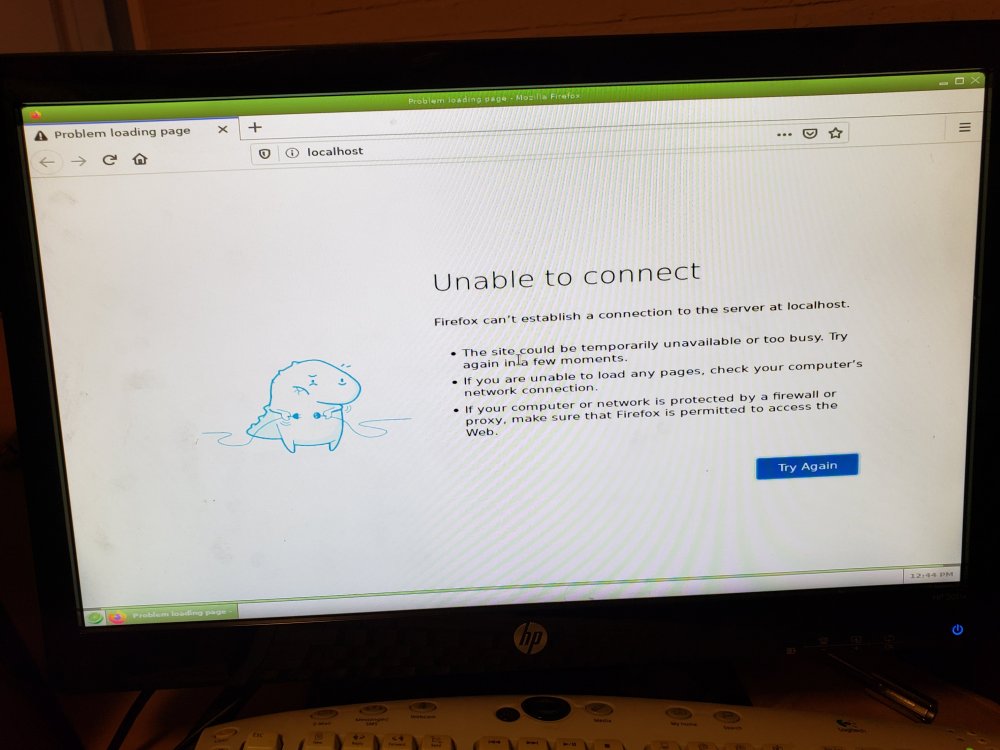
I am having trouble loading into the main menu, ones i get to the menu, start it in GUI mode, and log in as root. It shows it cant connect to the local host. I have already delete the network, and network rules file, from the config file, to reset them, and nothing helped. tried to delete and replace files from a working usb stick, and still nothing. Im trying to keep the save USB stick, with all the save data, so I dont have to re-setup my array/pools/apps, and lose any data on the array. Any help would help out alot.