brotholomew
Members
-
Joined
-
Last visited
-
Thank you for your support and interest, yet again, Tucubanito07! I have solved my issue. Turns out that in the unRAID community store there are two nextcloud docker templates. One is from linuxserver guys and the other is from nextcloud. The previous admin of my unRAID server has installed the nextcloud docker using the template from nextcloud and then deleted it. The docker disappeared from the docker list but the config files in /mnt/user/appdata/nextcloud remained. So the solution was to delete all the nextcloud dockers xd, all the config files from /mnt/user/appdata/nextcloud and then to install the nextcloud docker using the linuxserver template. Worked as a charm
-
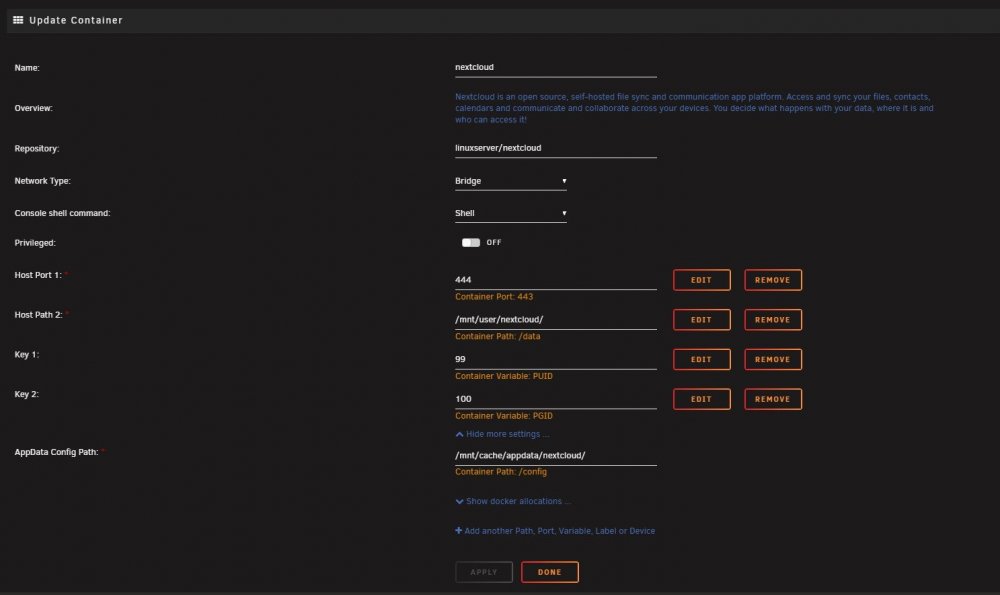
Which config file are you referring to? here's the content of my /mnt/cache/appdata/nextcloud/config/config.php <?php $CONFIG = array ( 'htaccess.RewriteBase' => '/', 'memcache.local' => '\\OC\\Memcache\\APCu', 'apps_paths' => array ( 0 => array ( 'path' => '/var/www/html/apps', 'url' => '/apps', 'writable' => false, ), 1 => array ( 'path' => '/var/www/html/custom_apps', 'url' => '/custom_apps', 'writable' => true, ), ), 'instanceid' => 'oc3mubbn2gg6', 'passwordsalt' => '/wkCU4ccxIMTpXTWegwRbdxP9zZXEJ', 'secret' => 'hQiJUJRzS2Sxc9zR9YkGV75k5Hbpd+x0wJGVFqZRyoozP7u7', 'trusted_domains' => array ( 0 => '192.168.0.2', 1 => '192.168.0.3', ), 'datadirectory' => '/var/www/html/data', 'dbtype' => 'sqlite3', 'version' => '18.0.2.2', 'overwrite.cli.url' => 'http://192.168.0.2', 'dbname' => 'nextcloud', 'dbhost' => '192.168.0.234:3306', 'dbport' => '', 'dbtableprefix' => 'oc_', 'installed' => true, ); and from the docker, there is also this second file from /config/www/nextcloud/config <?php $CONFIG = array ( 'memcache.local' => '\\OC\\Memcache\\APCu', 'datadirectory' => '/data', 'instanceid' => 'ocm0qylmbru5', 'trusted_domains' => array( 0 => '192.168.0.3', ), ); which config file is the one? XD I also found this in the logs: ------------------------------------- _ () | | ___ _ __ | | / __| | | / \ | | \__ \ | | | () | |_| |___/ |_| \__/ Brought to you by linuxserver.io We gratefully accept donations at: https://www.linuxserver.io/donate/ ------------------------------------- GID/UID ------------------------------------- User uid: 99 User gid: 100 ------------------------------------- [cont-init.d] 10-adduser: exited 0. [cont-init.d] 20-config: executing... [cont-init.d] 20-config: exited 0. [cont-init.d] 30-keygen: executing... using keys found in /config/keys [cont-init.d] 30-keygen: exited 0. [cont-init.d] 40-config: executing... [cont-init.d] 40-config: exited 0. [cont-init.d] 50-install: executing... [cont-init.d] 50-install: exited 0. [cont-init.d] 60-memcache: executing... [cont-init.d] 60-memcache: exited 0. [cont-init.d] 99-custom-files: executing... [custom-init] no custom files found exiting... [cont-init.d] 99-custom-files: exited 0. [cont-init.d] done. [services.d] starting services [services.d] done. Could not open input file: /config/www/nextcloud/cron.php Could not open input file: /config/www/nextcloud/cron.php the cron.php file just doesn't exist.... Thx for your interest in my problems, Tucubanito07!
-
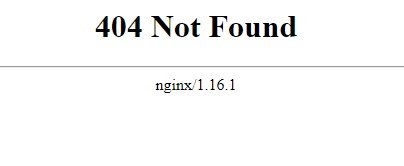
Hi! I am a complete rookie in terms of the UnRaid and I have been trying to setup Nextcloud. I followed install instructions step-by-step (I also watched spaceinvader one's videos) and I always end up with error 404 when I try to access the webUI. Please help me