LL0rd
Members
-
Joined
-
Last visited
-
Hi, I have a problem with my unraid system. But first, I'm not able to create the diagnostics File, because the lsof command also hangs. I noticed on my system, that the mover doesn't work properly. It works often, but some times it does not work. The problem appears on my "Download" share. I use it to download Files from the Internet in the background. Cache is set to Yes. For example, currently I have this process running: 18066 ? S 0:00 /usr/local/sbin/move -d 1 18088 ? S 0:00 /bin/bash /usr/local/sbin/in_use /mnt/cache/Downloads/xyz.iso 18090 ? S 0:00 fuser -s /mnt/cache/Downloads/xyz.iso I'm also not able to kill the fuser process. If I kill it, even with the -9, the process goes into the "D" state. Also lsof hangs (currently). Also I don't see any error messages. Well... I noticed today (20.06.2022), that the mover is running. But the last message in my syslog is from Jun 19 23:21:46. Also I have no error messages in my dmesg output. The Files on the cache Drive are accessible without any problems. And with unbalance I can move them to other drives. In this state, I even can't stop the Array, because it doesn't unmount properly, because of open files. What can I do?
-
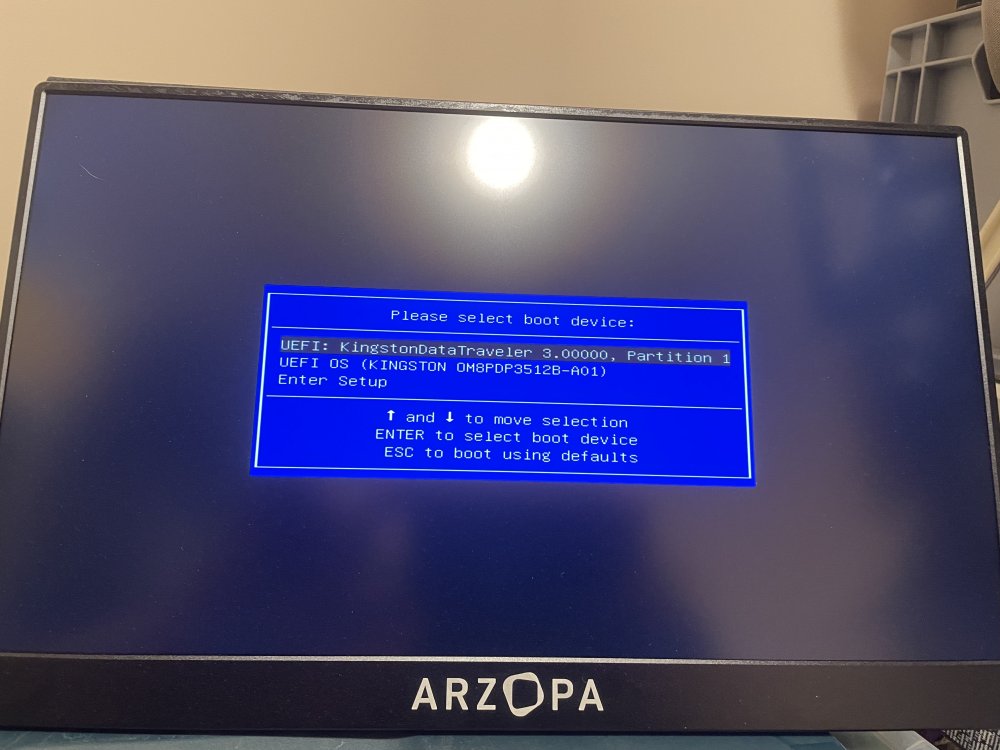
Hi, I have a problem running / installing Unraid on a Minisforum HM90 Server. I installed Unraid on a USB Stick. The Ports on the back of the Server doesn't recognize the stick at all. In the front the stick works. At least it shows in the BIOS. But I can't boot from it. When I'm in the Boot Menu (as you can see on the photo), I see, that the stick is bootable. But when I try to boot, the screen goes blank for a second and I'm again in the boot menu. Somewhere I read, that it might be the IOMMU Setting in the BIOS. I turned it off, but same. I also tried different settings for USB. Harddrive or CDROM. Same result. What can I do? EDIT: I also tried a different USB Stick (Sandisk) and created the Stick with a Mac instead of a Windows 11 Machine, like I did the first time. Same result. EDIT / SOLUTION: I had to rename the EFI- folder on the USB Drive to EFI. After I did it, I was able to boot Unraid.