carlosmorgado
Members
-
Joined
-
Last visited
-
By enable caching do you mean the orange cloud? 'Cause if so when I disable it I get I tried enabling strict mode as someone else suggested in another post, same result, even though I am using dns validation and in the guide share some pages ago said I wouldn't need to port forward port 80 I just tried, same result.
-
It is a good thing you were born with all the answers. For the rest of us mortals that are still learning I guess this image (not a link, 'cause that might actually be productive) really might help some. But as it turns out I tried to follow this to the best of my knowledge (apparently your means "it does not really tell you exactly what to do, but a general direction of what to do, and the rest is on you.") and I still get the same result 522 error, any ideas?
-
Like these: ?
-
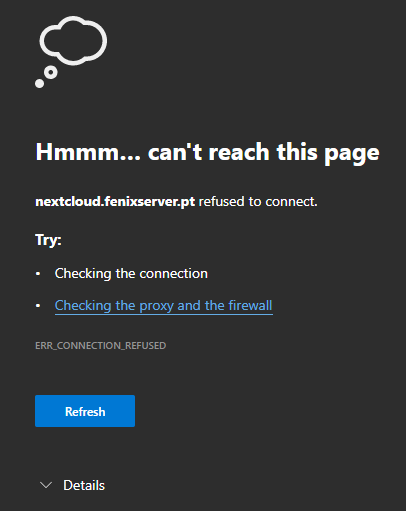
So I decided to do the configuration with DNS validation and redone deleted the docker image which fixed the connection problem, now my only problem is that I allways get 522 nextcloud
-
So what I found out is that the network I created with the docker network create command doesn't have access to the outside. Now I am not sure how to solve this
-
So I entered the console of the container and tested the following (this url was the one mentioned in the logs): root@168ecbf2d373:/# curl acme-v02.api.letsencrypt.org 443 <html> <head><title>301 Moved Permanently</title></head> <body> <center><h1>301 Moved Permanently</h1></center> <hr><center>nginx</center> </body> </html> curl: (7) Couldn't connect to server
-
Yes, I just configured those ports on other services on unraid (for test purposes) and was able to access them from outside the network, using the domain I configured.
-
do you have anyother guess?
-
I don't have any blocker running, and from what I see in my router everything is ok
-
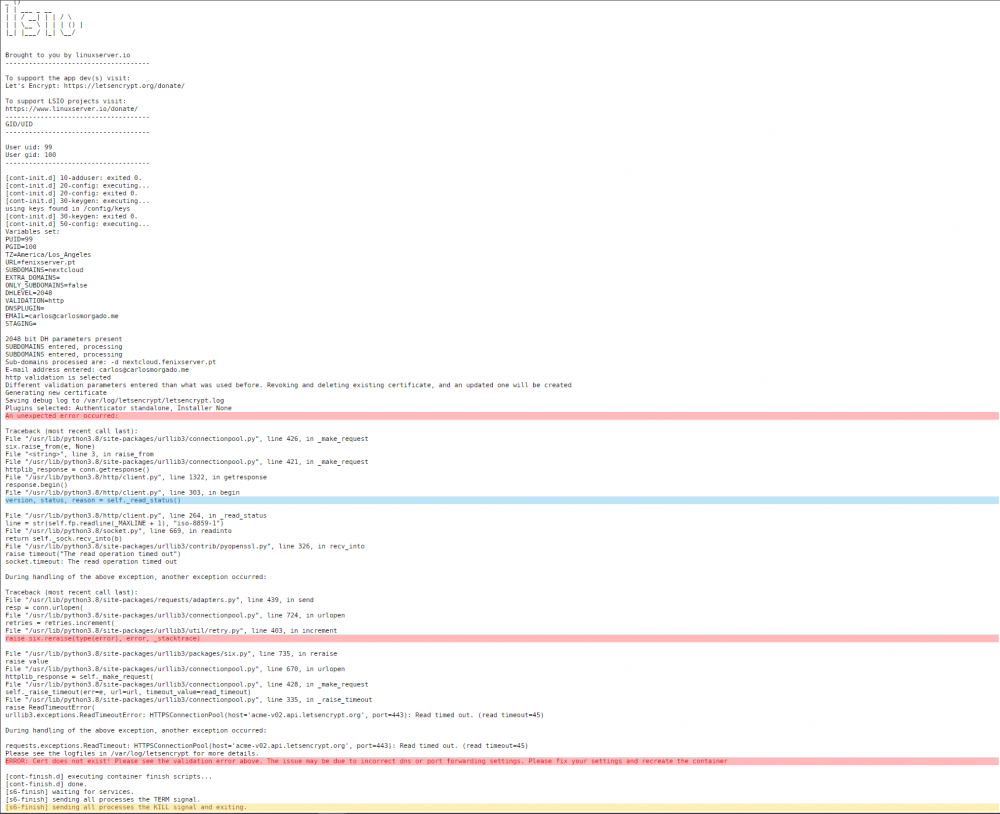
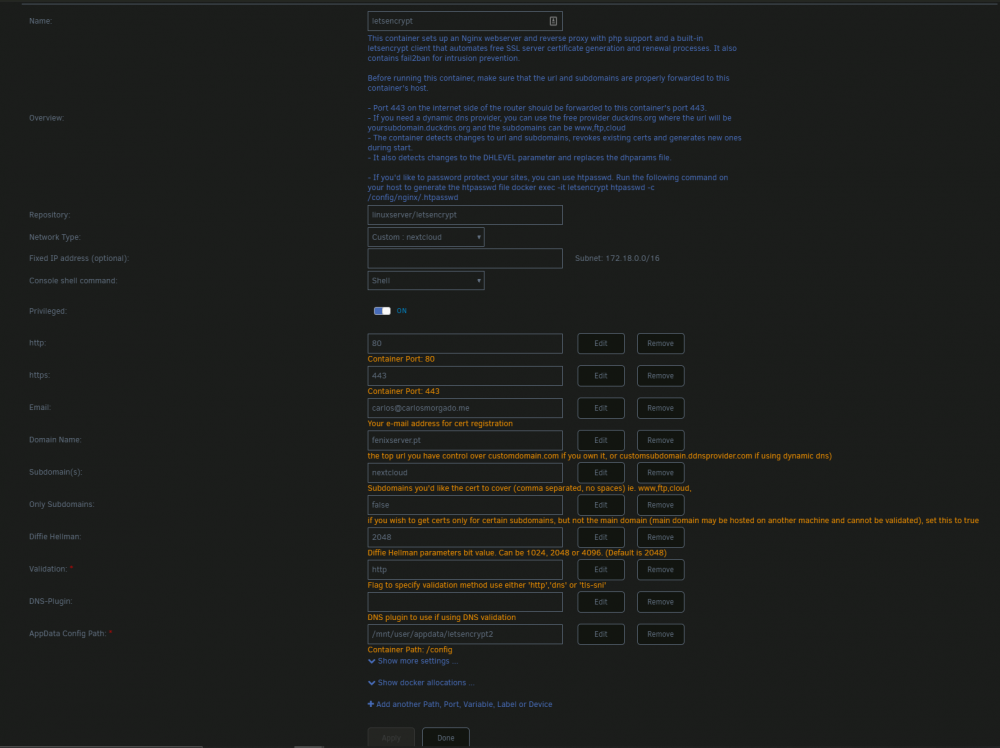
Hey guys I've been trying to get this to work, but was not sucssefull. I have the following log: And the following config: Hope you guys can help