Hersonrah96
Members
-
Joined
Everything posted by Hersonrah96
-
got it, would there be any safety measures I should consider going forward?
-
I believe I have figured something out. I used unbalance to move the content from disk1 to disk2; this caused the share that was stored on disk1 to be visible in the "user share" section and I am able to access it
-
this is the output: Alabanzas/ Ao/ Cameras/ F---x/ Hn/ Iglesia/ Ro/ Videos-Predicas/ backupappdata/ domains/ isos/ nextcloudstorage/ system/
-
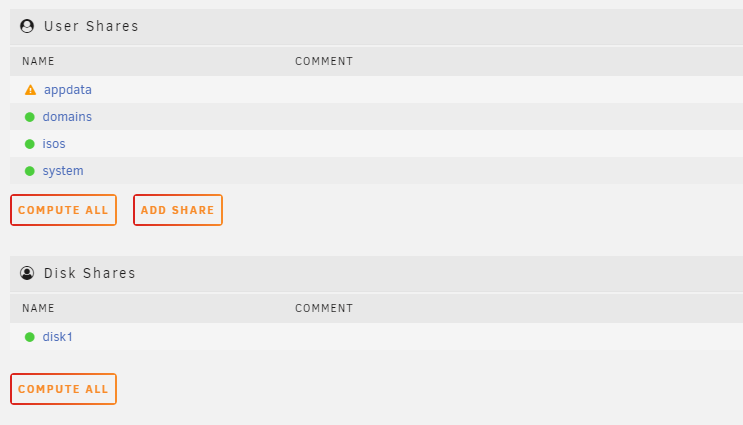
My bad, what I am trying to do is change the "disk shares" from disk1 to be a "user share".
-
I apologize for the delay. I've attached the serve diagnostics tower-diagnostics-20230401-1127.zip
-
Hello, hope all is well. I was trying to change a disk share into a user share. background: I added a new hdd (4tb to match other hdds), but it was added on the wrong slot (it was precleared prior to adding to the array). I unassigned the new hdd and it was showing 'missing' on unraid 'main' tab. I set up a new config while keeping pool setup for cache to remove the 'missing' label from the new hdd. The parity drive was set up as parity again and the original hdd was set up in as 'disk 1' (before it was 'disk 1', but slot 0 was empty, which is where I added the new hdd). the new hdd was precleared again and added to the array. Issue: when I go to the 'shares' tab, it shows this: the shares I had previously made are only in the 'disk shares'. Thank you in advance,