ShowStopper1967
Members
-
Joined
-
Last visited
Everything posted by ShowStopper1967
-
After trying several things and after several reboots, I started on a clean reboot where plex is up and running. I then uninstalled the plex docker from the apps section, then I wen to settings, dockers, and disabled dockers, deleted the docker image by putting the check in the box, and then re-enabled dockers. I then went back to the apps section, I went to the previously installed dockers and reinstalled plex. The download and install completed and I am now up and running the newest version that I could not get to install before.
-
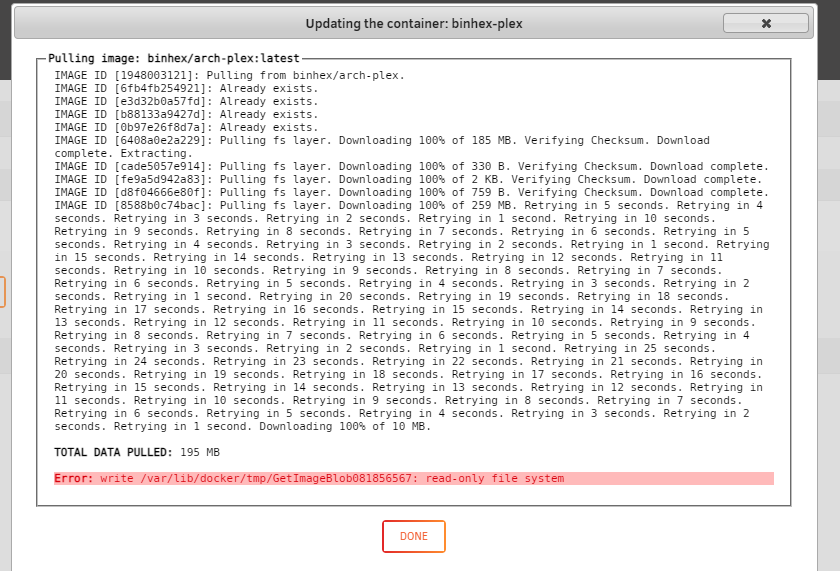
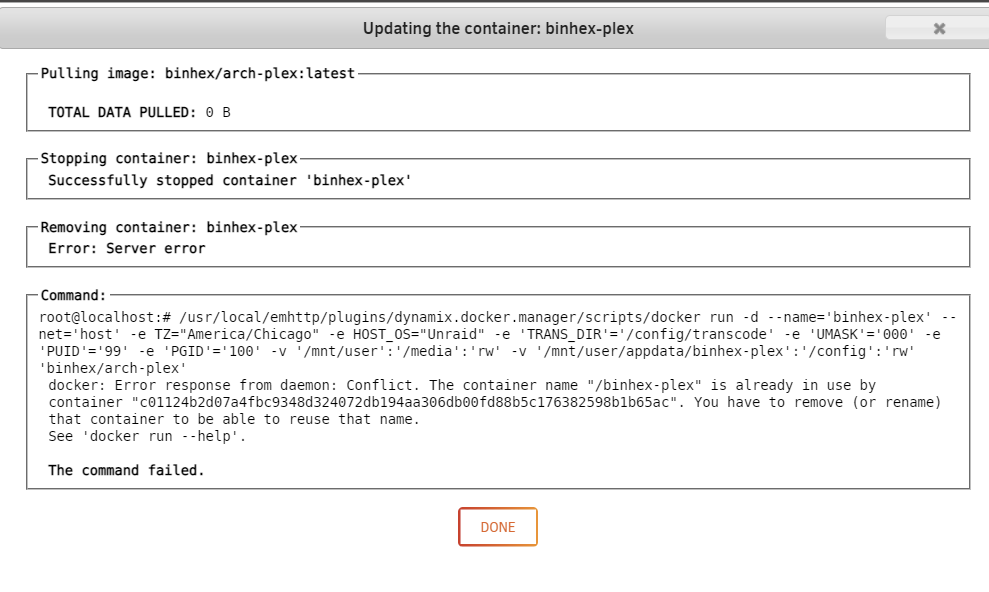
New to the forum running unraid 6.9.2. Looking to see if someone can help get me going in the right direction. I have been trying to figure this out the last three days myself. My plex docker went off line a few days ago. A restart would not bring it back on line so I rebooted and it came back up. I seen plex had an update so I kicked that off and get the following errors trying to get the update to run. Any help would be appreciated as I can not find that second container with the very long name anywhere to rename or delete it. unraidserver-diagnostics-20220519-1818.zip