



Skip to content
View in the app

A better way to browse. Learn more.

Unraid

A full-screen app on your home screen with push notifications, badges and more.

To install this app on iOS and iPadOS
  1. Tap the Share icon in Safari
  2. Scroll the menu and tap Add to Home Screen.
  3. Tap Add in the top-right corner.
To install this app on Android
  1. Tap the 3-dot menu (⋮) in the top-right corner of the browser.
  2. Tap Add to Home screen or Install app.
  3. Confirm by tapping Install.

Jfilbrun

Members
  • Joined

  • Last visited

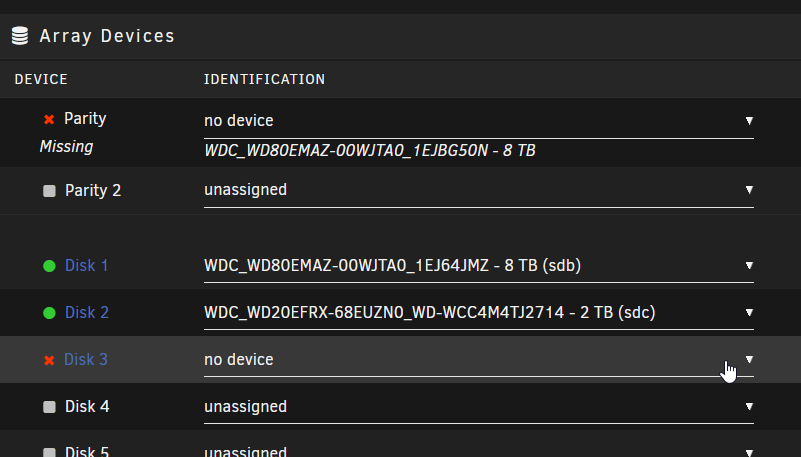
  1. I had to move things around to remodel my office and the unraid server was offline for awhile. I brought it back up and things were fine for awhile but today when I tried to access some data on the raid it wasnt working. The dashboard shows that the parity disk isnt present. I shut it down and reseated cables and whatnot but its the same. I have added the diagnostics Zip. unraid-diagnostics-20241108-1754.zip
Account

Navigation

Search

Search

Configure browser push notifications

Chrome (Android)
  1. Tap the lock icon next to the address bar.
  2. Tap Permissions → Notifications.
  3. Adjust your preference.
Chrome (Desktop)
  1. Click the padlock icon in the address bar.
  2. Select Site settings.
  3. Find Notifications and adjust your preference.