Skip to content
View in the app

A better way to browse. Learn more.

Unraid

A full-screen app on your home screen with push notifications, badges and more.

To install this app on iOS and iPadOS
  1. Tap the Share icon in Safari
  2. Scroll the menu and tap Add to Home Screen.
  3. Tap Add in the top-right corner.
To install this app on Android
  1. Tap the 3-dot menu (⋮) in the top-right corner of the browser.
  2. Tap Add to Home screen or Install app.
  3. Confirm by tapping Install.

ByStand3R

Members
  • Joined

  • Last visited

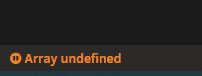
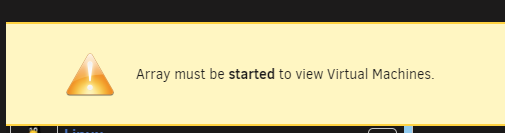
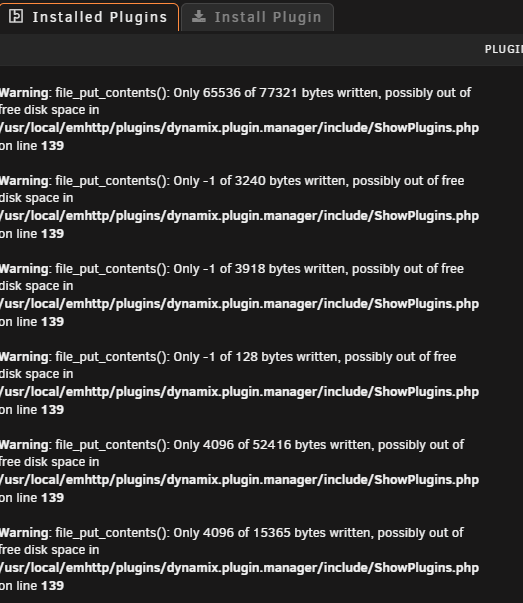
  1. Using my Windows VM running on my system, went to access my shares / network drives and noticed they were not connected. Went to the network file path \\adress of server\ this showed up for a minute then after entering a folder and backing out i was presented with an error. Hit the web gui for unraid to be presented with no shares no users and when attempting to open the docker tab was shown the, array must be started. back to home main page the info bar at the bottom shows the array is started at parity check is running (monthly parity 10th of month) then flicks to undefined. i have been having some issues lately and feel its cumulated in this . can someone please help. thanks


Account

Navigation

Search

Search

Configure browser push notifications

Chrome (Android)
  1. Tap the lock icon next to the address bar.
  2. Tap Permissions → Notifications.
  3. Adjust your preference.
Chrome (Desktop)
  1. Click the padlock icon in the address bar.
  2. Select Site settings.
  3. Find Notifications and adjust your preference.