MattDahEpic
Members
-
Joined
-
Last visited
Everything posted by MattDahEpic
-
I am okay with reformatting everything, I just started the setup so there's nothing of value to lose.
-
The disks are brand new shucked from external expansion drives, they came with an exFAT partition with the manual on it and I used Unassigned Devices's destructive mode to remove the partitions before adding them to the array so they would get formatted with the xfs - encrypted setting I selected.
-
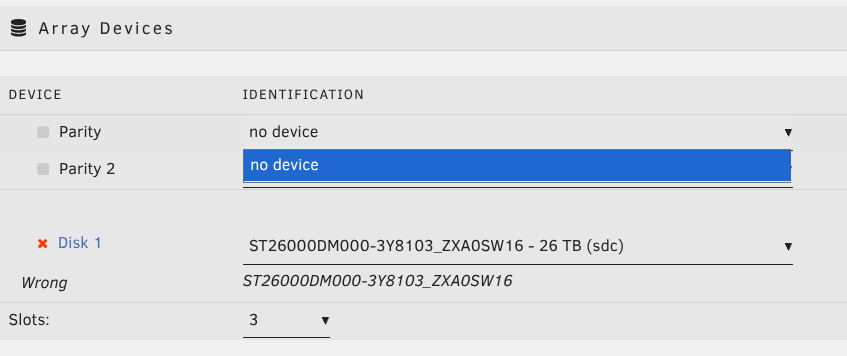
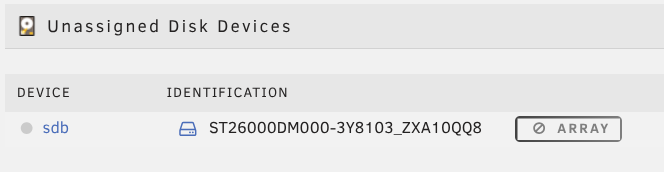
Hello, I'm spinning up a new unRAID server and am having an issue where I cannot assign a disk that was previously assigned to the array back to its slot after a reboot. I was able to start the array the first time choosing both a parity and data disk but after a reboot only the data disk remains assigned while the parity disk is not even selectable. The data disk also appears to be wrong even though the name is right? Both disks show in BIOS and in `lsblk`. The primary symptom is this: Clicking the sdb link takes me to a blank page at /Main/New?name=sdb Both disks seem to be unique enough to show as separate devices, just one doesn't show as selectable. Diagnostics are attached and any assistance is greatly appreciated. joutpost-diagnostics-20251219-1005.zip