




-
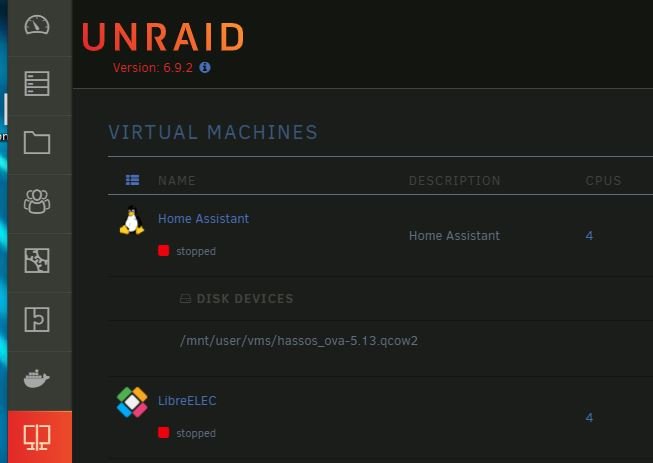
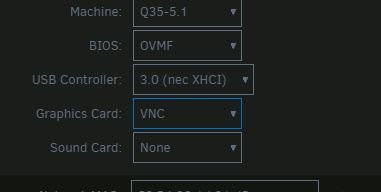
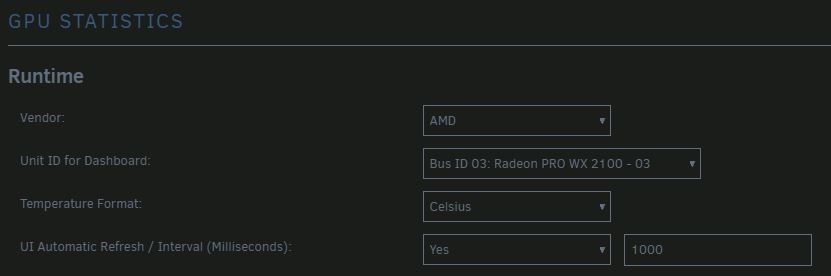
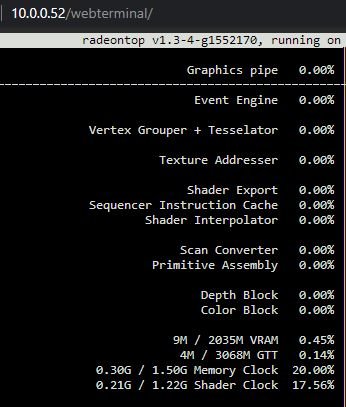
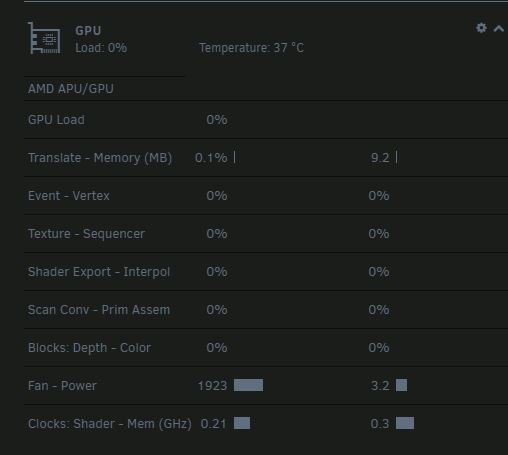
I`m trying to make a vm server whit a LIBREELEC OR windows 10 but the Radeon PRO WX2100 not there too it`s like it`s missing something ?? OK i`m trying to install a Radeon PRO WX2100 graphics card and it`s in the machine and it has been found but i can`t choose it when i wan`t to in a new VM or and existing on it`s nowhere to be found ?? what to do now , what am i missing it sesames like it`s there but how to choice it in a WM ? UNRAID VERSION MAKING A VM ONLY VNC in the drop down menu onlt vnc to choice ?? THE GPU I FOUND ON BUS 03 AND recognized IT`S SAYS COMPATIBLE I HAVE INSTALLED "RADEONTOP" PLUGIN IN TERMINAL : RADEONTOP


-
Hello i was wondering if i can make the server via kodi be my default player ? I have a Hdmi to DVB-T2 converter and will like just to be able to start a movie on kodi (on the unraid server) and play from there can a docker do that or do i need a firestick to have kodi running to ?

View in the app
A better way to browse. Learn more.

