chunce
Members
-
Joined
-
Last visited
-
Ended up buying new ram for the server and everything is now working fine for months. Went ahead and added a UPS linked to it "knock on wood".
-
I was not able to grab diags during this crash the entire system locked up, once the parity check finishes ill get the sys log dump set back up and try to catch a new diags log during a crash.
-
After my parity check finished I went ahead and ran the UI built in xfs_repair without the -n option. I did not get any errors or anything stating any issues with blocks. I can screenshot the logs from them if you need. Next I added some more data to my raid for my plex container and kicked off a appdata.backup excluding the cache directories in plex and one of my cores got stuck at 100% again and the UI crashed. Anything else I can look at next or is there any generic "watch out for errors list" I can use when parsing the sys log? Lastly I am debating swapping out the ssd cache drive as I think its the oldest drive in the server and only read/writes at 500mbs a second.
-
Thank you! Once the parity check finishes I will kick that off. Thanks again
-
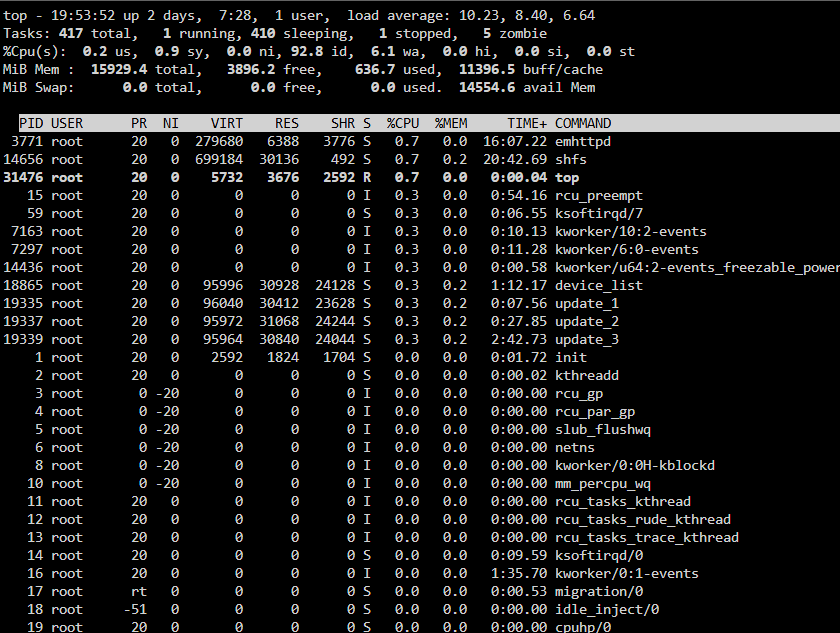
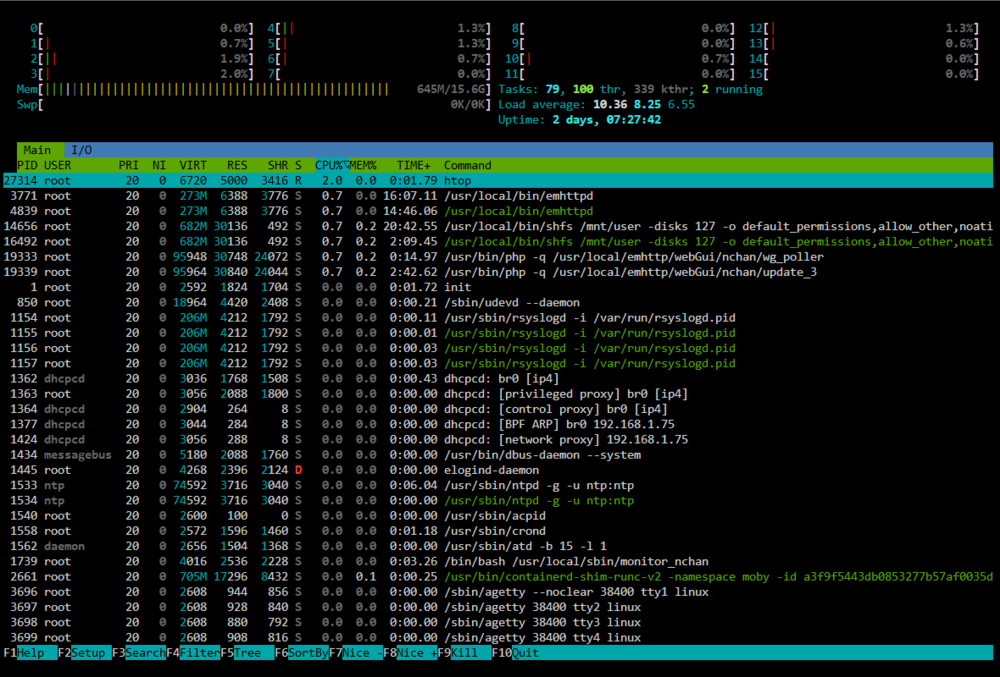
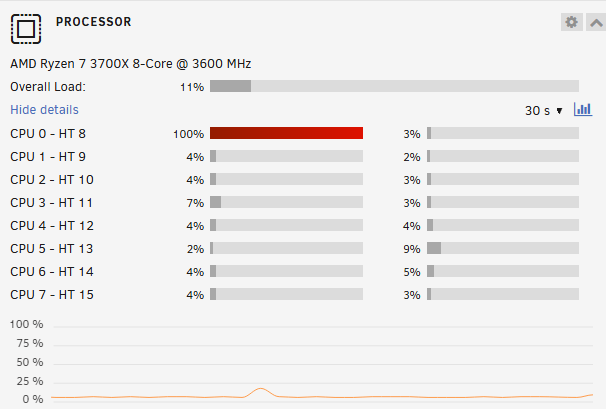
Unraid Version 6.12.13 I have an Unraid server only running plex. Randomly over the course of a week I run into an issue where one of my cpu cores randomly hits 100% usage and slowly everything on the server becomes unresponsive until I am forced to hard reboot the server forcing a parity check. During the most recent event that I had a cpu core (0) at 100% and I did the following testing: 1. Grabbed a diagnostics file attached below filename (tower-diagnostics-20250109-1953.zip) as well as htop and top screenshots. 2. Attempted a ssh session taking over 5mins to connect after login. 3. I was unable to stop the plex docker via the Unraid webUI (given no errors), so I killed the plex docker PID via terminal. 4. After killing the plex container via the PID in a terminal session the cpu core 0 is still sitting at 100% usage. 5. I also went ahead and stopped docker through the WebUI and core 0 is still sitting at 100%. 6. I went ahead and stopped the array safely via the WebUI, the Unraid server now became stuck on (Array Stopping - Sync Filesystems) and would not shutdown. I went ahead and grabbed a secondary diagnostics file at this point via Tools > Diagnostics. file name(tower-diagnostics-#2.zip) 7. Lastly I installed the Open Files plugin and verified there are currently no open files preventing a clean shutdown. For now if the array does not spin down in the next 30mins I am going to force a reboot through terminal wait on the parity check and update my Unraid to 7.0 as well as swap out my ram which I would think is unrelated. Lastly I just replaced the USB drive Unraid runs on just a few months ago and I have also set cpu pinning so plex is not able to use core 0. These changes were made to try and alleviate my issue but have not helped. Any help or recommendations are appreciated! tower-diagnostics-20250109-1953.zip.crdownload tower-diagnostics-#2.zip.crdownload