icephreaq
Members
-
Joined
-
Last visited
Everything posted by icephreaq
-
I did as you suggested and recreated as a XFS vdisk image instead. Reinstall went off without a hitch and every container came back up working perfectly! Thank you!
-
I appreciate you taking the time! When rebuilding would it be wise to go with a vdisk instead then? Would XFS or BTRFS be the better choice?
-
I appreciate you taking a look. Attached are my diagnostics as requested. rack-diagnostics-20240211-1249.zip
-
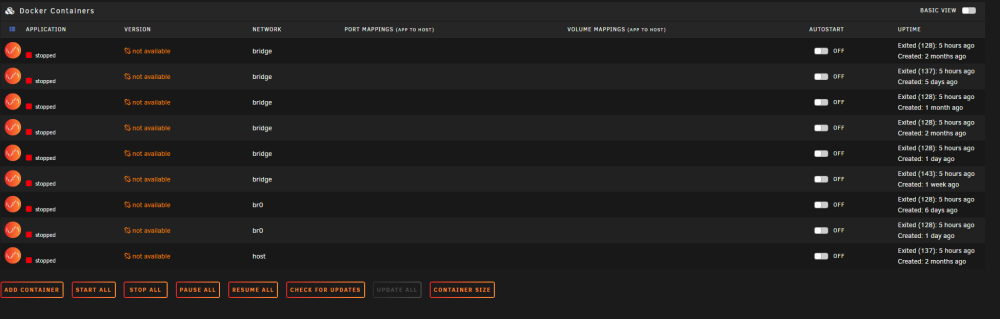
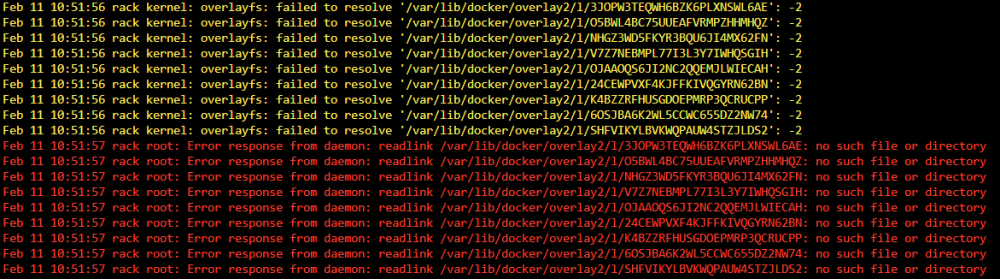
As the title states, I've completely broken my docker setup. It started with me trying to clean up my array and free up some space. At some point I ran the mover and the containers stayed running but after the next reboot they were all in the state below. I've tried to ensure that all of my settings for appdata etc are set the way they were before I invoked the mover. The log files are full of the following error. When I try to reinstall any of them I get the error that this container already exists and must be deleted before reinstalling. Appdata share has 2.62gb on the cache and 200gb on the array. I've tried setting appdata to every combination of cache only, cache to array, array only, array to cache and nothing. Anyone out there have any suggestions on where to start unraveling my mess?