Skip to content
View in the app

A better way to browse. Learn more.

Unraid

A full-screen app on your home screen with push notifications, badges and more.

To install this app on iOS and iPadOS
  1. Tap the Share icon in Safari
  2. Scroll the menu and tap Add to Home Screen.
  3. Tap Add in the top-right corner.
To install this app on Android
  1. Tap the 3-dot menu (⋮) in the top-right corner of the browser.
  2. Tap Add to Home screen or Install app.
  3. Confirm by tapping Install.

francewavidok

Members
  • Joined

  • Last visited

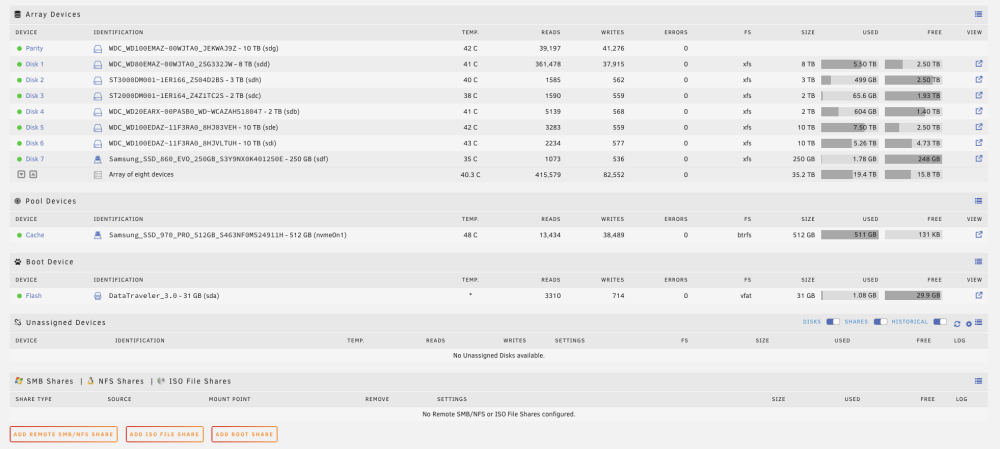
  1. Seems like a lot of it is taken up by complete downloads on SABNZBD - why is mover not moving the complete downloads?
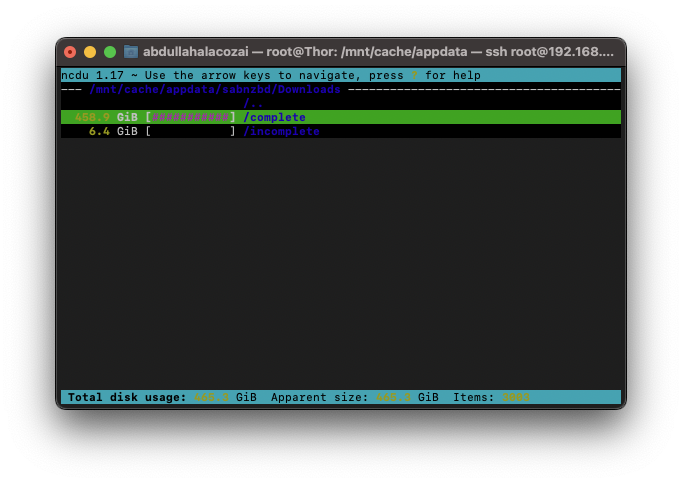
  2. That is really bizarre because usually I want things to download to the SSD and then move to the hard drives to ensure there is no speed bottlenecks when it comes to the downloads. I'm a bit green when it comes to Unraid so I might have configured something incorrectly?
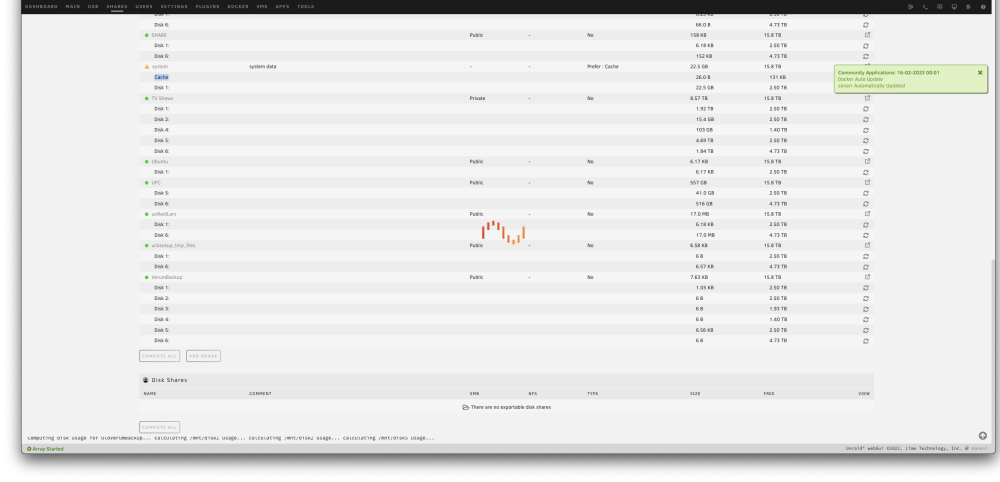
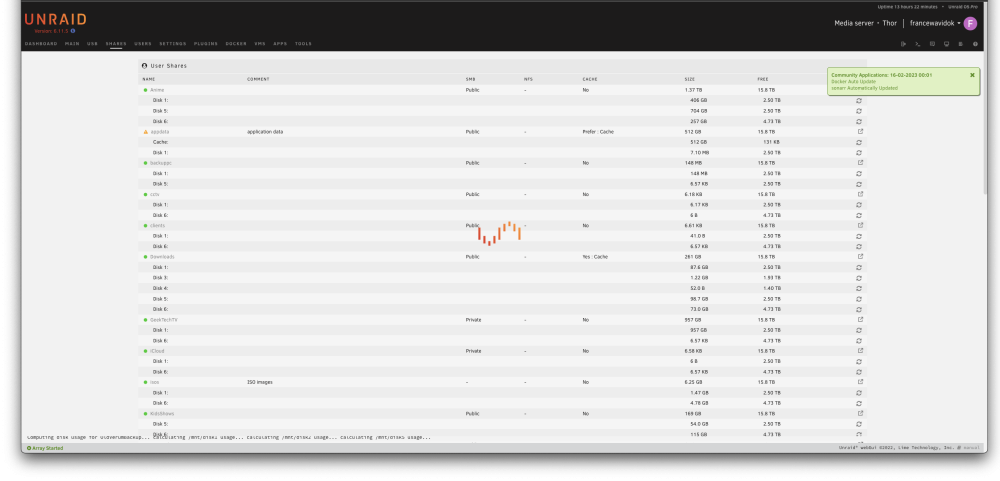
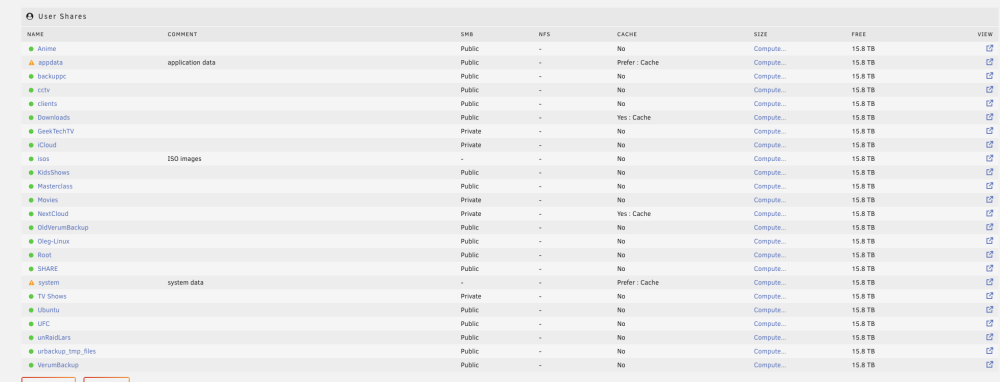
  3. Attached kind sir. How do I backup my flash drive to ensure that if that goes to shit - I can simply burn another one and I'm not going to lose anything? I've attached screenshots as requested.
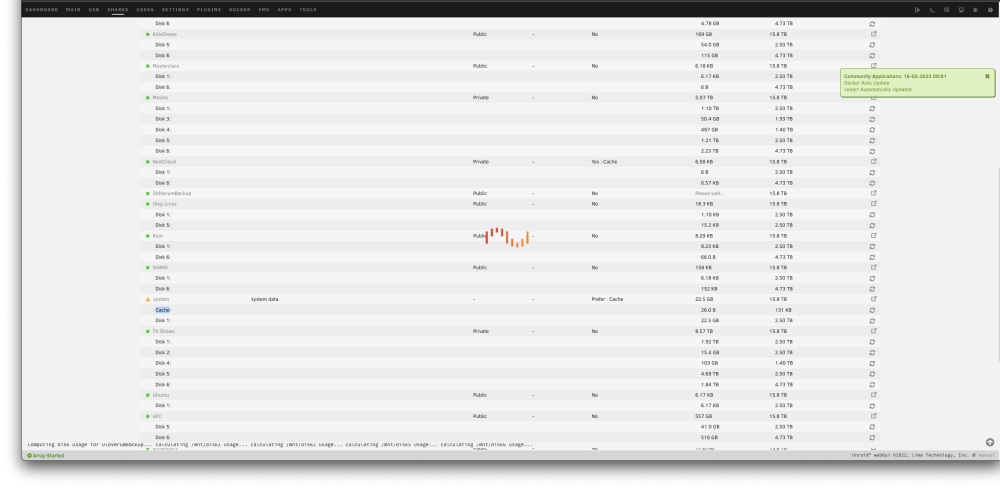
  4. For a while my cache drive seems to be full and I can't really run any containers etc... Mover doesn't seem to work and I've got no idea on how to fix it. thor-diagnostics-20230216-1103.zip
Account

Navigation

Search

Search

Configure browser push notifications

Chrome (Android)
  1. Tap the lock icon next to the address bar.
  2. Tap Permissions → Notifications.
  3. Adjust your preference.
Chrome (Desktop)
  1. Click the padlock icon in the address bar.
  2. Select Site settings.
  3. Find Notifications and adjust your preference.