Jacob W
Members
-
Joined
-
Last visited
-
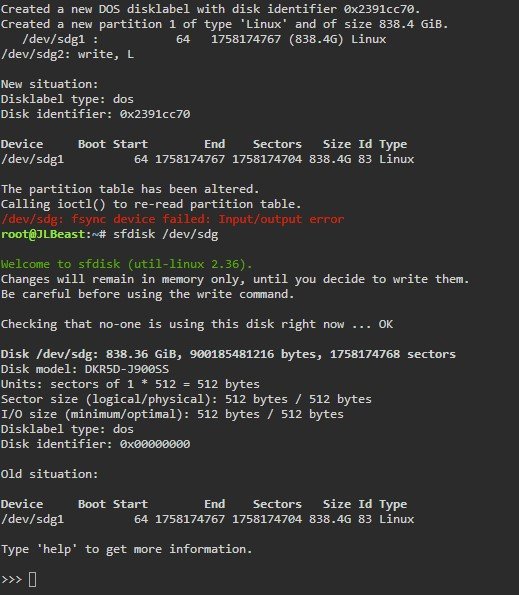
After most of the day trying different commands, i am seeing that there is no protection on the drives. However they still won't format. Diagnostics and screenshot attached. Any ideas? jlbeast-diagnostics-20220420-2143.zip

-
Ok. Grrr. Looking at the posts that you linked and running through them again. I will update when i complete them
-
Sorry i forgot all the steps i completed. I did remove the protection with that post already. I am also running an H200 controller in IT mode to pass all 6 drives through.
-
Hi, I am somewhat a novice to UnRaid. I have been running a server for a few years but for basic stuff. i bought a new server (Dell R810) and picked up HGST 900gb SAS drives for it. I am having the hardest time getting them into the array. No matter what i do i get an error "Unmountable: Unsupported Partition layout". I have googled and searched here and nothing seems to work. So far i have changed them from 520 to 512 block size. I have attempted to allow unraid to format them. I have formatted them with UD on destructive mode. attempts to pre-clear fail. i have used the sfdisk command to see if that works. I am basically trying everything. I have attached my diagnostics info. the only thing i can see is that the disks still list a format of DOS with sfdisk instead of GPT or MBR. Any help would be amazing. jlbeast-diagnostics-20220420-1106.zip