





SpankMeLater
Members
-
Joined
-
Last visited
-
Sorry for the late response, did a lot of testing, crying and trying stuff. Now, I can go to the dashboard without a problem. All docker containers (jellyfin,bitwarden,guacamoleoverleaf) work locally (LAN), outside, it doesn't work at al when I go WAN. Nextcloud, doesn't work locally and WAN. Last year, I was at a ISP and everything was set with default gateway 192.168.0.1. Now, new ISP, it was 192.168.1.1, changed it to 192.168.0.1. cloudflare en swag were funky, but they now pass everything. The problem is now with the reverse proxy (swag). It can generate a new cert, I can ping to nextcloud.mydomain.xx but I cannot acces it... been trying for more than a day Should I make a new topic for this? vault-diagnostics-20211124-2138.zip
-
The problem is, the system worked for months without a problem. The moment we changed from ISP and also there new modem, things went downhill... Also getting other problems like: Samba name server VAULT is now a local master browser for workgroup WORKGROUP on subnet 192.168.0.60. or "Internal Server Error The server encountered an internal error and was unable to complete your request. Please contact the server administrator if this error reappears multiple times, please include the technical details below in your report. More details can be found in the server log." vault-diagnostics-20211124-0141.zip
-
first part is done, connecting to it at https://192.168.0.60:2021, I updated the DNS in mangement settings. Now I can acces the dashboard. But still, cannot connect by it with the my server link on forum.unraid and my docker containers I use (nextcloud,jelyfin,...) do not work outside my LAN.
-
Should have given more information. I'm running swag as well, when I just doe https://192.168.0.60, I get the welcome swag webpage etc.
-
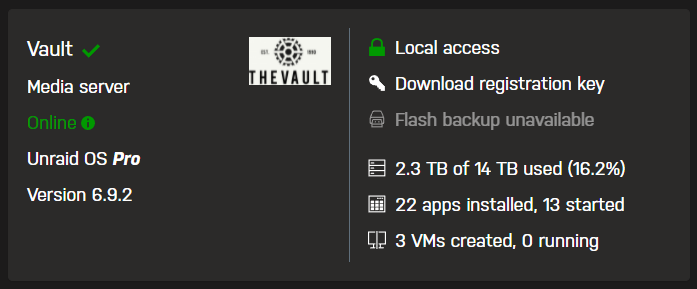
vault-diagnostics-20211123-2032.zip Got a problem and can't find a way to solve it. At our home, we switch from ISP provider, we got a new modem. server ip is locally 192.168.0.60, default gateway off the modem is 192.168.0.1. All the port forwarding has been done and can ping to it, The my servers applications even detects my machine. But for some reason I just cannot connect to it locally... I attached the diagnostics zip. Any idea what it could be? Thanks in advance.
-
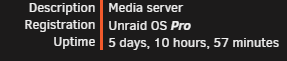
Updated 2: The NAS has been running for more than 5 days without any errors. The problem was the C-state settings in the bios. After disable it, The problems I had disappeared.
-
Updated I bought a APC ups and installed a new motherboard (motherboard failed randomly?). So far, so good. Will bring an update within a few days, or sooner when if a error occurs.
-
You mean a unstable net? that is unlikely, it is on a power brick, but on the power brick, there are only a 3D printer and 2 pc's. That woudn't be the problem I suppose?
-
More detailes on my motherboard. Gigabyte B450M DS3H-CF ac back ("autostart on powerup") is always off, wake on lan= enabled All internal connectors are well plugged in
-
Not that i'm aware of. I will shutdown the nas, physically check if connectors are loose and check the in the bios for that.
-
No, I did not. I wasn't near it at the time. I looked in the logs and saw: "Dec 21 14:20:27 could not insert 'kvm_amd': Operation not supported" or "Dec 21 14:25:52 kernel reports TIME_ERROR: 0x41: Clock Unsynchronized" But those 2 should not be responsible for a sudden shutdown?
-
Ooh, ok, good to know and sorry for the confusion.😅 Yes, they are the same.
-
Unraid beginner here , I'm experiencing a weird problem om my nas. Last week, I started building a new nas, was able to set an array and shares. Setted a parity check at monthly, it did a parity check (and passed). But after a few hours, it restarts the parity check again? I also momentarly lose connection; but by refreshing, its works fine again. Would this be a hardware problem? Currently using it for storing games and schoolwork. So i'm not really pushing or doing crazy stuff on the system 😛. I added diagnostics and syslog zips. Thanks in advance. vault-syslog-20201221-1500.zip vault-diagnostics-20201221-1524.zip
