





leonardootto
Members
-
Joined
-
Last visited
-
Humm. I think it can not be larger that the larger one. Get it. Thanks
-
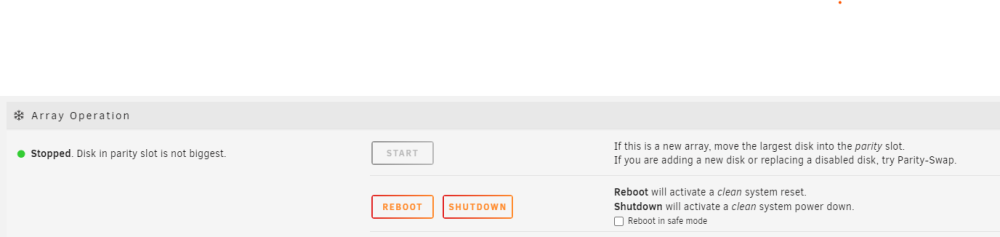
Follow the infos:
-
Hello, I have a setup with a 14TB parity drive and a 6TB data drive in my Unraid system. I recently purchased a new 14TB drive and attempted to add it to my array as a data drive. However, when I try to start the array, it fails with the error: "Disk in parity slot is not biggest." Here are the details of the two drives: root@enterprise:~# fdisk -l /dev/sdl Disk /dev/sdl: 12.73 TiB, 14000519643136 bytes, 27344764928 sectors Disk model: ST14000NM001G-2K Units: sectors of 1 * 512 = 512 bytes Sector size (logical/physical): 512 bytes / 4096 bytes I/O size (minimum/optimal): 4096 bytes / 4096 bytes Disklabel type: gpt Disk identifier: xxxxxxxxxxxxxxxxxxxxxxxx Device Start End Sectors Size Type /dev/sdl1 64 27344764894 27344764831 12.7T Linux filesystem root@enterprise:~# fdisk -l /dev/sdg Disk /dev/sdg: 12.73 TiB, 14000519643136 bytes, 27344764928 sectors Disk model: ST14000NM001G-2K Units: sectors of 1 * 512 = 512 bytes Sector size (logical/physical): 512 bytes / 4096 bytes I/O size (minimum/optimal): 4096 bytes / 4096 bytes Disklabel type: gpt Disk identifier: xxxxxxxxxxxxxxxxxxx Device Start End Sectors Size Type /dev/sdg1 64 27344764894 27344764831 12.7T Linux filesystem root@enterprise:~# Both drives are the same size and start at the same sector. Can you help me integrate this new 14TB drive into my array, even if it means I need to shrink it slightly? Thanks,
