




Skip to content
View in the app

A better way to browse. Learn more.

Unraid

A full-screen app on your home screen with push notifications, badges and more.

To install this app on iOS and iPadOS
  1. Tap the Share icon in Safari
  2. Scroll the menu and tap Add to Home Screen.
  3. Tap Add in the top-right corner.
To install this app on Android
  1. Tap the 3-dot menu (⋮) in the top-right corner of the browser.
  2. Tap Add to Home screen or Install app.
  3. Confirm by tapping Install.

Butters

Members
  • Joined

  • Last visited

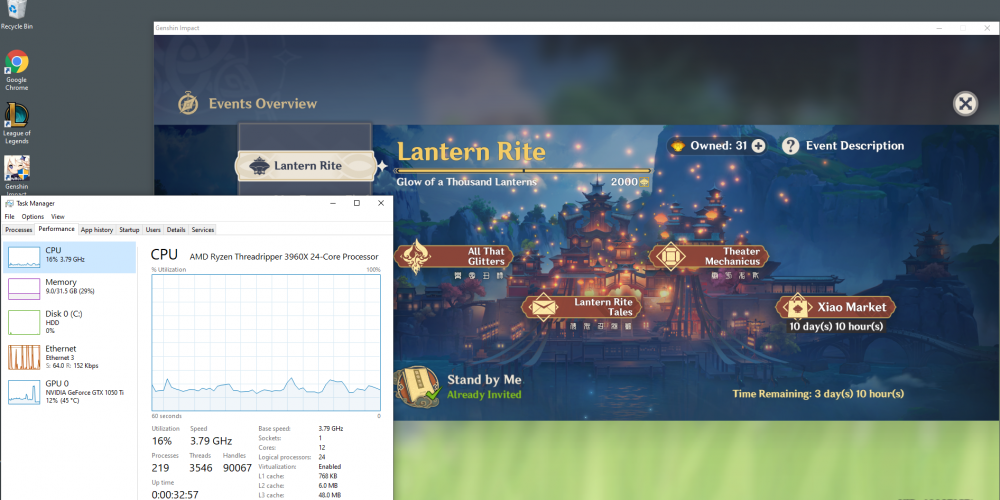
  1. Hey @cskim! I just set up unRaid today. My Windows VM is running from a bare metal install on an SSD. I had the "Sorry, this application cannot run under a Virtual Machine." issue, but after adding <feature policy='disable' name='hypervisor'/> I was able to successfully play Genshin Impact. I did face some lag when I moved my view, but that was because my Logitech mouse report rate was too high. After lowering the report rate to around 250 I can now play on high settings without any lag. My version is 1.3
Account

Navigation

Search

Search

Configure browser push notifications

Chrome (Android)
  1. Tap the lock icon next to the address bar.
  2. Tap Permissions → Notifications.
  3. Adjust your preference.
Chrome (Desktop)
  1. Click the padlock icon in the address bar.
  2. Select Site settings.
  3. Find Notifications and adjust your preference.