Sean Mooney
Members
-
Joined
-
Last visited
-
Thank you!
-
Sorry, I should have been more clear. Where in the diags would I find that disk1 is being used? I'm trying to learn what to check for future trouble shooting before coming to the forum for help.
-
Thank you! How did you know it was disk1?
-
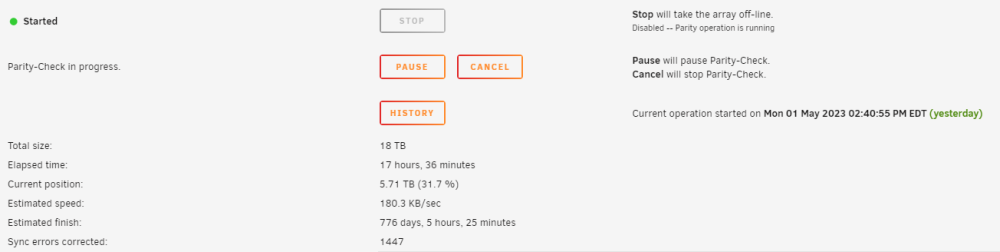
Is this anything to be concerned about? I recently upgraded the parity drive last week, and parity was rebuilt with no issue. A couple days later I upgraded Disk 1 (sdh) and the data was rebuilt from parity with no issues. No this is the first parity-check that has been run (scheduled) since those changes were made. After ~4-5TB of progress in the check it has slowed way down and is estimated to take 900+ days to finish that doesn't seem right. Does anyone have any recommendations of what I can check/change? tower-diagnostics-20230502-0816.zip