





Zetswei
Members
-
Joined
-
Last visited
-
I was able to actually get it working. I pulled an old xml and after a while it booted back up.Not sure why it disappeared or what happened to it.
-
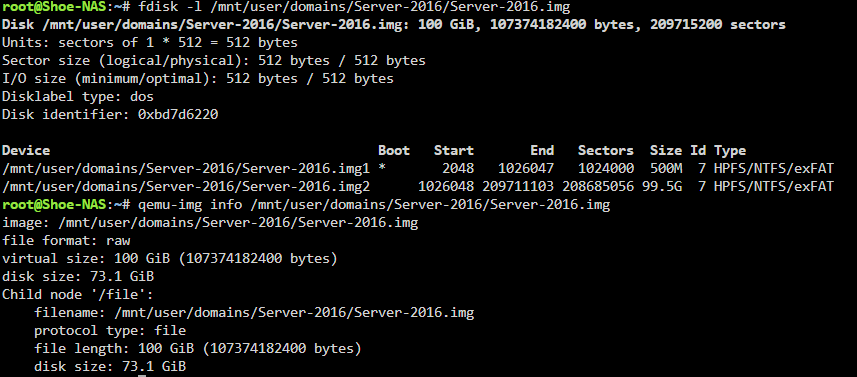
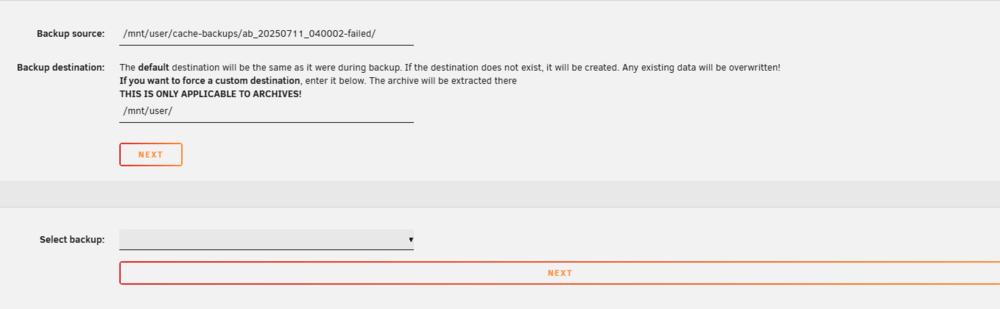
Hello, Hoping someone here can help me out. Unfortunately Discord was stumped. I updated my Unraid to 7.2 last night and thought all was well until I realized my domain controller didn't come back up. When I went to check it out, it's completely gone. I still have the vdisk etc. however when trying to create a new VM and attach the vdisk it boots to shell and when I type 'exit' it shows the drive as 'UEFI Generic Device' I ran a few commands I saw on various posts and will attach below I backed up the vdisks and libvert and then deleted libvert I have some old backups but it seems my backups were failing in recent months. I tried restoring one of the backups however it did not let me actually choose anything to restore The select backup option is blank no matter what folder I go into Any help getting back into this VM would be much appreciated. I have essentially my entire houses setup and thought it was being backed up properly.
-
Trying to upload diagnostics doesn't seem to work on download shoe-nas-diagnostics-20241113-0013.zip
-
Looking for some help here, I wanted to create a download cache and an appdata cache, however when I installed the 2nd drive I mistakenly added it to the app pool. I removed it and added it to it's own pool and all was fine but I noticed my mover was not moving items off because of the missing drive so I stopped my array and removed it from the pool. However, now the pool is unmountable. It was working before minus the mover failing to move anything. I've tried a few things, I tried stopping and restarting the array, rebooting unraid, running a file system check on the cache drive, etc. but seemingly it remains unmountable. There is about 1.23 TB of data on the drive so I don't want to just wipe it as I was trying to fix the backup process in the first place as it has been seemingly failing because of the mismatch on the pool (Unraid was reporting there was 3 TB instead of 2 because of adding the 990 PRO to the wrong pool to begin with. Just in case anyone else comes across this... I ended up moving all the files off my pool by changing the number of devices back to 2 and then turning on the array.Once I moved everything off I turned the array back off, and then moved it back to 1 device and formatted the drive and moved everything back. shoe-nas-diagnostics-20241113-0013.zip




