



Skip to content
View in the app

A better way to browse. Learn more.

Unraid

A full-screen app on your home screen with push notifications, badges and more.

To install this app on iOS and iPadOS
  1. Tap the Share icon in Safari
  2. Scroll the menu and tap Add to Home Screen.
  3. Tap Add in the top-right corner.
To install this app on Android
  1. Tap the 3-dot menu (⋮) in the top-right corner of the browser.
  2. Tap Add to Home screen or Install app.
  3. Confirm by tapping Install.

Amarok

Members
  • Joined

  • Last visited

Everything posted by Amarok

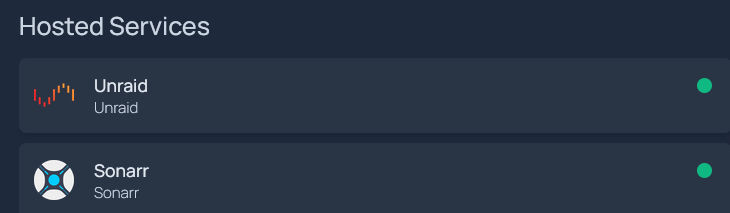
  1. Not sure if you figured it out or still need help, I happened to be trying to do the same thing. I configured everything in services.yaml as below (all specifics removed). services.yaml - Hosted Services: - Unraid: icon: unraid.png href: http://host.ip description: Unraid host ping: host.ip statusStyle: 'dot' - Sonarr: icon: sonarr.png href: http://host.ip:port description: Sonarr widget: type: sonarr url: http://host.ip:port key: <your_api_key> siteMonitor: http://host.ip:port statusStyle: 'dot' With the ping approach, when hovering over the green dot I get "Ping Up (0ms)" and wtih the siteMonitor it "HTTP Status 401 (14ms)", I'm assuming thats because Sonarr isn't liking the way the request is being sent (not sure about this, need to do more research).
Account

Navigation

Search

Search

Configure browser push notifications

Chrome (Android)
  1. Tap the lock icon next to the address bar.
  2. Tap Permissions → Notifications.
  3. Adjust your preference.
Chrome (Desktop)
  1. Click the padlock icon in the address bar.
  2. Select Site settings.
  3. Find Notifications and adjust your preference.