





Kjell-Einar Andreassen
Members
-
Joined
-
Last visited
-
Hi It seems that chanhing to IPlan did the trick 🙂 my server is now stable for 10 days 🙂
-
Hi I have now enabled the syslog server og changed det nettwork settings to ipvlan. so now we wait again 🙂
-
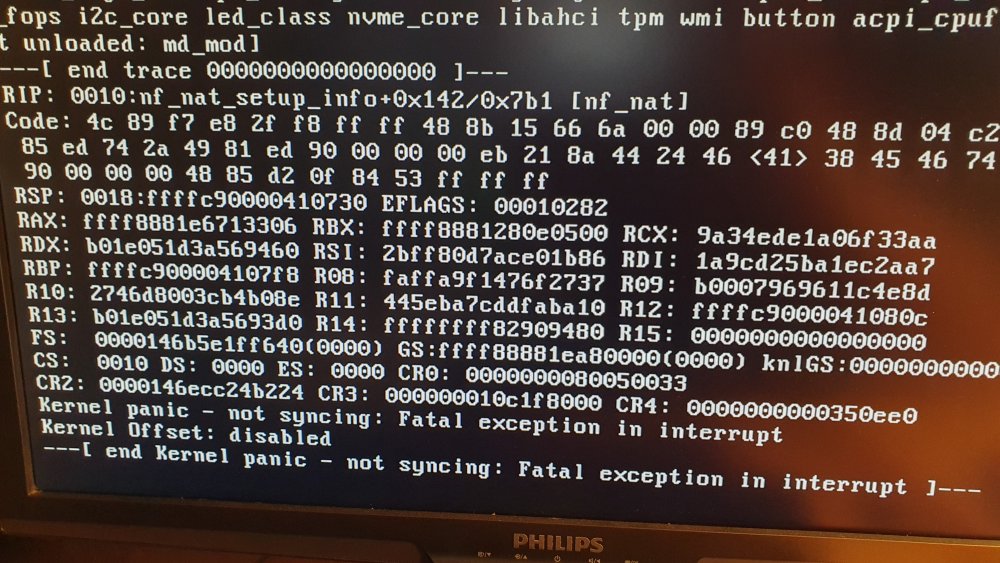
After changing these settings a now got these errors: see picture attached Anybody got a clue? the log does not show tis errors.
-
Ok, i found globas c-state setting, now turned off 🙂
-
Hi tanx for the reply @JorgeB I have updatet bios to latest version and set memory speed tol 3200Mhz acording to the faq. but i can not find any settings regardig c-states or power supply settings. So now we wait... to se if this solves my problem.
-
SEver becomes unresposive avfter a couple days. Only way to connect to the server is to make a hard reset of the server. Any help will be appreciated omega-diagnostics-20221227-1105.zip

