





Kaiger
Members
-
Joined
Everything posted by Kaiger
-
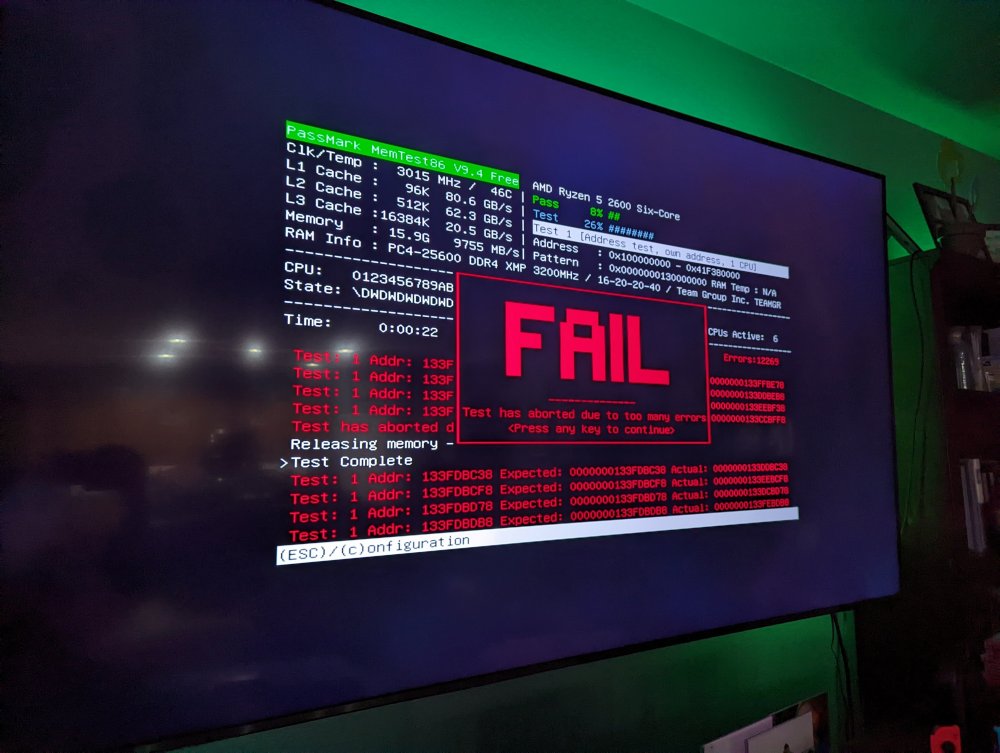
Fourth stick failed after about 20 seconds. It's been solidly running a parity check for the past 12 hours on two sticks of RAM so we'll call this one solved. Thanks for the help.
-
I've had my Unraid server running successfully for about two years. In the past week my system has become completely unstable with no major change in software or hardware in about the past six months. It will become unresponsive both through the web GUI and the CLI on the machine itself. At that point it will fall off the network as well. Symptoms leading up to the crash have included 100% pegged CPU cores, SMB shares disappearing (sometimes minutes before the web interface). I've had to reboot it 5-6 times and it's completed its parity check once when I booted to safe mode, killed the VMs and most of my docker images. I've attached my syslog. I'm not very Linux savvy, but it looks like the first thing I recognize as an error occurs at 17:18:58 with the BTRFS warning and checksum errors and it just goes downhill from there. I'd appreciate any of the experts' opinions on what to try next for troubleshooting. If I don't figure it out by this weekend my plan is to run memtest on my RAM, but that's kind of a shot in the dark. I'm new to the forum, so please let me know if I missed something or if more information is needed. Thanks syslog.log

