BrossElite23
Members
-
Joined
-
Last visited
-
Yeah unfortunattly i am not able to do ether of those with my Raid card. But thanks a lot.
-
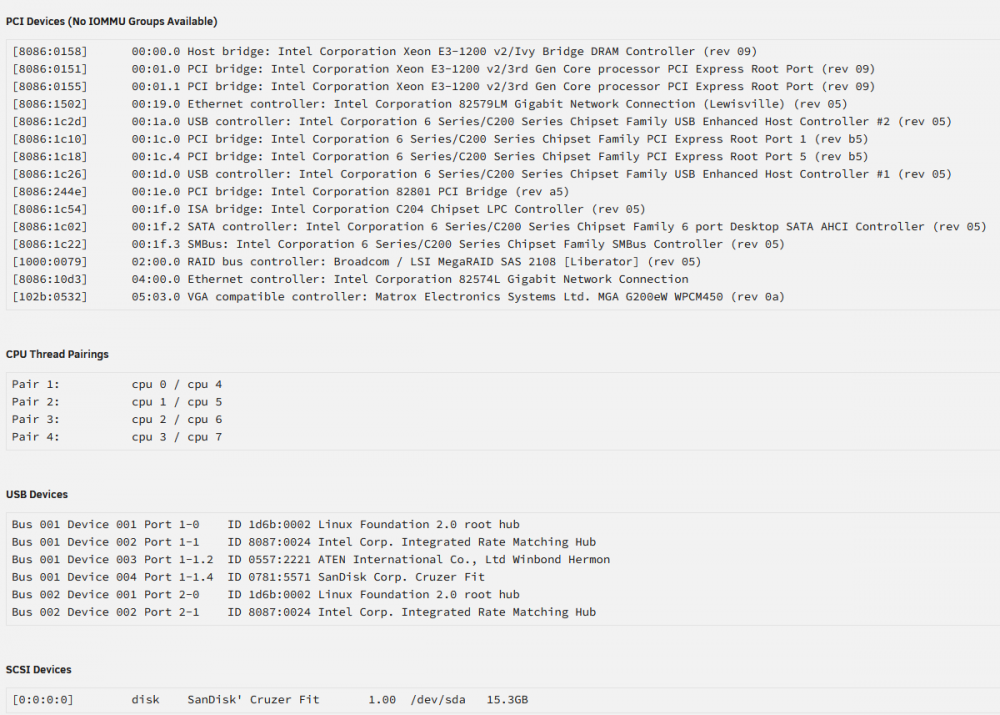
Hello community. Today I have installed Unraid onto a 16GB USB and began a trial of Unraid OS using the latest stable version - 6.10.2. I have spent the last 4 hours trying to get 2 hard drives and 1 SSD recognised by Unraid and have so far failed and quickly loosing trust in a system I am yet to use. I therefore turn to the community for guidance and to build this trust. The system is a TK Server SC813M with a X9SCM-F motherboard. It has an LSI 6Gbps SAS Mega RAID Controller Card (L3-25121-86B) installed connected. I have installed a 1,5 TB WD drive, a 1TB WD drive and a 250 GB Samsung SSD into the server. All drives are recognised within the raid controller config screen. When booted into Unraid I cannot see the drives. I have plugged the drives into a Windows PC and it was instantly recognised by Windows. I used Windows to do a quick reformat of the drives but they still did not show in Unraid. I hope someone can tell me what is going wrong. If all goes to plan this system will be holding 4 drives and in excess of 10TB data and while I have a backup of the data I'd prefer not to have to use it. Please let me know if you need more information to diagnose the problem. Nico. tower-diagnostics-20220609-2120.zip