





miker905
Members
-
Joined
-
Last visited
-
Not around the house tonight to check, but are you running this on another machine as well? Did you assign different tag/ID/workerName? I don't think they can be the same (not 100% sure but i use different ones for each machine).
-
I got tied up and after I got it running I shut the docker down and didn't actually check for any results. Did your results show up after a little longer?
-
Update. All is well. Parameters work as expected and since the docker starts I can actually see the command line its passing and adjusted from there. Mike
-
Tried Same error. Pretty sure I will need that for Unminable as i'm not really mining DOGE. Is there a way to find/show any log files so I can see what happens when the xmrig is run? Looking through docker.log and see this error: time="2021-04-28T16:21:43.848677945-07:00" level=error msg="Handler for POST /v1.37/containers/8fb45d098f31/start returned error: error gathering device information while adding custom device \"/dev/dri\": no such file or directory" Update. Getting somewhere now. Thanks for pointing in right direction. I can start the docker now so I can at least get past the error and now i can tweak the parameters. (Had to set the GPU device to /dev/null as I am only using CPU anyways).
-
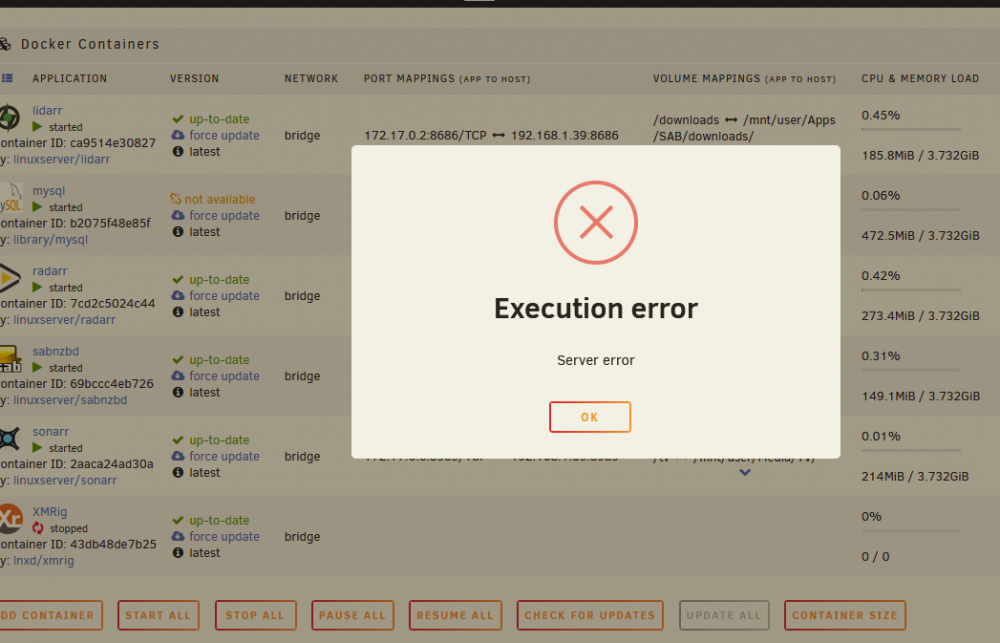
Here is the error.
-
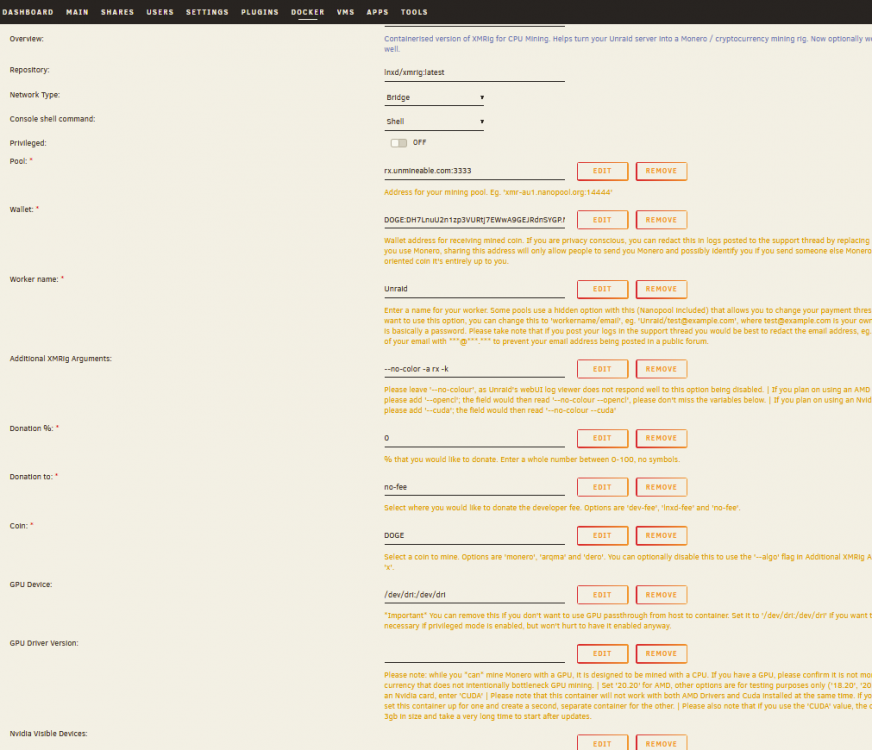
Lol. Yes of course....See below. It would be good if the "Coin" field wasn't mandatory. * edit: I have tied using the "x" in the coin field as well. Still same error.
-
Hi, I realize its a windows command line, I was just copying to show the parameters I use in windows. When I attempt to do this in docker I get a "Execution Error" / "Server" error. I assume it is because the way Unmineable needs to see the Wallet. "DOGE:walletID.tag". As you can see from the command line I don't specify a coin either with a command line. I am unable to find any details for the error that pops up when I start the docker. * I have just started using Unraid and am very much a newbie. thanks Mike
-
miker905 joined the community
-
Quick question. I run xmrig on a pc and thought I'd like to run it on the unraid server as well. How would I pass the following command line through this docker image? xmrig.exe -o rx.unmineable.com:3333 -a rx -k -u DOGE:mywallet.mytag Thanks Mike


