Skip to content
View in the app

A better way to browse. Learn more.

Unraid

A full-screen app on your home screen with push notifications, badges and more.

To install this app on iOS and iPadOS
  1. Tap the Share icon in Safari
  2. Scroll the menu and tap Add to Home Screen.
  3. Tap Add in the top-right corner.
To install this app on Android
  1. Tap the 3-dot menu (⋮) in the top-right corner of the browser.
  2. Tap Add to Home screen or Install app.
  3. Confirm by tapping Install.

h1o

Members
  • Joined

  • Last visited

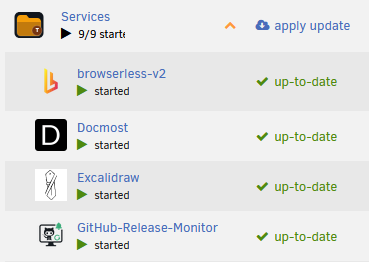
  1. Hi! Thanks for the update. Now it's showing there's an update at the folder level. But expanding the folder all nested apps seem to have an update, which is not the case. In this case only "browserless-v2" had an update. And after updating "apply update" is still there although everything has been updated. It will change only to "up-to-date" if I refresh the page. Thank you 😀 PS: Just noticed that under SERVICES 9/9 started is cut off
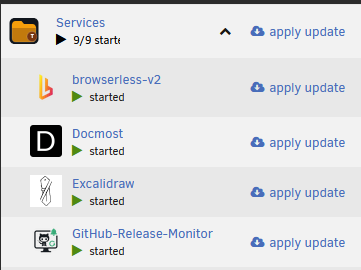
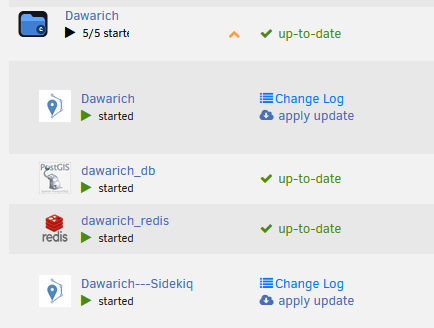
  2. Hi! Updates won't show if the folder is collapsed. Don't know when the change happened maybe it was already in the previous update. Thank you!

Account

Navigation

Search

Search

Configure browser push notifications

Chrome (Android)
  1. Tap the lock icon next to the address bar.
  2. Tap Permissions → Notifications.
  3. Adjust your preference.
Chrome (Desktop)
  1. Click the padlock icon in the address bar.
  2. Select Site settings.
  3. Find Notifications and adjust your preference.