randommusic
Members
-
Joined
-
Last visited
-
Far as I remember that's not default firefox behavior, but OP was using ESR release 🤷
-
I use librewolf (firefox based browser) which disables webGL by default, this is the exact output I'd get. In librewolf I add an exception for my unraid box's web gui
-
This happens if webGl is disabled
-
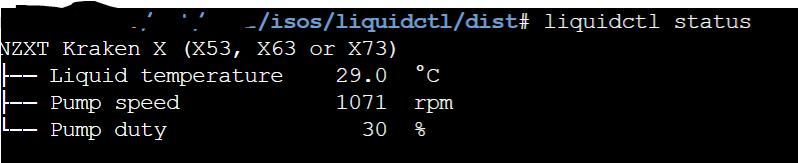
Hi All, I've got liquidctl packaged up in a python wheel. Switched smbus library for smbus2 as slackware and dev tools for unraid don't have an implemenation. Other prerequisites are the ones listed in liquidctl install instructions. pip, python will need be install with https://forums.unraid.net/topic/35866-unraid-6-nerdpack-cli-tools-iftop-iotop-screen-kbd-etc/ The wheel has all the required libraries included. Symbus 2 is all python. Git clone/download zip from https://github.com/thecutehacker/liquidctl---Unraid and in the command line go to the liquidctl/dist folder and type pip install liquidctl-1.7.2-py3-none-any.whl Hopefully I'll have time to put it into a plugin soon. Installing it is only temporary and will be lost on reboot. Could always have a startup script that reinstalls it from an existing user share/storage. Hopefully this is useful for someone!