Skip to content
View in the app

A better way to browse. Learn more.

Unraid

A full-screen app on your home screen with push notifications, badges and more.

To install this app on iOS and iPadOS
  1. Tap the Share icon in Safari
  2. Scroll the menu and tap Add to Home Screen.
  3. Tap Add in the top-right corner.
To install this app on Android
  1. Tap the 3-dot menu (⋮) in the top-right corner of the browser.
  2. Tap Add to Home screen or Install app.
  3. Confirm by tapping Install.

Seraph42

Members
  • Joined

  • Last visited

Everything posted by Seraph42

  1. Thanks JorgeB, that was exactly the issue. I really appreciate it!
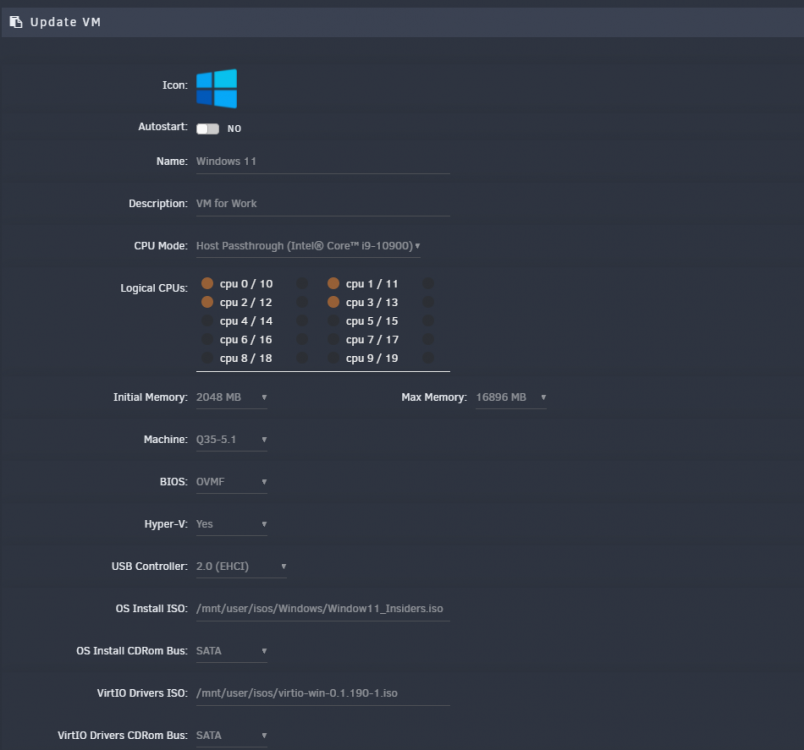
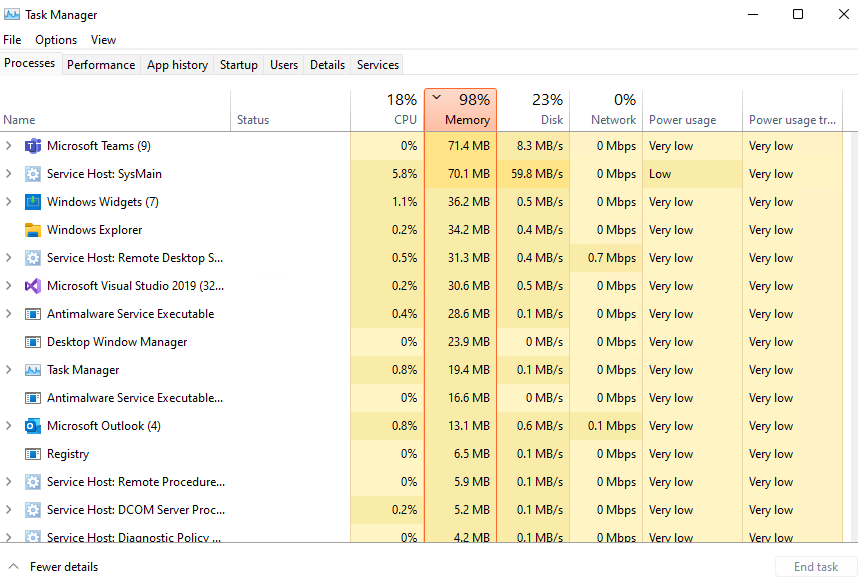
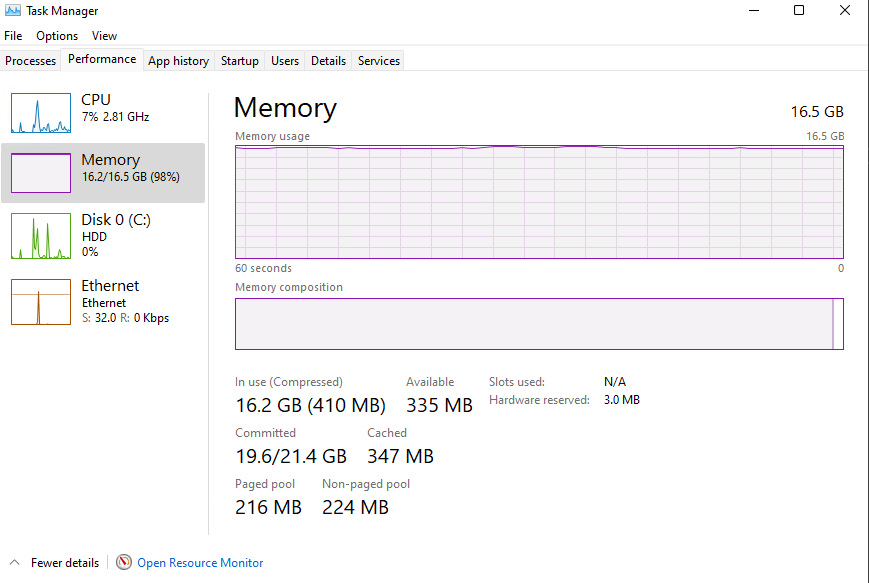
  2. Hello, I'm pretty new to both Linux and unraid in general. I just setup a windows 11 VM using SpaceInvaderOne's video, and everything seems to be going well except Windows is using 97% of the memory I allocate to it. I originally gave it 12gb of ram, and then bumped it to 16gb when I saw it was using all of it. When using the task manager, it doesn't show any process using enough to represent the totality of what it's reporting is being used. Is this just something that is commonplace in VMs, or is there another issue at hand? I've tried disabling superfetch and it had no impact on the RAM usage. Thank you, any help is appreciated.
Account

Navigation

Search

Search

Configure browser push notifications

Chrome (Android)
  1. Tap the lock icon next to the address bar.
  2. Tap Permissions → Notifications.
  3. Adjust your preference.
Chrome (Desktop)
  1. Click the padlock icon in the address bar.
  2. Select Site settings.
  3. Find Notifications and adjust your preference.