nnescorpionn
Members
-
Joined
-
Last visited
-
did you manage to solve it? I also have 3060 ti and always have black screen.
-
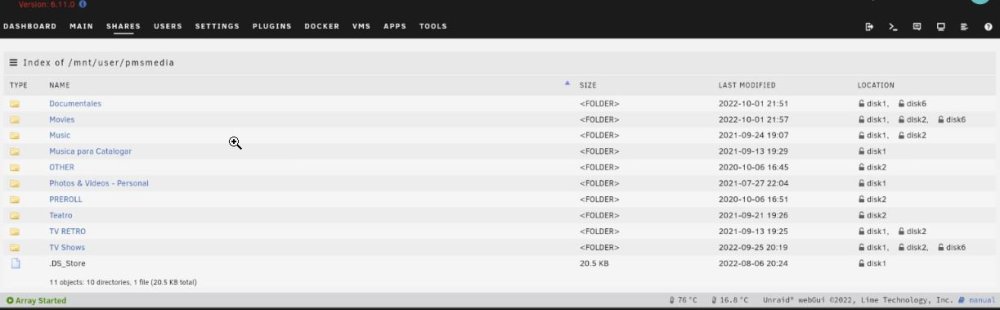
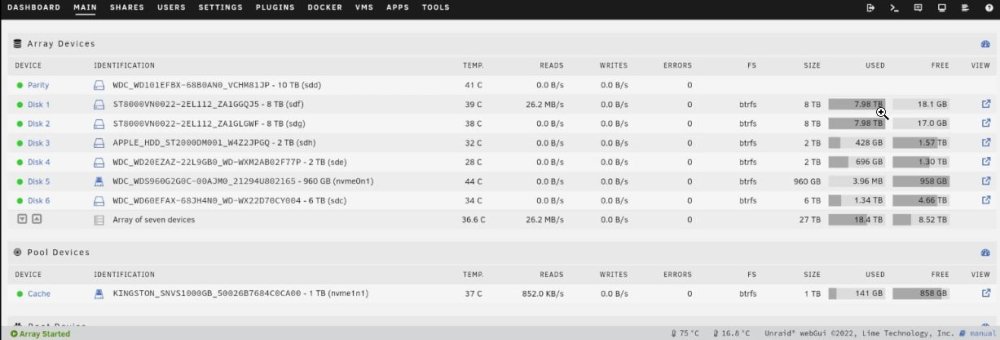
Thank you very much. These errors where the folders appear empty but have content and are from other drives. Is it disk6's fault? That's what seems strange to me. I don't understand why disk6 affects the folder listing (I guess all files except those on disk6 should be listed). The pmsmedia is shared with disk1, disk2 and disk3. Or also, that the DOCUMENTARIES folder that was exclusive to disk1, now appears on disk6 (I never moved those folders, they appeared by themselves). About the format of the disks. I have no problem converting from btfrs to xfs (I have a backup of all except disk6). For the use of Plex, VM games and Office documents, do you recommend that I make that change? Thanks again
-
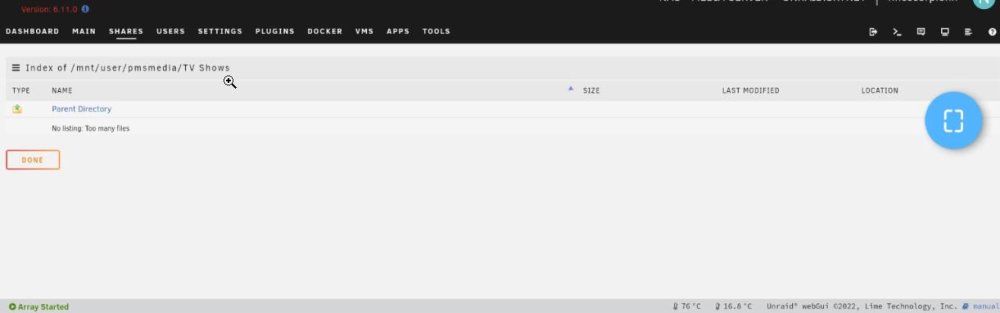
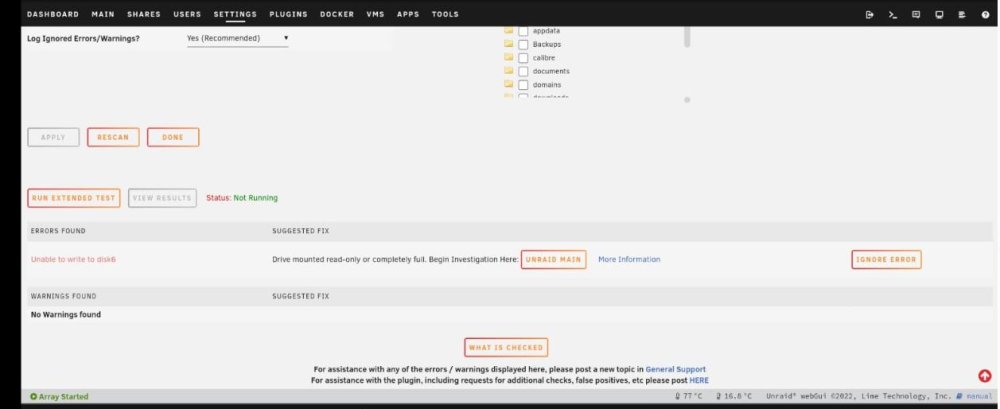
Hello friends. I have had an unraid system for almost two years and every day that passes, I fall more in love with it. A few days ago, a file that I downloaded through radarr and qbitorrent, I could (and still can) see it on Plex, but if I use Krusader or go to MAIN--> DISK6 or SHARES-->PMSMEDIA-->MOVIES- ->I can't find the folder or the file (I can detect it from APP PLEX in INFO of the movie file). This happened last week. Yesterday, something similar happened. Several files that I downloaded had not been moved from cache, which was very strange. And I notice that there is an error notification with FIX COMMON PROBLEMS (error found: UNABLE TO WRITE DO DISK6). I stopped the array, restarted and started the array again. The error had disappeared and when I click MOVE (for the cache), shortly after passing some files, the error returned. I started logging into Krusader and when I go to see which files have been moved from the cache to the TVSHOWS folder, I realize that the folder is empty. So I restarted the Krusader and it was still empty. So I got into the unraid web gui, went to SHARES --> PMSMEDIA-->TVSHOWS--> and I couldn't see the folders and files, but a legend that says "NO LISTING TOO MANY FILES". I tried entering the PLEX APP and everything looked perfectly (file information with its destination, videos and audios working correctly). Continuing with the investigation, I begin to observe that, for example, the "DOCUMENTARY" folder was always on disk1, but incredibly now some files have "alone" moved to disk6. (maybe it was the parity disk, but it's very strange). Seeing some posts in the forums, maybe it is due to a problem with Disk 6. So my problem now is that I want to make a backup of disk6, but I can't, whenever I try to move folders and files, it starts saying that it has corrupted files (randomly, it's not always the same file, sometimes it happens fine). Has anyone had something similar? It seems very strange to me that all these problems started recently and without having installed anything new or any configuration. (except for updates to both unraid and plugins and dockers). Thank you very much in advance. PS: I have a 600w power supply, maybe it's too little power for all these drives? unraid.skynet-diagnostics-20221003-2236.zip