coffeeman2000
Members
-
Joined
-
Last visited
-
For those having the same issue. What a stupid setting.... BUT you have to click on "plugin's" tab and then update the "Community Applications" app. As if refreshing the app page wasnt enough you have to update the plugin that is the app page. WOW.
-
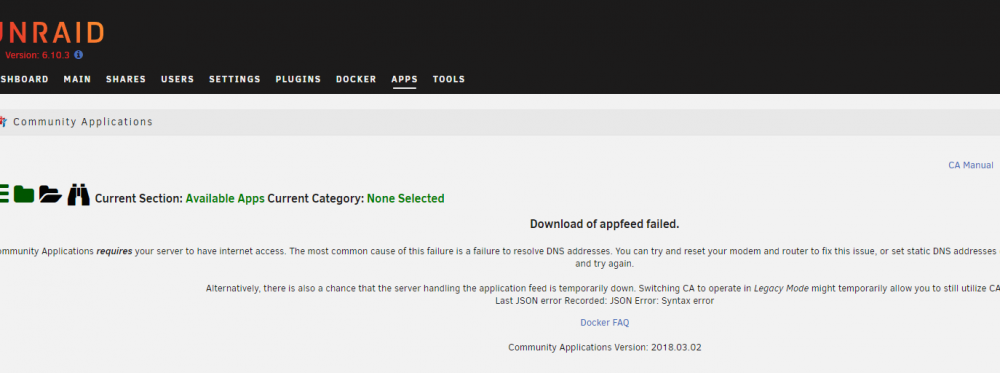
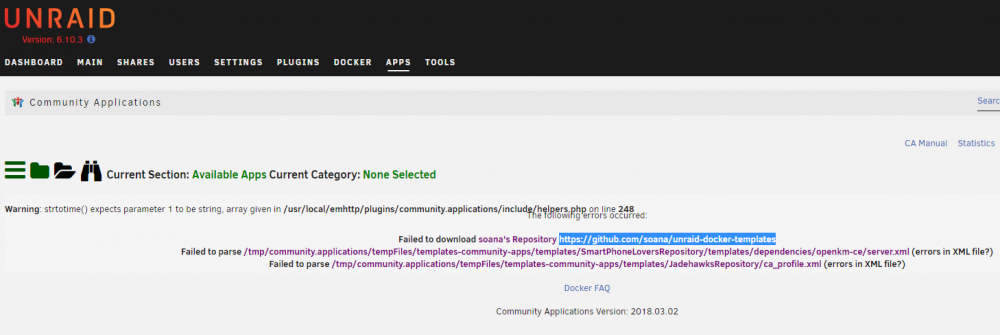
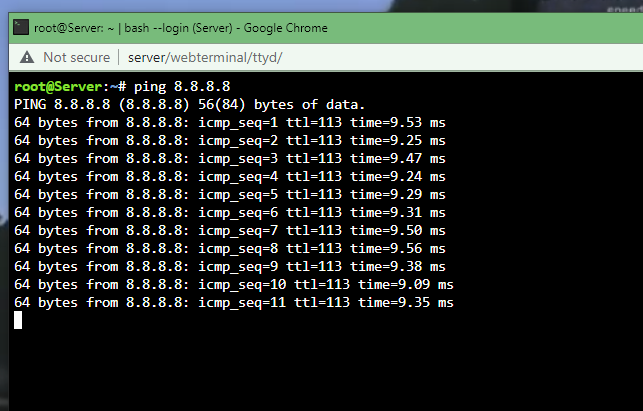
Error when trying to load the app page "Download of appfeed failed" Background: I have only one plugin/docker installed which is plex which I'm able to stream from outside my LAN fine. I have no other apps/plugins/settings modified. Lastly, I have done what the error says and changed the DNS to static 8.8.8.8 and 8.8.4.4 which you can see i can ping those within the server. What's weird is I can update plex app using the update function and i also upgraded Unraid within the GUI to 6.10 (upgraded from 6.5 where I still had the same issue with the app page loading). The only thing i can think of, i did get a new wifi system (eero) about 6 years ago. Currently i am plugged directly in, which is the one and only router/hub/device i have.
-
In your scenario that would work perfectly. Your scenario is really based on folder permissions not by user authentication. Unraid gives the option to add multi users with different levels of access (since learning about the issue, im using the word "option" loosely). The limitation in your point, is that there can be many users (as in physical people using the server) however only two options/folder views are applied to all physical users. Happy to give an example if that helps. simply put your confusing authentication vs authorization.
-
As for the actual work around. Its a bummer that this doesnt work properly. Realistically telling a friend to open up the command line, type something in, then FIRST open up a certain folder is rough. However im not going to go as far to say, that this ruins Unraid: it still is a bummer. No one should really expect security at such a "home user" level however i was more going to use it so fellow friends can share music/movies/tv shows but protect preying eyes from regular personal documents. Also lets not forget preventing someone from "cutting" files instead of using the copy command :'( :'( :'( :'( :'( :'(
-
limetech, Thanks a million for such a great post. I really mean that, im so happy to get a straight forward answer. So many times in forums other users start telling the OP to change a million settings without actually knowing whats REALLY going on behind the scenes. If i might add.....this should be a sticky note. On a better note make its way into the wiki/documentation. It explains well why the "private" share in Unraid it not a working function for windows. There must be many customers trying to get this to work.....
-
Seems just the opposite. i cant get any user to add with ANY capitol letter in the name.
-
I'm assuming your aware that this is NOT what is expected from Unraid user shares nor is making a user for EVERY computer name using the network practical. With that said i appreciated the work around. I was aware of the "secure" mode in raid which from what your telling me works great. As of now, traveling with my unraid box and allowing users to access certain data is not going to work with "secure" mode implemented. Getting everyone's computer names, typing them into unraid and setting up a share is not as easy as handing them a piece of paper with the words Login: Guest Password: 1234 I am curious if others have gotten this to work. If not, im wondering why Unraid would even add the "private" share mode in the first place. If anyone else has more information please let me know. It would be really nice to know some of my data wont get accidently deleted from a public user/share
-
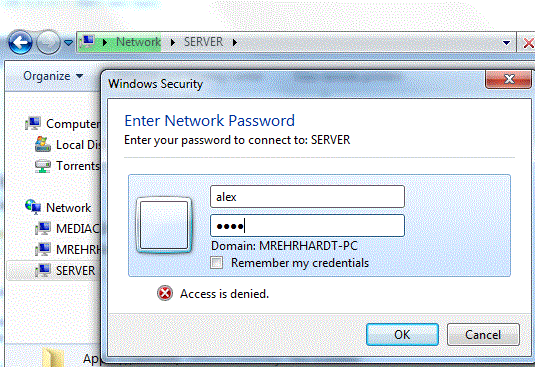
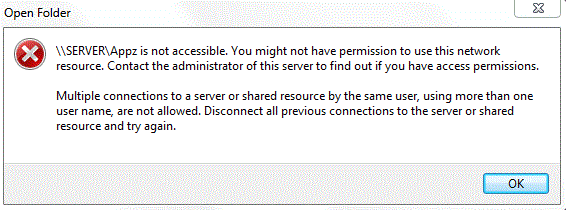
attached is a screen shot. I have also restarted both the PC and Unraid to refresh any SMB/credential issue.
-
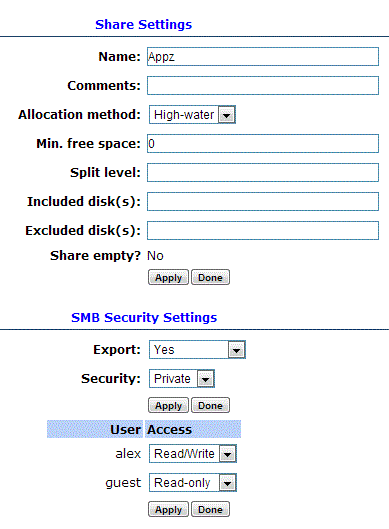
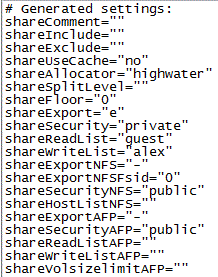
Hey Friendly Unraid users. Iv owned unraid for many months now and have loved it, however i have been plagued since day one with a user share problem. Im trying to setup user accounts to access Shares. I THINK i have all the settings correct and yet when windows asks me to login with username and password (type them in) and says i don't have access. If i make the setting as "Public" then everything works fine (i can see, copy, move, create files and folders no problem). Here you can see i have made two accounts in unraid "guest" and "alex". For the sake of making things simple here, i have made the password "1234". Now i would think that when windows asks for the login and password (which it does) i would just be able to type the account info in and should allow access to the unraid server. The goal being i will make user accounts for people in the house AND have a guest account so when friends visit they have access to my movies/TV shows. Running version: 5.0-rc11 Pro (Current Version) this is a fresh install no upgrading.... Well, i tried all..... restarted server restarted SMB Renamed Workgroup to "WORKGROUP" Created more users and tested changed Passwords Double checked the actual config file (attached) If anything i explained needs more detail please let me know, i will change this post and also reply with a clarification.